[b]New Updates[/b]
[b]Mode Lab: Multi Cube Item Mode[/b]
- The new Multi Cube Item Mode has been added to the Mode Lab!
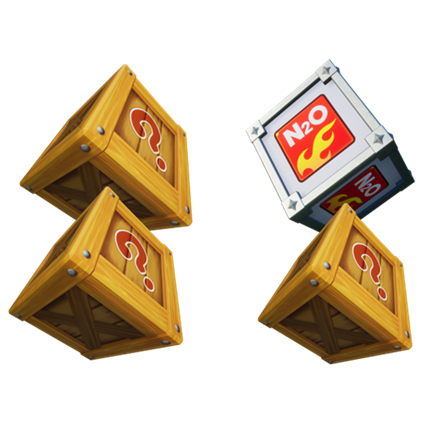
- Multi Cube Item Mode operates the same as Item Mode, but with two new types of cubes spawning on the track: [table] [tr] [th][b]Double Cube[/b][/th] [th][b]Guaranteed Cube[/b][/th] [/tr] [tr] [td]
 [/td] [td]
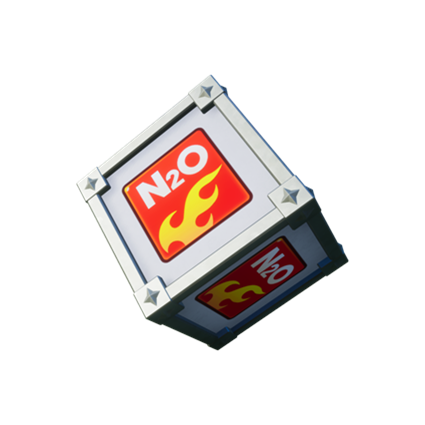 [/td] [/tr] [tr] [td]Rewards two items on pickup.[/td] [td]Rewards a specific item on pickup.[/td] [/tr] [/table]
 - Character Skills are not available in Multi Cube Item Mode.
- Tracks available for Multi Cube Item Mode matchmaking: [list]
- Charming Channel (★★) ([u][b]NEW![/b][/u])
- Desert: Sphinx's Riddle (★★)
- Forest: Misty Falls (★★)
- Glacier: Polar Halfpipe (★★)
- World Tour: Boostwood Nights (★★★)
[b]Game Modes and Matchmaking[/b]
[b]Time Attack[/b]
- Shadow Race information is now supported: [list]
- Shadow Race options and controls can be found in Time Attack Challenge or Ranked Challenge.
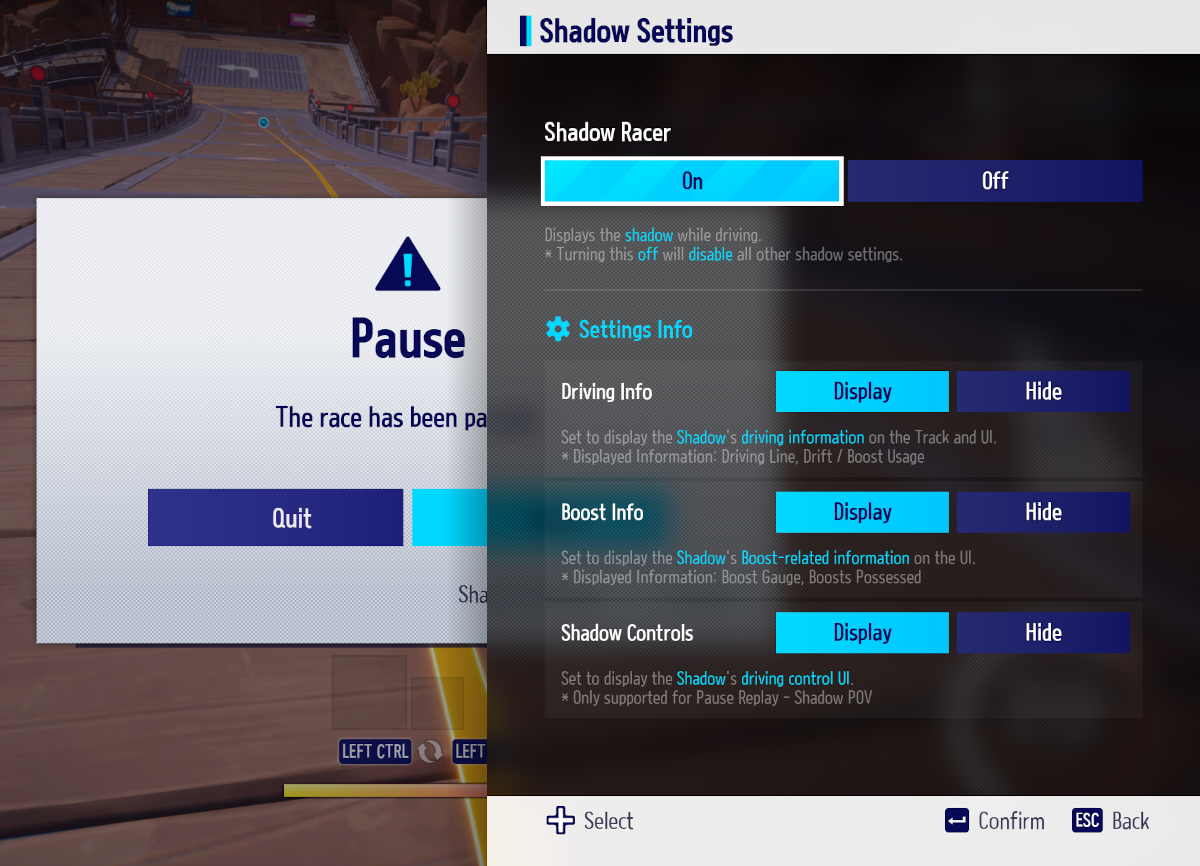 [table] [tr] [th][b]Category[/b][/th] [th][b]Description[/b][/th] [/tr] [tr] [td]Driving Info[/td] [td] [list]
 - Displays the Shadow's Driving Line and where drifts and boosts are used: [list]
- Yellow Line: Normal Driving
- Red Line: Drifting
- Displays the Shadow's boost gauge state and their held items.
- Displays controls for the Shadow's racing. [list]
- Only controls from the Shadow's POV are displayed when using the Change Time feature.
- Controls Display is not supported when switching between PC, Console, and Mobile platforms.
- Watch from Shadow POV: Watch the race from the Shadow's point of view. Can be selected by pausing the game while racing in Time Attack.
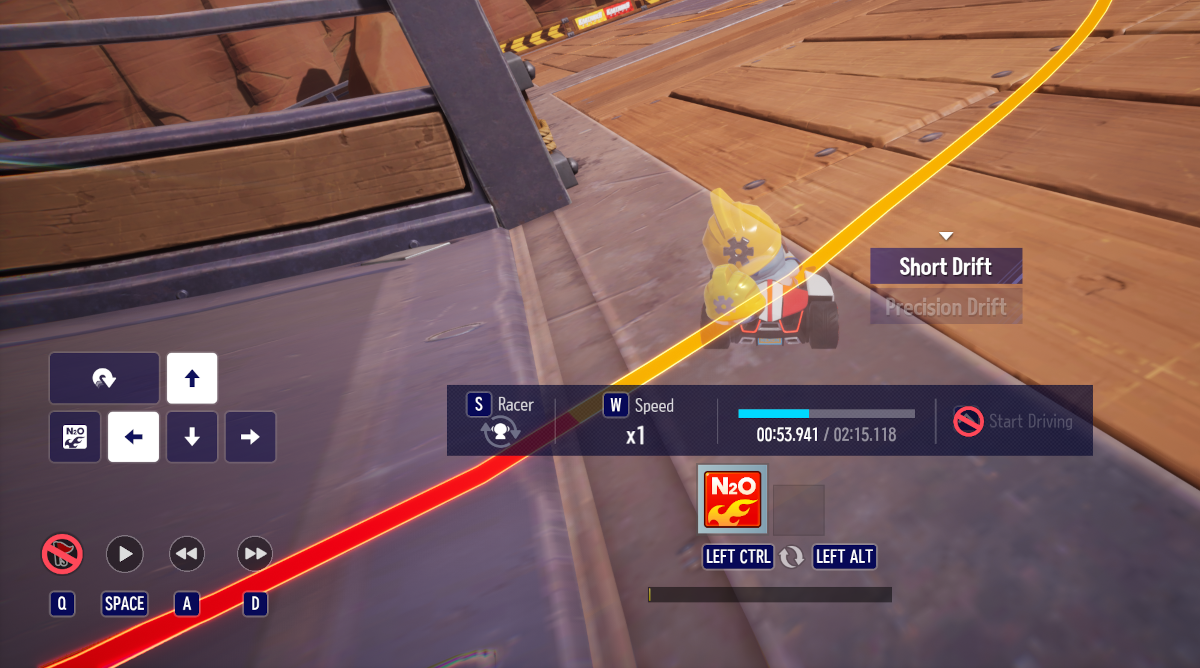
- Change Time Feature improvements: [list]
- Can now Fast Forward a race, on top of the existing Rewind feature.
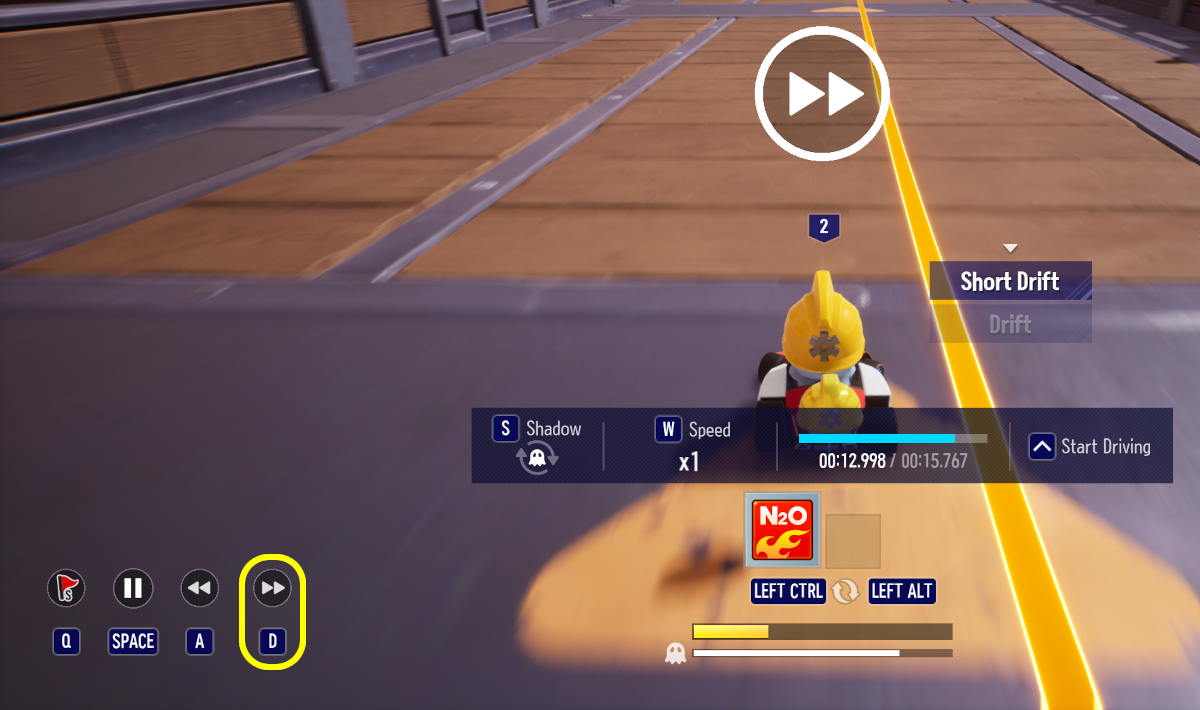
- The Racer can drive part-way through the race, and follow the Shadow's driving to the finish line.
- You can set Stop and Start spots on the track. When passing the designated Stop point, you will automatically return to the Start point.
- Note: Some locations on tracks cannot be designated as a Start or Stop point.
- The rankings of up to 1,000 players on tracks that Ranked Players have registered will be displayed here.
- Ranked Players are shown every 10 places after 20th place.
- Your ranking will be displayed in the Top 1,000 only when you record a ranking in the top 1,000 places.
- These rankings are refreshed every day at 12:00 AM UTC.
[b]Mode Lab[/b]
- The Mode Lab schedule for the upcoming period is as follows (note: the originally planned Brodi's Big Time Blast (solo) . [list]
- Thursday, June 27th (End of Maintenance) - Thursday, July 4th: [b]Solo Multi Cube Item Mode[/b] (Note: This has been changed from the previously announced Solo Brodi's Big Time Blast)
- Thursday, July 4th - Thursday, July 11th: [b]Squad Multi Cube Item Mode[/b]
- Thursday, July 11th - Thursday, July 18th: [b]Solo Multi Cube Item Mode[/b]
- Thursday, July 18th - Thursday, July 25th: [b]Squad Multi Cube Item Mode[/b]
[b]Convenience and Functional Changes[/b]
[b]Chat System[/b]
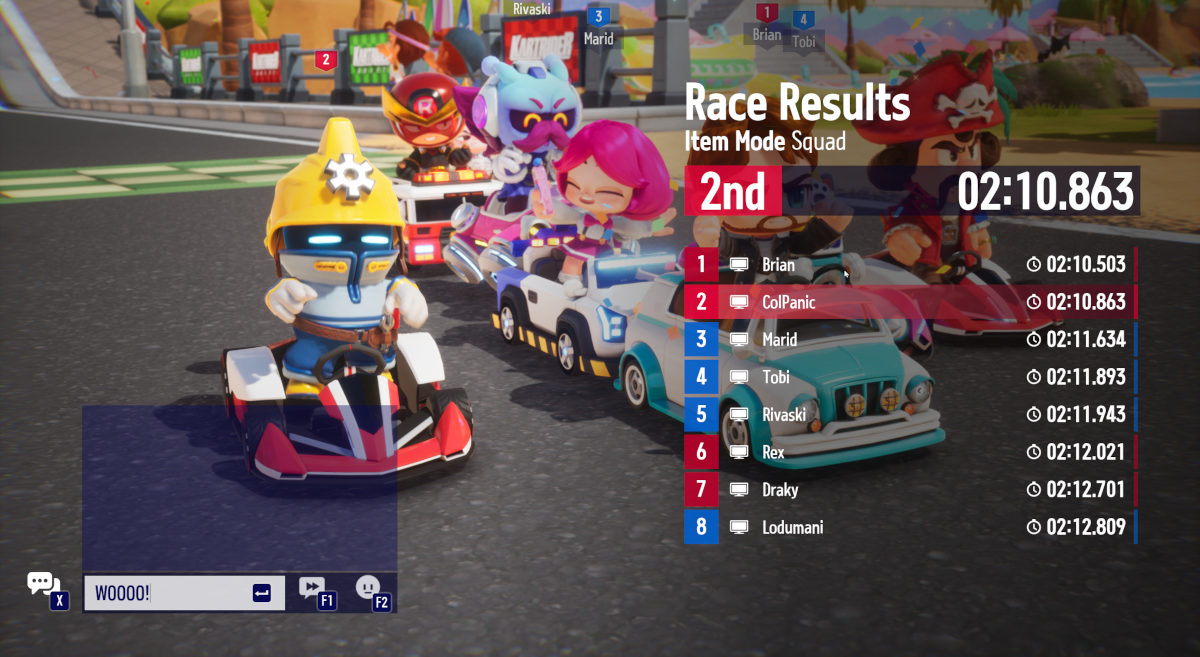
- Chat areas have been expanded on PC and Mobile devices.
 [list]
 - The Chat System is now available right before the race after joining, after completing the race, and during the podium screen. [list]
- Mobile Only: Chat is only available until the starting countdown appears.
- Chat is only displayed for Racers who have finished the race. Any messages sent will not appear to Racers who are still racing.
- Quick-Chat for In-Game Chat will display the 15 selections that were made, in the order in which they were set.
- Flag Mode: Chat is only available right before the race begins, and during the podium screen.
[b]Convenience Improvements[/b]
- Improved the differentiation of an opposing Racer's items when using a Scanner:
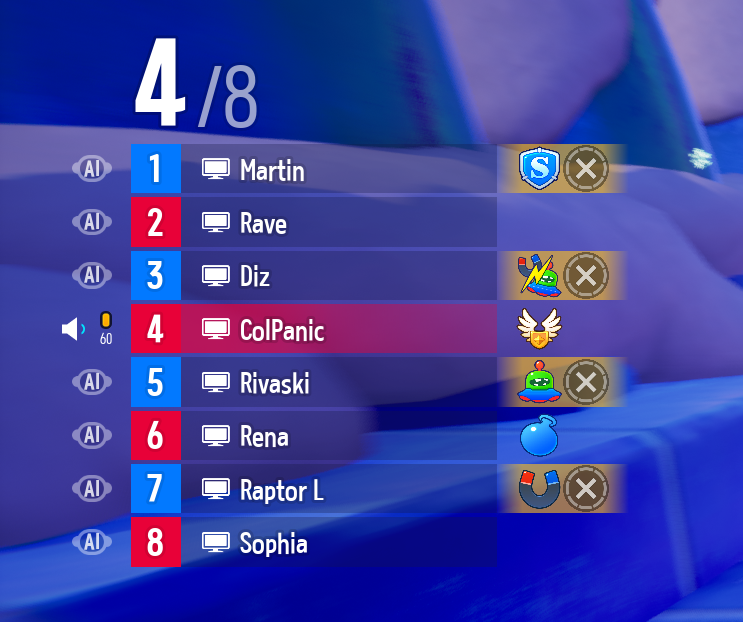
- Draft Mark Changes: [list]
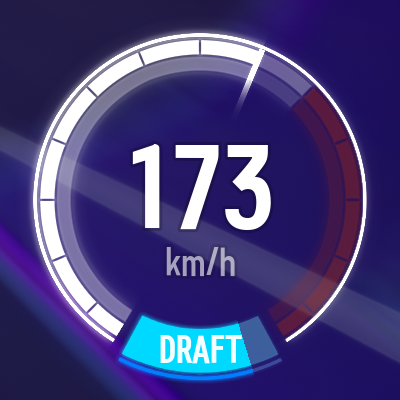
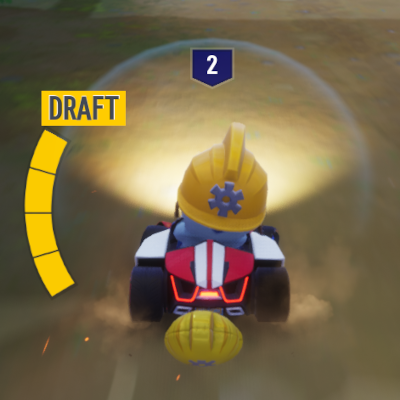
- PC/Console only: The Draft Gauge type can now be selected: [table] [tr] [th][b]Near Speedometer (Previous Option)[/b][/th] [th][b]Near Character (New Option)[/b][/th] [/tr] [tr] [td]
 [/td] [td]
 [/td] [/tr] [/table] [list]
 - This can be selected in-game via [Settings - Gameplay - Driving - Draft Gauge Location Settings].
- This option is set to Near Speedometer in Replay Mode.
- Modes where the Draft Gauge will not be visible include Item Mode, Flag Mode, Crossover Move, and Time Attack.
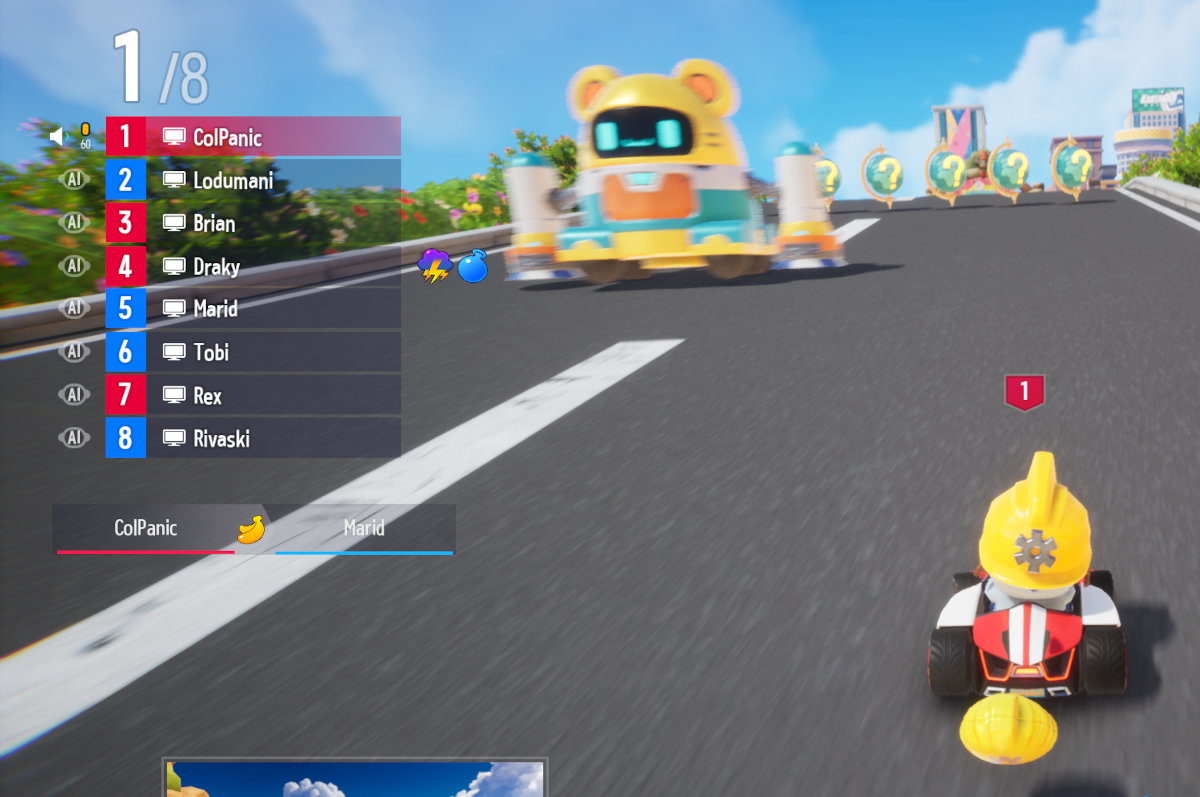
- This can be updated in-game via [Settings - Gameplay - Driving - Show Place]: [list]
- [b]All[/b]: Your place is displayed above the leaderboard and the character.
- [b]Above Leaderboard[/b]: Your place is only displayed above the leaderboard.
- [b]Above Character[/b]: Your place is displayed above your character.
- [b]Don't Display[/b]: Your place is not displayed above the leaderboard or your character.
[b]Other Changes[/b]
- (Mobile Only) Item usability has been improved: [list]
- Changes have been made to the activation delay to prevent unintentional use of items when tapping and holding the Item Slot.
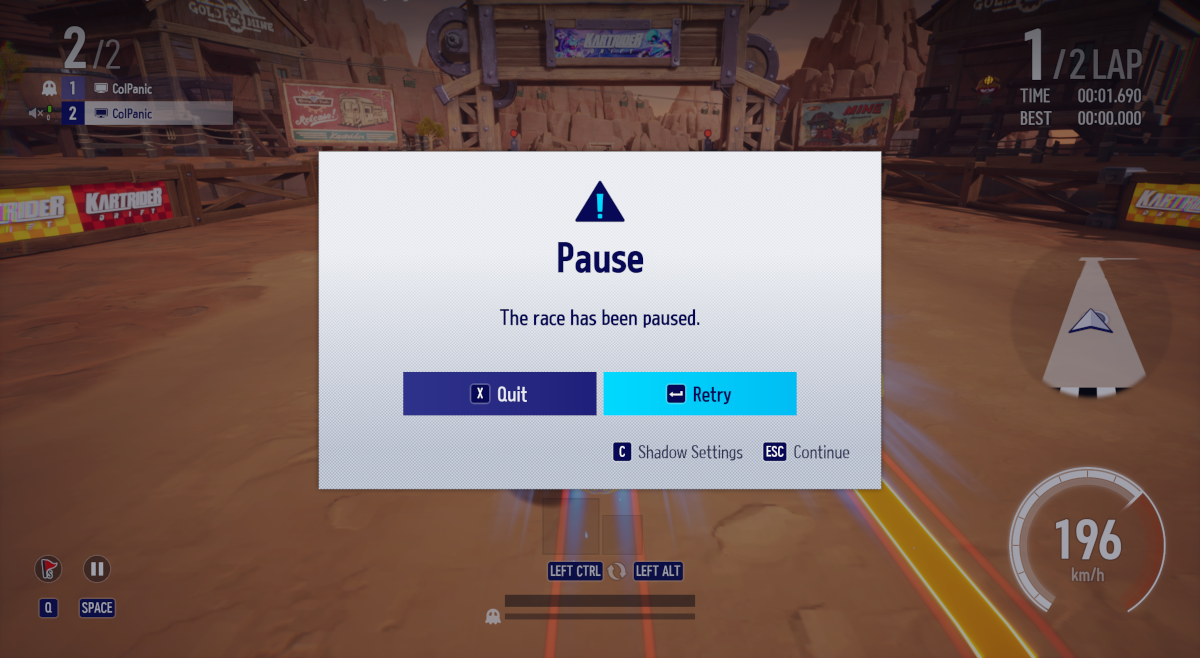
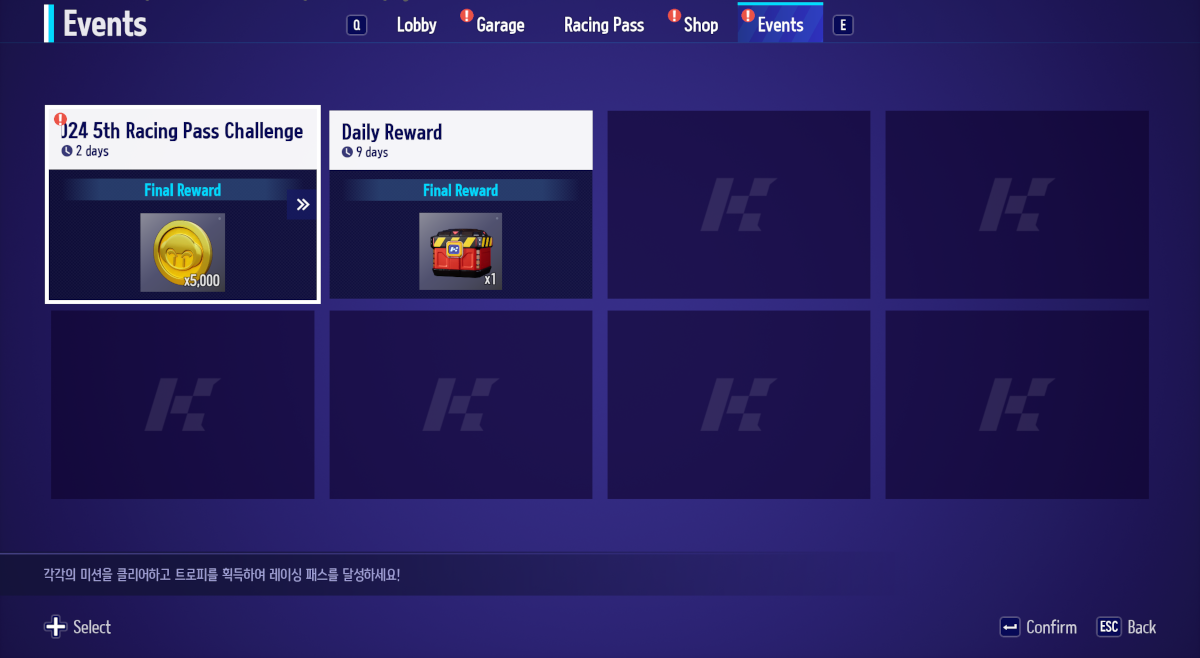 [/*] [*]The size of certain pop-ups, including Leave Custom Race and Pause Time Attack, have been adjusted.
 [/*] [*]Many options in the [Settings - Gameplay - Other] menu have been reclassified into new categories. Options previously found under "Other" can now be found here:
 - [Driving] [list]
- Driving Camera Settings
- Display Drift Technique
- Deceleration Notice
- Display Racer Location Sensor
- Display Other Racer Names
- Draft Gauge Location Settings
- Rearview Mirror Display Settings
- Display Show Place Information
- Display Item Record
- Display Water Bomb Location
- Use Control Guide
- Display Other Racer's Emojis
- Display Other Racer's Livery
- Display Balloon
- Themes without any relevant tracks for the selected game mode will not be displayed.
- Themes without any "New" tracks for the selected game mode will not display the "New" tag.
[b]Bug Fixes[/b]
- Fixed an issue where the Quick Chat/Emoji/Emote filters would change after a race.
- Fixed an issue where an Unseated emote displays intermittently when using an Emote in Custom Race.
- Fixed an issue where the "Options" button is enabled when the game client starts while changing Options in Custom Race.
- Fixed an issue where the Waiting Room is shown briefly when the "Track Roulette" is played while changing Options in Custom Race.
- Fixed an issue where characters look in different directions when returning to the Custom Race Lobby after a race is over.
- Fixed an issue where Racers would seem to disappear during overtime in Flag Mode Custom Races.
- Fixed an issue where track thumbnails intermittently appear distorted when selecting "Track Roulette" in Custom Race.
- Fixed an issue where the Select Racer hotkey malfunctions after moving members to a team with no empty slots in the Custom Race menu.
- Fixed an issue where the color of the Warning Tire Mark thumbnail is not displayed the same as it does in-game.
- Fixed an issue where the item crosshair does not change in the Singleplayer Challenge Help image.
- Fixed an issue where using Rewind at the beginning of some tunnels in Time Attack causes Racers to go off the track.
- Northeu: Orbital Highway: Fixed an issue where Racers can get stuck on some objects.
- World Tour: Dubai Downtown: Fixed an issue where some objects on the track are displayed abnormally.
- Time Attack: Fixed an issue where under certain circumstances in Ranked Challenge, the Ranked Player’s kart body is displayed as a Platform Reward kart body
- (Mobile Only) Fixed an issue where the crosshair animation would disappear after being hit by Kris' "Banana Hack" skill.
- (Mobile Only) Fixed an issue where the Refill Balloon button displays abnormally when in a party.
- (Mobile Only) Fixed an issue where clicking the "Balloon Refill Notice" pop-up occasionally does not move you to the Garage when in a Custom Race.
- (Mobile Only) Fixed an issue where the mini-map flickers right after starting a Custom Race.
- (Mobile Only) Fixed an issue where the Voice Chat icon does not change immediately after adjusting the Voice Chat Settings in Custom Race.
- (Mobile Only) Fixed an issue where the "View Details" icon displays differently in the Racing Box results screen.
- (Mobile Only) Fixed an issue where the TTS, STT window overlaps with the Custom Race Mode Selection UI.
- (Mobile Only) Fixed an issue where the Easy label in the Award Summary screen is displayed with a white background.
- (Mobile Only) Fixed an issue where the “Joining” message is displayed on two lines after Matching is complete.