Monster Hunter Wilds Benchmark Breakdown!
The Monster Hunter Wilds Benchmark will allow you to see how the near-launch version of the game will run on your rig, via watching a demo play out. Please note, this occurs via a demonstration, so you won’t actually be playing the Benchmark yourself, nor have access to Character Creation.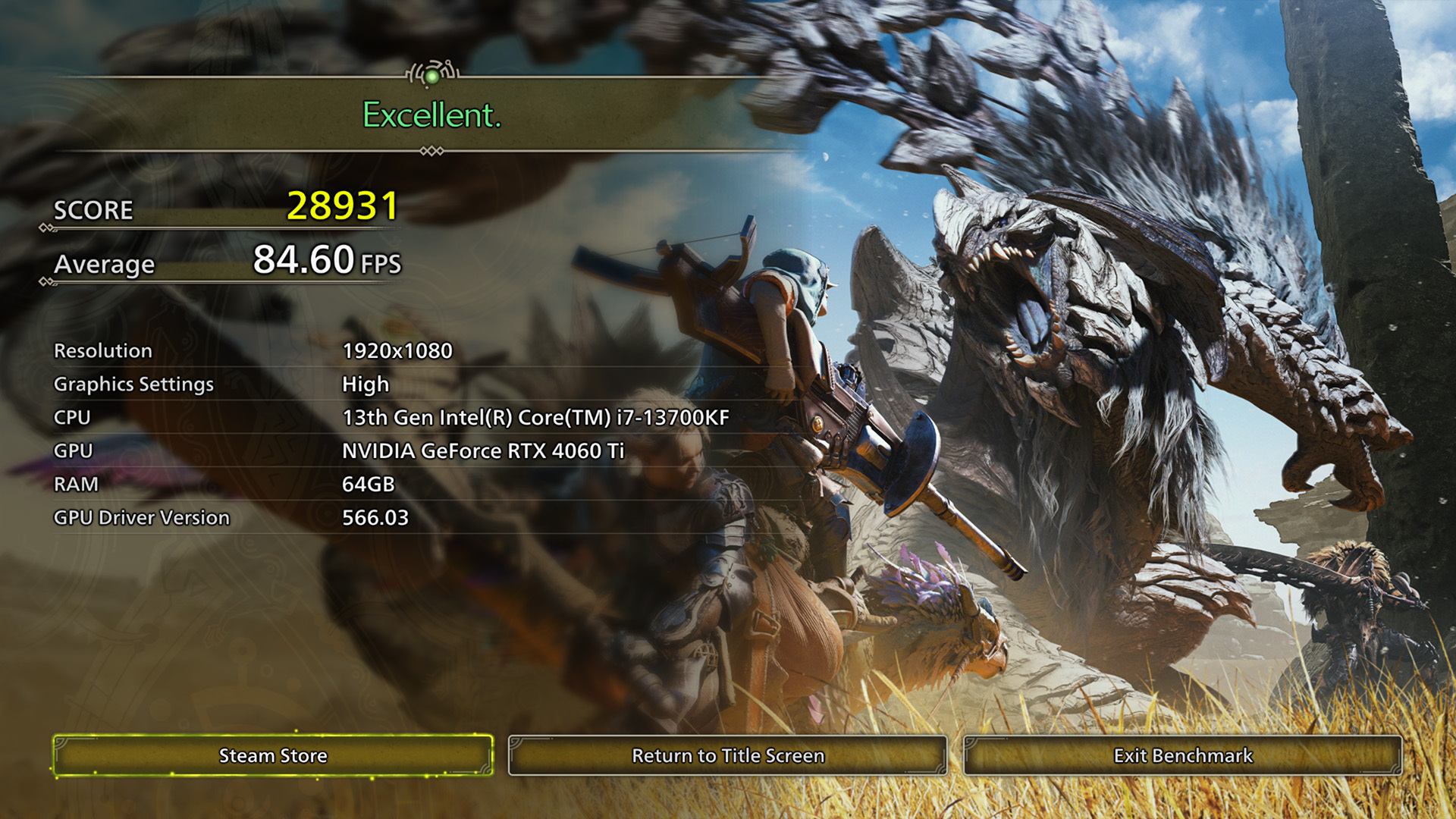 We were keen to create this for you, following the community feedback on performance and optimisation we saw from Open Beta Test 1. Now, here comes that important part we just mentioned:
Open Beta Test 1 was a much older version of the game’s build, and not representative of the current state of the full game’s optimisation when the beta occurred, nor what it is currently like now. Open Beta Test 2 will also be running on that same, old build, but with a bit more content included, such as Arkveld and Gypceros, so please don’t expect any performance differences there, nor anything we covered in the Pre-Launch Community Update (which we’ll link at the end of this post). Those improvements and adjustments, including optimisation and weapon changes, will be in the game Day 1 at launch.
This means that neither Open Beta Test 1 or 2 are representative of the experience you’ll have when the game launches, so please don’t base your optimisation / performance expectations on those. Instead, please download and give the Monster Hunter Wilds Benchmark a spin and you’ll get a much more accurate and reliable insight into how your PC will run the game at launch.
[b]General Info[/b]
You can download the Monster Hunter Wilds Benchmark directly from Steam with the link below:
https://store.steampowered.com/app/2246340/Monster_Hunter_Wilds/
We were keen to create this for you, following the community feedback on performance and optimisation we saw from Open Beta Test 1. Now, here comes that important part we just mentioned:
Open Beta Test 1 was a much older version of the game’s build, and not representative of the current state of the full game’s optimisation when the beta occurred, nor what it is currently like now. Open Beta Test 2 will also be running on that same, old build, but with a bit more content included, such as Arkveld and Gypceros, so please don’t expect any performance differences there, nor anything we covered in the Pre-Launch Community Update (which we’ll link at the end of this post). Those improvements and adjustments, including optimisation and weapon changes, will be in the game Day 1 at launch.
This means that neither Open Beta Test 1 or 2 are representative of the experience you’ll have when the game launches, so please don’t base your optimisation / performance expectations on those. Instead, please download and give the Monster Hunter Wilds Benchmark a spin and you’ll get a much more accurate and reliable insight into how your PC will run the game at launch.
[b]General Info[/b]
You can download the Monster Hunter Wilds Benchmark directly from Steam with the link below:
https://store.steampowered.com/app/2246340/Monster_Hunter_Wilds/
- Install Size: 29 GB
- Length: Around 6 minutes
- Benchmark Flow: Title Screen -> Performance check whilst displaying a demonstration -> Results screen.
- A score will be provided based on the performance of your PC (see below for gradings).
- Note: There’s no character creation available.
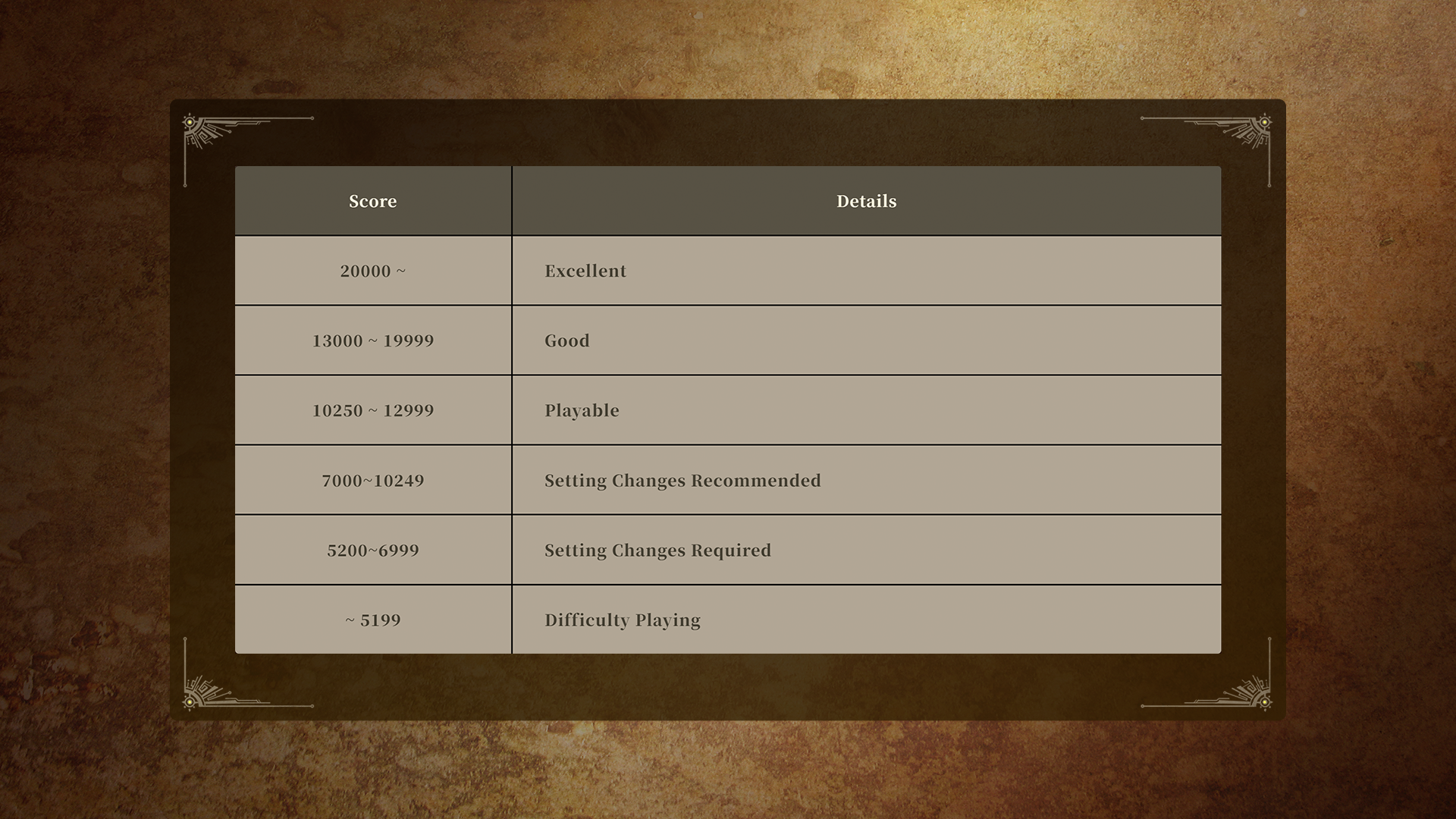 The Monster Hunter Wilds Benchmark isn’t just one setting though, we recommend using the Options menu to adjust game, graphics, audio and language settings to try out different combinations, or most accurately reflect your preferred settings come launch.
There’s also a Loop setting that can be used to automatically rerun the benchmark. When it’s set to ON, the benchmark will automatically rerun after 1 minutes have passed on the results screen.
Please be aware that the Option menu you see in the Benchmark is not exactly the same as the launch version, also, any settings you adjust here won’t be transferred into the main game.
It’s worth noting that the benchmark may not be able to run properly if your computer does not meet Monster Hunter Wilds minimum requirements, which are available on the Store page!
And one last, important point to share with you before we wrap up this post. The Monster Hunter Wilds Benchmark does not guarantee the performance of your system for Monster Hunter Wilds, but does give you better insight and information, especially when compared to playing Open Betas 1 and 2.
[b]To Summarise[/b]
The Monster Hunter Wilds Benchmark is live!
The Monster Hunter Wilds Benchmark isn’t just one setting though, we recommend using the Options menu to adjust game, graphics, audio and language settings to try out different combinations, or most accurately reflect your preferred settings come launch.
There’s also a Loop setting that can be used to automatically rerun the benchmark. When it’s set to ON, the benchmark will automatically rerun after 1 minutes have passed on the results screen.
Please be aware that the Option menu you see in the Benchmark is not exactly the same as the launch version, also, any settings you adjust here won’t be transferred into the main game.
It’s worth noting that the benchmark may not be able to run properly if your computer does not meet Monster Hunter Wilds minimum requirements, which are available on the Store page!
And one last, important point to share with you before we wrap up this post. The Monster Hunter Wilds Benchmark does not guarantee the performance of your system for Monster Hunter Wilds, but does give you better insight and information, especially when compared to playing Open Betas 1 and 2.
[b]To Summarise[/b]
The Monster Hunter Wilds Benchmark is live!
- It’s free to use and you can download it [url=https://store.steampowered.com/app/2246340/Monster_Hunter_Wilds/]HERE[/url].
- A way to experience the state of optimisation for your PC in the production version of the game.
- It’s adjustable to give you information that reflects your preferred settings choices.
- The OBT 1 & 2 builds are old and do not reflect the current state of optimisation and performance.
- The OBT 2 build does not include any of the Pre-Launch Community Update improvements, they’re coming Day 1 at launch.
Quest Complete – We’ll See You Next Time!
There we have it, the benchmark is real and it’s ready for you! As mentioned earlier, for those of you who haven’t yet seen the Pre-Launch Community Update news, where Monster Hunter Wilds director, Yuya Tokuda, took us through a range of improvements and adjustments coming to the game for launch, from performance to weapons, hitstop and more, you can watch it on our official YouTube channel below: [previewyoutube=tWqiYSA-t8E;full][/previewyoutube] If you’ve liked what you’ve seen today and/or you’ve got a smile on your face after using the benchmark, chucking down a pre-order will not only support us ahead of launch, but also snag you the following goodies: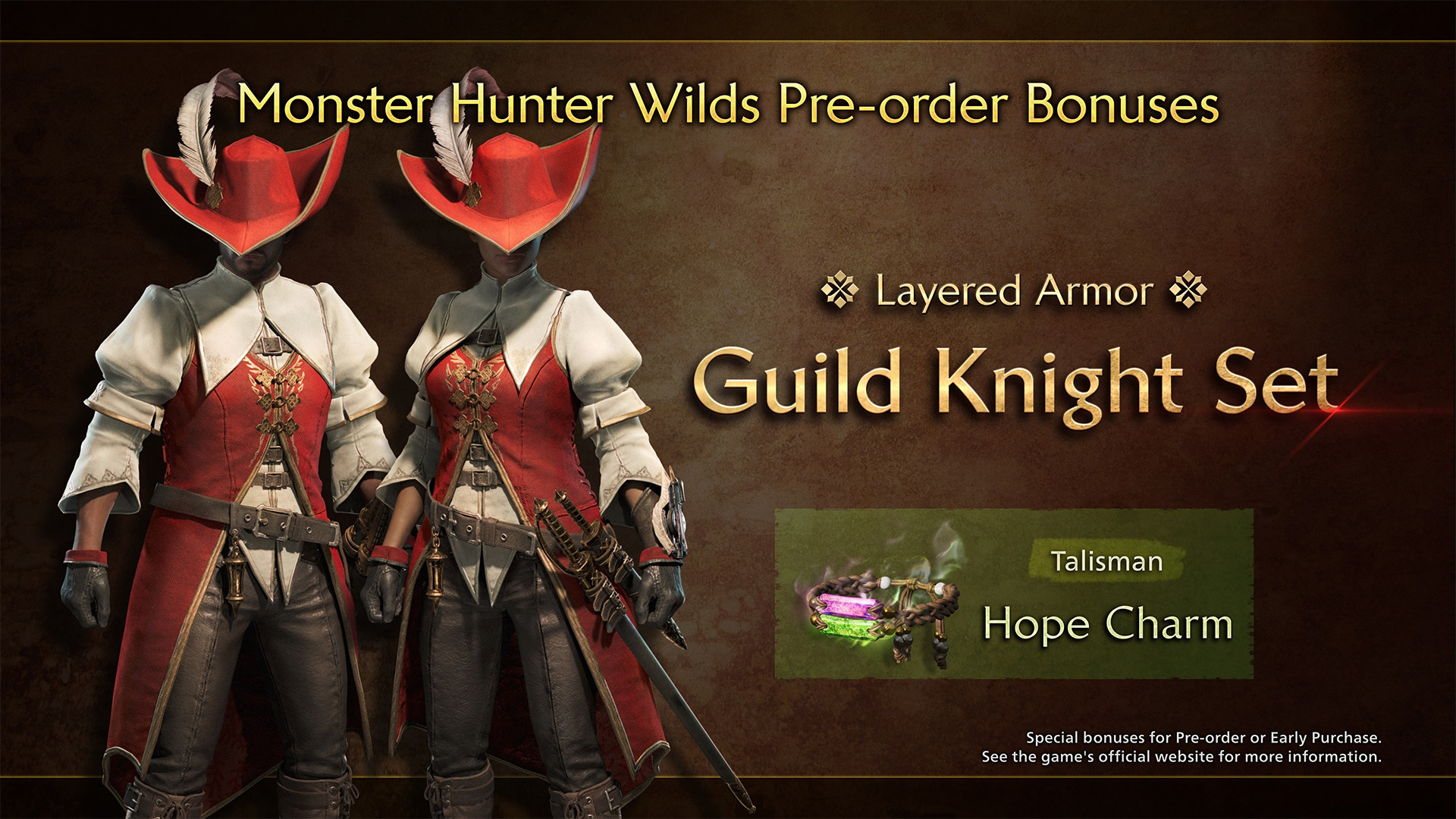
- Hunter Layered Armor: Guild Knight Set
- Talisman: Hope Charm