Custom train editor
The basic view of the train editor now gains a new panel to inspect each individual car of a train. The usual options seen in other UI editors of the game are present here: multiple selection, clipboard copy/paste (including between trains), reordering of selected cars, etc.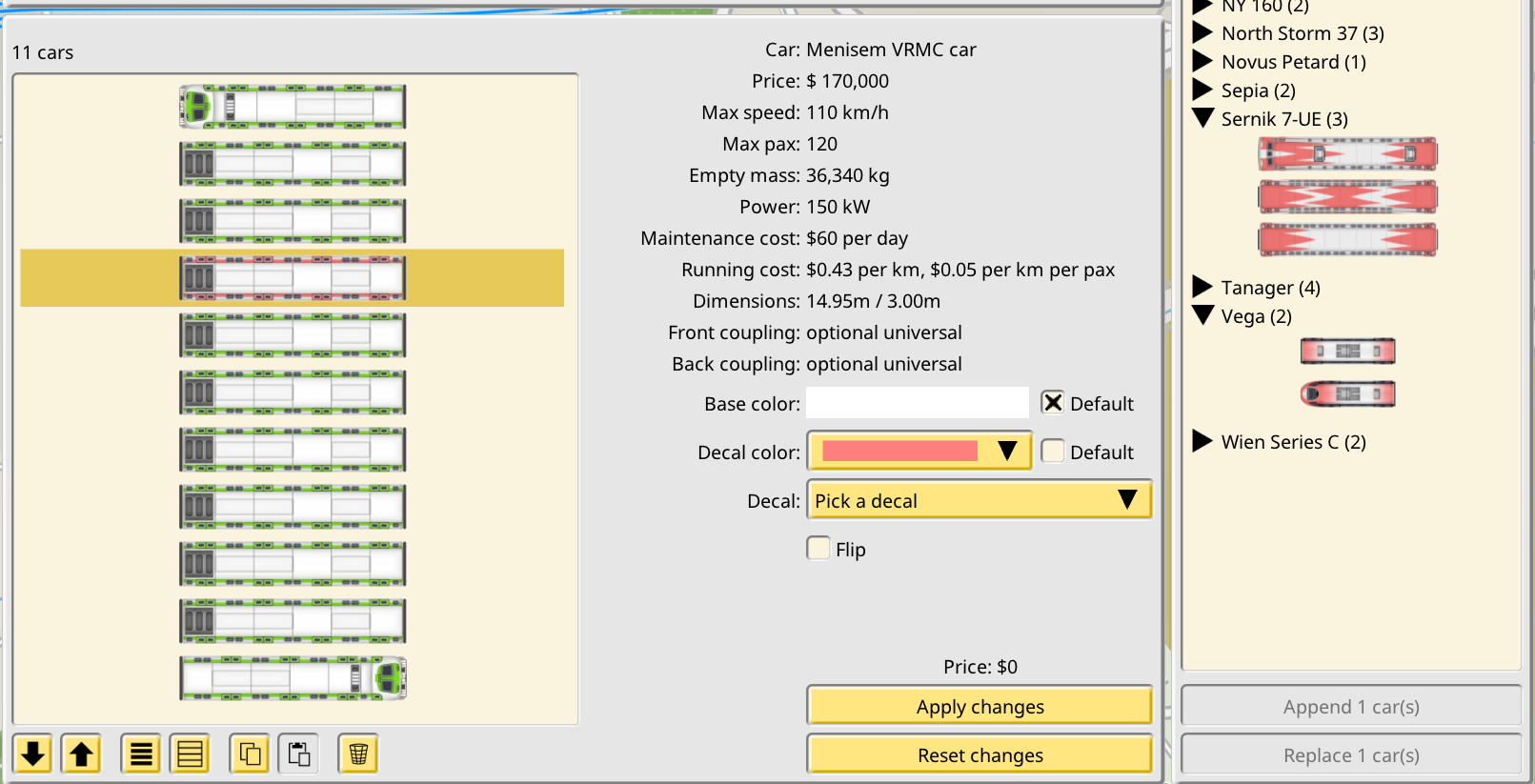 In the right side a new panel appears, the “car shop”, although using it does not spend any money. Here all the car models in the game are shown in a listing. Once you select a car model it is possible to append it to the currently edited train, or to replace the current selection of cars with the new car.
The editor allows the player to make any change they desire, but none of these changes are actually applied to the train. In order to do so the player must explicitly apply the changes with a dedicated option, which makes them pay for the price of the changes (or get refunded if the new composition is cheaper than the original one.) If the new composition is invalid, the option to apply the changes is disabled. The new train purchase mode of this system is very similar, with the usual train bill acting as the apply option.
In the right side a new panel appears, the “car shop”, although using it does not spend any money. Here all the car models in the game are shown in a listing. Once you select a car model it is possible to append it to the currently edited train, or to replace the current selection of cars with the new car.
The editor allows the player to make any change they desire, but none of these changes are actually applied to the train. In order to do so the player must explicitly apply the changes with a dedicated option, which makes them pay for the price of the changes (or get refunded if the new composition is cheaper than the original one.) If the new composition is invalid, the option to apply the changes is disabled. The new train purchase mode of this system is very similar, with the usual train bill acting as the apply option.
Car coupling
As part of the new freeform trains, individual train car models can declare which coupling system they support on each side. The train editor restricts which train compositions can be created so these settings are preserved. After beta feedback this system has been made optional with a toggle in the Company panel.Game sharing
Saved games can now be shared on a world map. You just load your save as usual, center the map on the point and zoom for your pin and preview image, and use the new My shared games dialog to upload your game.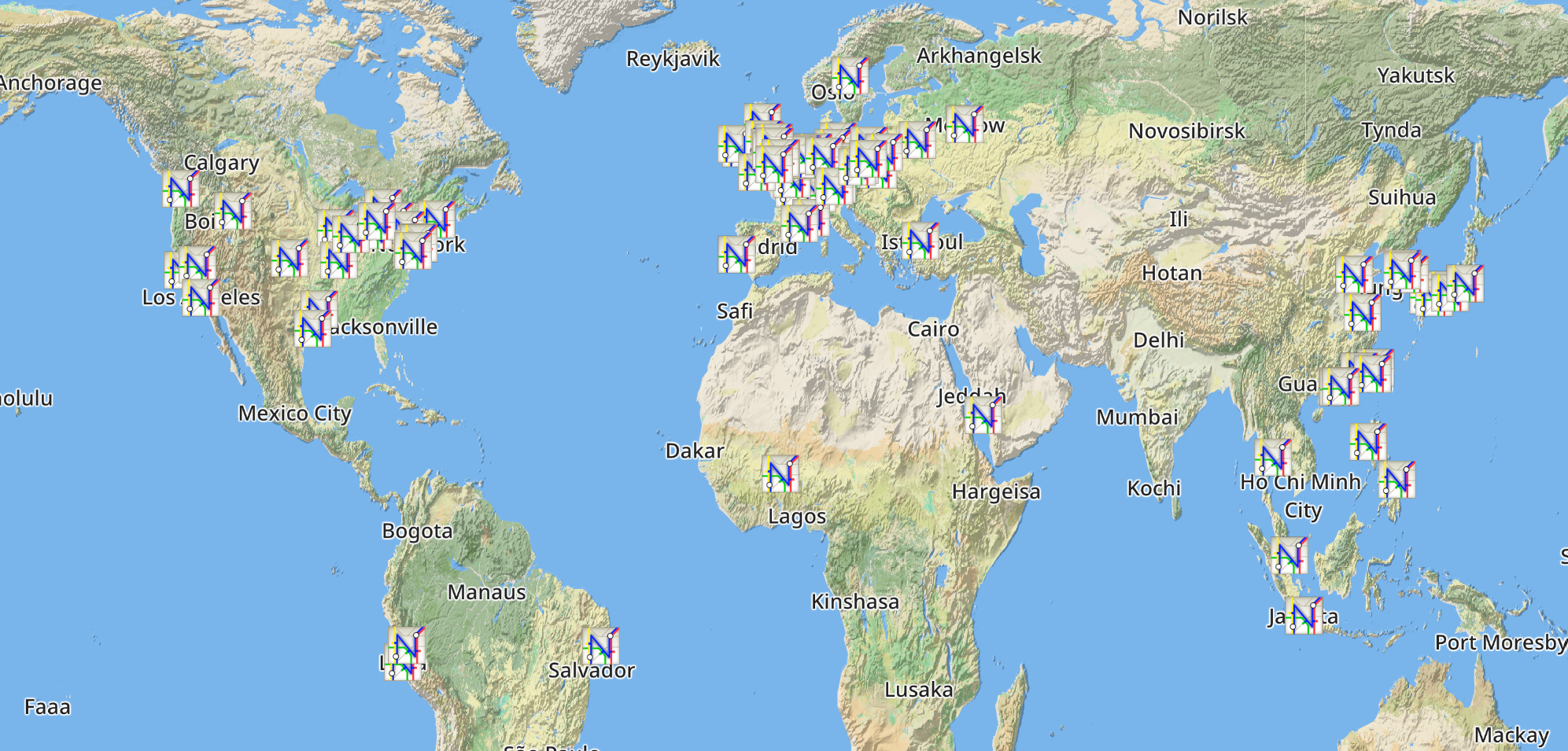 To see other players shared games select the new browser option in the main menu. You can zoom and pan like you would do in-game. Clicking any map icon will directly load the game, and then gives you the option to like it.
Shared games can also be accessed with a web browser in https://share.nimbyrails.com/ if you don't want to load the game, or to show your save to people who don't own the game. This web site collects all the shared saves by players, and offers two main features: a dedicated page for the save, with a preview of the tracks and buildings, and the download link for the save (1.7 can load saved games directly from the Downloads folder of your PC). And the site home page, which shows a world map with a icon for every shared game, similar to the in-game world browser.
Multiplayer also benefits from this feature: the initial save download required for all joining players is now performed via a hidden, temporary shared game. This new method is many times faster than the old one for large saves.
To see other players shared games select the new browser option in the main menu. You can zoom and pan like you would do in-game. Clicking any map icon will directly load the game, and then gives you the option to like it.
Shared games can also be accessed with a web browser in https://share.nimbyrails.com/ if you don't want to load the game, or to show your save to people who don't own the game. This web site collects all the shared saves by players, and offers two main features: a dedicated page for the save, with a preview of the tracks and buildings, and the download link for the save (1.7 can load saved games directly from the Downloads folder of your PC). And the site home page, which shows a world map with a icon for every shared game, similar to the in-game world browser.
Multiplayer also benefits from this feature: the initial save download required for all joining players is now performed via a hidden, temporary shared game. This new method is many times faster than the old one for large saves.