==> How to Switch to the Beta
1. Go to your Steam Library and find Shadow of the Depth. Right-click on it and select "Properties..." from the menu as shown below: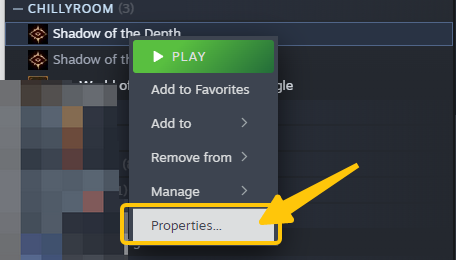 2. Click on "Betas" and then select "Beta" from the dropdown menu on the right side to switch to the beta.
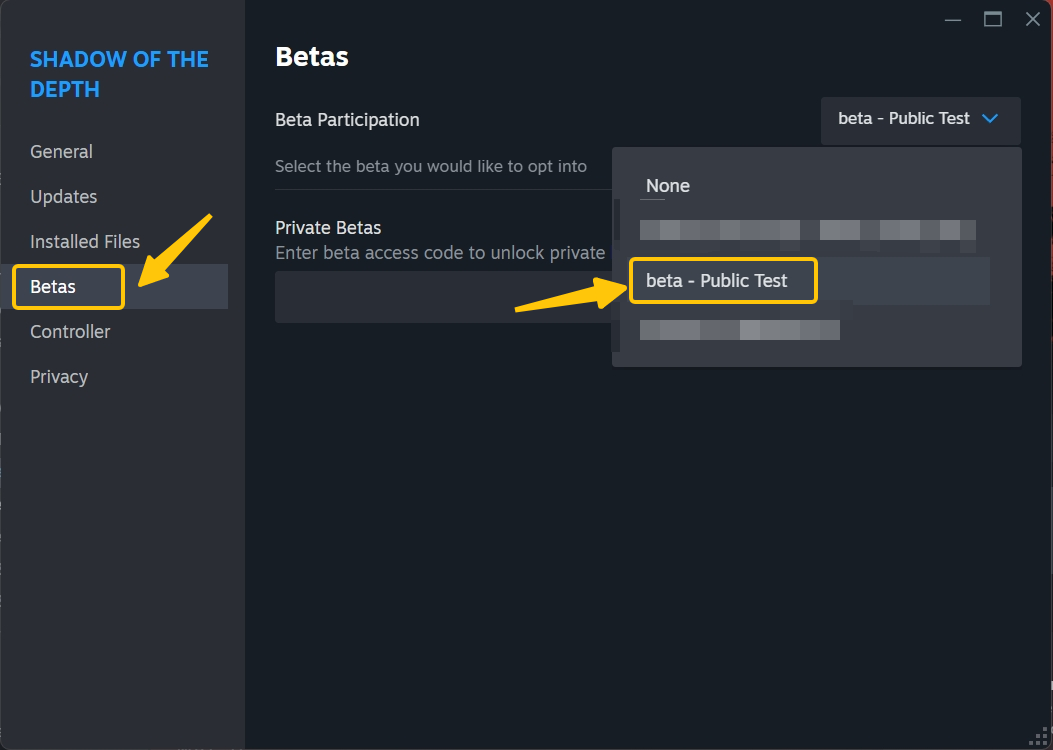 3. To switch back to the default branch, simply select "None" in the same dropdown menu.
==> About Save
1. When you switch to the beta, your save data from the default branch (the branch you're currently playing on) will carry over. If you have save data from a previous beta, you can also choose to continue from there. 2. When switching back to the default None, the game will load the last save data from the default branch.==> What's New in v0.9.3.0
[b]The v0.9.3.0 update is now available in beta[/b]. Follow the steps above to switch to this test build and experience the new content. - Weapon statues now have weapon refinement function, allowing players to refine one attribute of the weapon. Refinement can be done using coins or diamonds.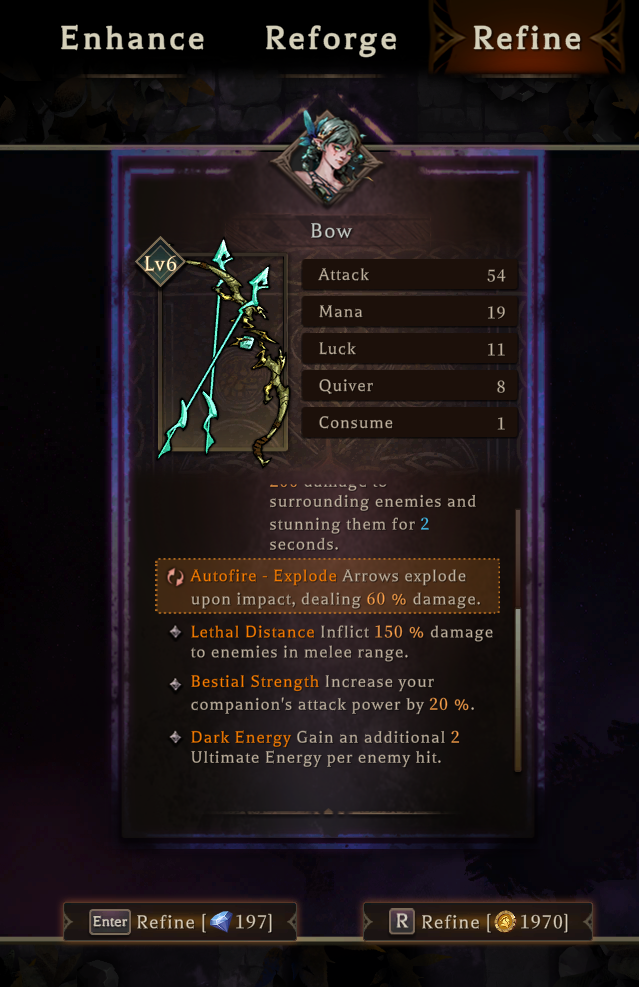 - The reset function of weapon statues is now renamed. Players can now reforge using coins or diamonds.
- Improved UI for selecting skill book themes.
- Dynamically adjust the random weight of skill book themes.
- Adjusted the appearance conditions of related passive skills like "Deadshot".
- Added new passive skills: Quiver, Chain Lightning, Throwing Master, Fire Master, Ice Aura, Thunder Master.
- Adjusted Frost Aura to deal damage to enemies.
- Localized names of original Fire Mastery, Frost Mastery, and Thunder Mastery have been adjusted.
- In normal and hard difficulties, adjusted the attack rhythm of the second Boss to increase player forgiveness.
- Adjusted the visual effects when Bosses are hit to reduce potential discomfort for players.
- Performance optimization.
- Bug fixes.
- The reset function of weapon statues is now renamed. Players can now reforge using coins or diamonds.
- Improved UI for selecting skill book themes.
- Dynamically adjust the random weight of skill book themes.
- Adjusted the appearance conditions of related passive skills like "Deadshot".
- Added new passive skills: Quiver, Chain Lightning, Throwing Master, Fire Master, Ice Aura, Thunder Master.
- Adjusted Frost Aura to deal damage to enemies.
- Localized names of original Fire Mastery, Frost Mastery, and Thunder Mastery have been adjusted.
- In normal and hard difficulties, adjusted the attack rhythm of the second Boss to increase player forgiveness.
- Adjusted the visual effects when Bosses are hit to reduce potential discomfort for players.
- Performance optimization.
- Bug fixes.