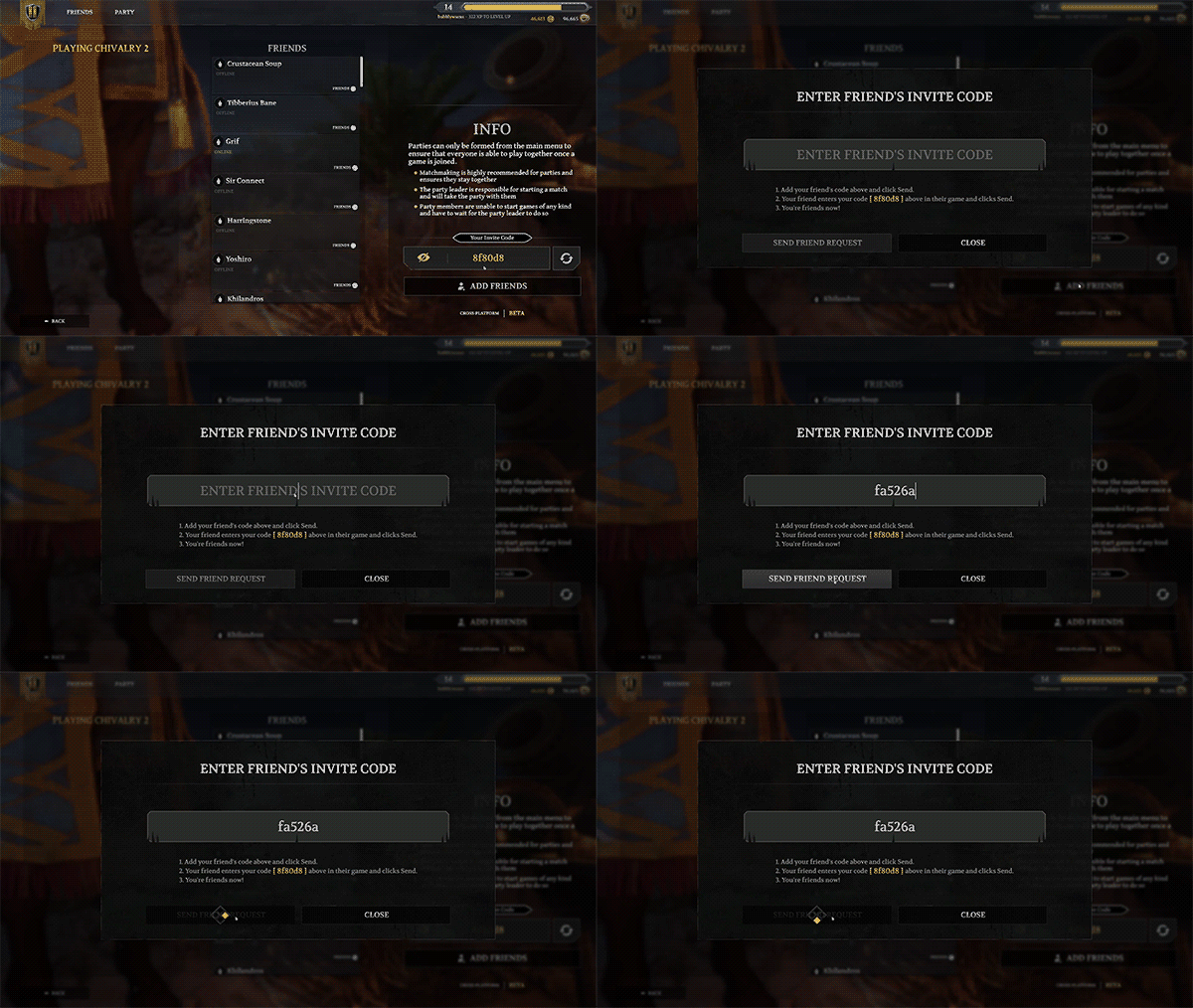
 From the Friends list you will be presented with an[b] Invite Code[/b]. You and your friend will exchange your codes with each other. [b]Both you and your friend need to be online at the same time for the invite to be successful. [/b]
You will add your friends using their [b]Invite Code and the Send Friend Request[/b] option, by pasting in their Invite code and sending the request. Once you’ve added each other you will both appear on your friends lists and can easily be added to parties with each other.
All of your friends across all platforms will appear on the existing Friends list in the Social menu.
As part of the beta period, we have a list of minor issues currently present that we are already working on resolving in the future which include:
From the Friends list you will be presented with an[b] Invite Code[/b]. You and your friend will exchange your codes with each other. [b]Both you and your friend need to be online at the same time for the invite to be successful. [/b]
You will add your friends using their [b]Invite Code and the Send Friend Request[/b] option, by pasting in their Invite code and sending the request. Once you’ve added each other you will both appear on your friends lists and can easily be added to parties with each other.
All of your friends across all platforms will appear on the existing Friends list in the Social menu.
As part of the beta period, we have a list of minor issues currently present that we are already working on resolving in the future which include:
- A crash occurs when accepting a party invite after immediately being kicked from a party
- New leader's name does not display for other clients on pop-up banner when old leader leaves
- In game UI may be missing some players