 Good morrow, knights! A minor hotfix (2.10.2) has been released with new anti-cheat protections.
General
- Updated anti-cheat security on all platforms.
How to report a suspected cheater:
[b]In-Game Reporting:[/b]- Open the in-game scoreboard. [list]
- Xbox Button: Menu Button > Scoreboard
- PS Button: Start Button > Scoreboard
- PC Key: TAB
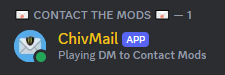
- To Access the ChivMail bot you'll need to join our [url=https://discord.gg/chivalry2]Official Discord[/url]. [list]
- ChivMail can be found on the top right of the User List once you've entered the Discord.
 [*] Use either a screen capping software or an HD mobile device to capture video of the suspected user.
[*] Attach this video in a message to the ChivMail Bot on Discord in addition to the suspected user's in-game username.
[*] Use either a screen capping software or an HD mobile device to capture video of the suspected user.
[*] Attach this video in a message to the ChivMail Bot on Discord in addition to the suspected user's in-game username.
- Videos should be around 30 seconds long and clearly show the suspected user using in-game cheats if possible. [i](If the video is too large for Discord, it can be uploaded unlisted onto a streaming platform like Youtube)[/i]
- Open the console by pressing ( ~ ) or ( NUMPAD - ) [i](If your console does not open, you may have to "Enable developer console" in GAME SETTINGS) (Rebindable in the setting if necessary)[/i]
- Type the command "listplayers" and hit ENTER (This copies the player list to your clipboard)
- Open any Word processing application [i](Notepad, Microsoft Word, etc)[/i] and press CTRL + V to paste the player list.
- Find the offending player's name and ID # and include them in your ChivMail report. [i](For example - Username - 12AB34CD56EF78GH)[/i]