New Accessibility Features
We're excited to add new accessibility features to DOOM Eternal so that the gameplay experience can be enjoyed by even more players: [b]Accessibility Settings Notification Pop-Up Menu[/b] After installing Update 6.66 Rev 2, you will be presented with an Accessibility Settings Notification Pop-Up Menu. Read through the available options to make sure they are set to your preference. Once in game, Accessibility settings can be accessed from the Accessibility, Audio and Video Settings menus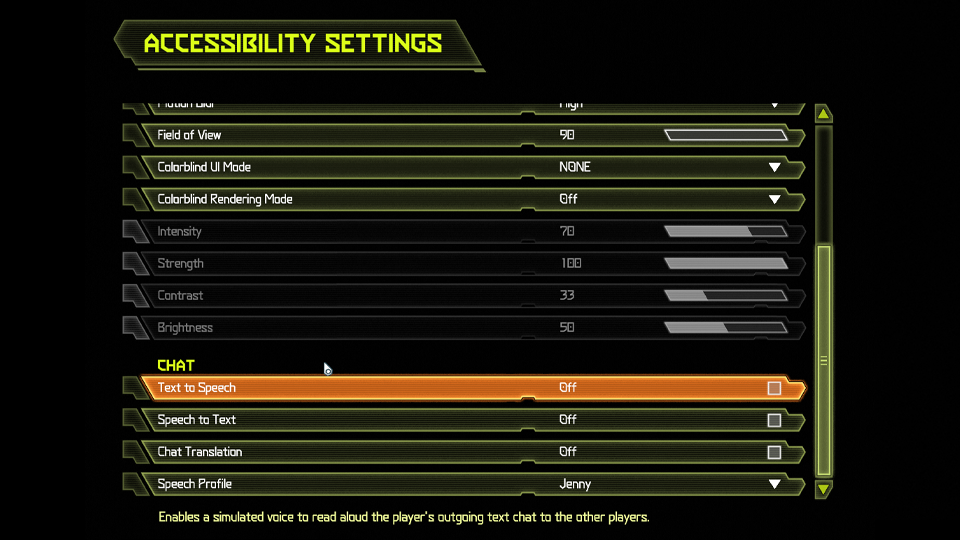 [i]Note – Text-to-Speech menu narration is not supported[/i]
[b]Text-to-Speech (Chat)[/b]
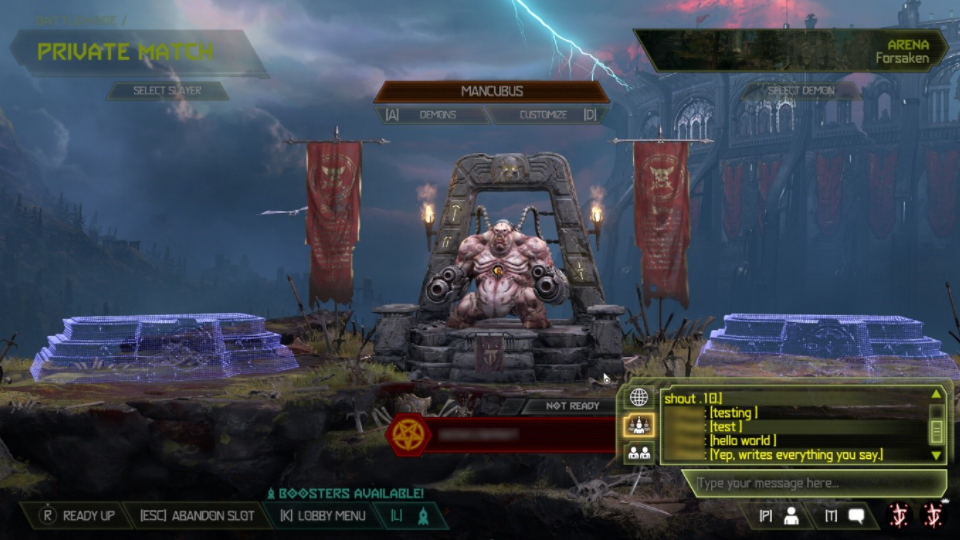
This option converts text entered in the BATTLEMODE 2.0 chat window into a synthesized voice, based on the user-selected speech profile
[i]Note – Text-to-Speech menu narration is not supported[/i]
[b]Text-to-Speech (Chat)[/b]
This option converts text entered in the BATTLEMODE 2.0 chat window into a synthesized voice, based on the user-selected speech profile
- There are multiple speech profiles to choose from. You can cycle through the speech profile selections to audition them before selecting one
- The outgoing text message will appear yellow in the chat window when it has been converted to speech
- Text-to-Speech conversions are sent in the same language they are created with
- Converted text chat messages are audible to all players in BATTLEMODE 2.0 lobbies and only audible to Demon teammates during matches
- Incoming Speech-to-Text messages appear yellow in the BATTLEMODE 2.0 lobby chat window and are only visible to Demon teammates during matches
- Unless Chat Translation is enabled, Speech-to-Text chat messages are delivered in the original language
 [b]Incoming Text to Speech[/b]
Enables a simulated voice to read aloud text chat messages incoming from the other players
[b]Outgoing Text to Speech[/b]
Enables a simulated voice to read aloud the player's outgoing text chat to the other players
[b]Chat Translation[/b]
When enabled, incoming text chat messages are translated into the same language the receiving player’s system is set to. This functionality applies to standard and Speech-to-Text incoming text chat messages
[b]Contrast Filter[/b]
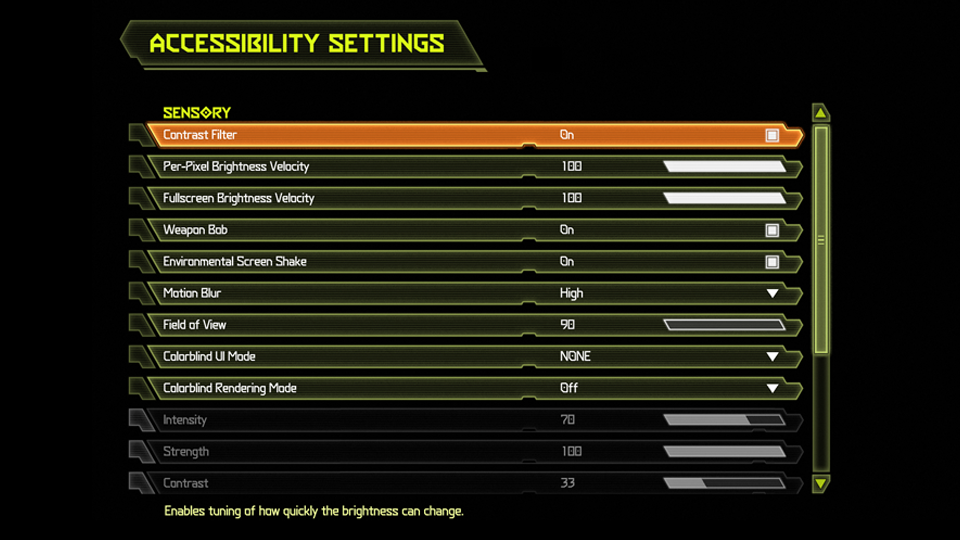
This option reduces the speed at which screen brightness can change within the game. It can be fine-tuned with the following sliders when enabled:
[b]Incoming Text to Speech[/b]
Enables a simulated voice to read aloud text chat messages incoming from the other players
[b]Outgoing Text to Speech[/b]
Enables a simulated voice to read aloud the player's outgoing text chat to the other players
[b]Chat Translation[/b]
When enabled, incoming text chat messages are translated into the same language the receiving player’s system is set to. This functionality applies to standard and Speech-to-Text incoming text chat messages
[b]Contrast Filter[/b]
This option reduces the speed at which screen brightness can change within the game. It can be fine-tuned with the following sliders when enabled:
- Per-pixel Brightness Velocity: Limits how rapidly the brightness of each pixel can change, such as during explosions or intense combat sequences
- Fullscreen Brightness Velocity: Limits how quickly the average brightness can change for the whole screen when it changes rapidly
 [b]UI Text Contrast Updates[/b]
Some Menu UI elements have been altered to improve readability
[hr][/hr]
[b]UI Text Contrast Updates[/b]
Some Menu UI elements have been altered to improve readability
[hr][/hr]
Additional Quality of Life Improvements
[b]General Gameplay[/b] The Combat Shotgun Full Auto mod wind down animation can now be interrupted by melee input [b]Campaign[/b]
- A tutorial pop-up with combat tips will now appear if you die while fighting a Marauder (this only happens once per save game)
- Cacodemon movement speed has been reduced on I’m Too Young to Die and Hurt Me Plenty difficulty
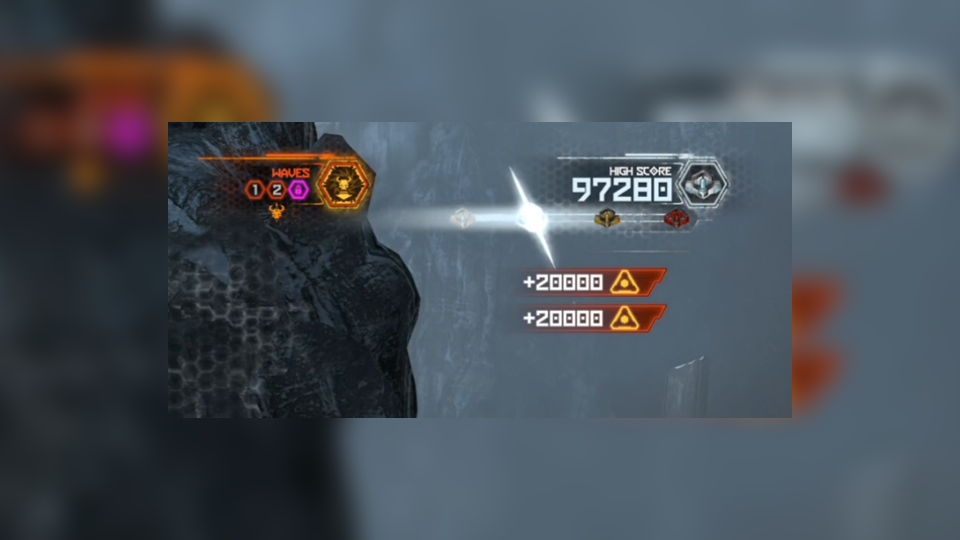
- Added a notification effect when attaining a new Medal on the Horde Score HUD element (see above)
- Added option to hide the HUD in Horde Mode ([i]see ON/OFF below[/i])
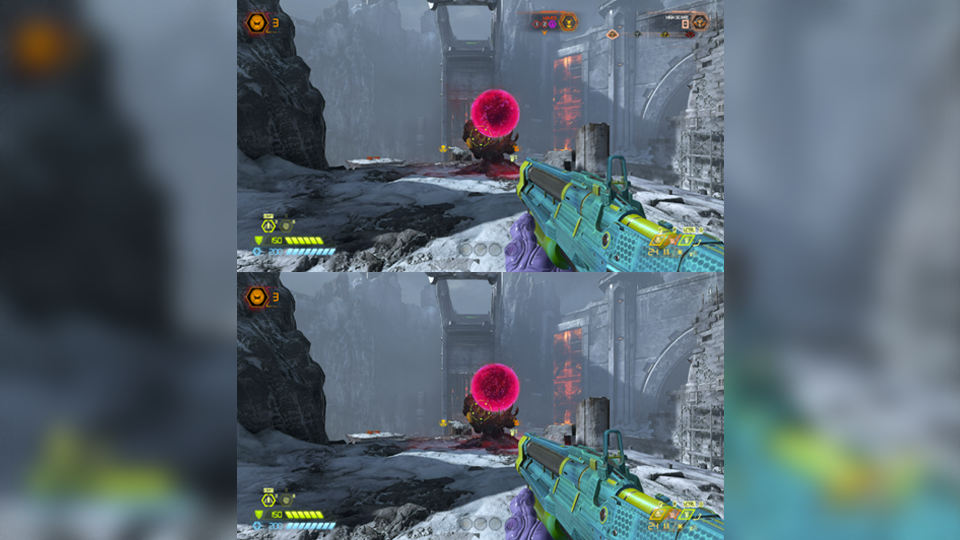
- Shortened duration of end-of-round sequence

Balance Changes
 [b]SLAYER[/b]
- Armor gained has been reduced when flame belching a player demon from [b]30[/b] to [b]10[/b]
 [b]REVENANT[/b]
- Reduced the cooldown between Dashes from [b]250ms[/b] to [b]50ms[/b]
- Refuel of Jet Pack now occurs after using Rocket Barrage
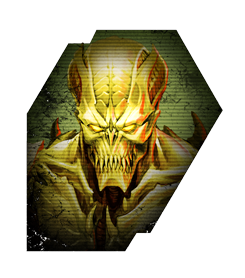 [b]ARCHVILE[/b]
- Increased Lake of Fire radius by [b]30%[/b]
- Increased Lake of Fire damage from [b]6 damage per tick[/b] to [b]10 damage per tick[/b]
- Reduced Lake of Fire duration from [b]5 seconds[/b] to [b]2 seconds[/b]
- Slightly increased the Lake of Fire’s vertical size
- Increased damage of Fireball with Fire Specialist upgrade from [b]27[/b] to [b]32[/b]
Bug Fixes
[b]General Gameplay[/b]- Fixed a bug in which completing the Argentas Paladi milestone would not unlock the Sentinel Podium. Thanks to everybody for their incredible patience with this one!
- Resolved the issue where the Ember Slayer’s flame effects were not displaying correctly in cinematics
- Resolved an issue in which jumping vertically from a coffin wall at the same time it drops would result in residual phantom collision and fail to reset the coffin wall
- Fixed a bug where a DOOM Hunter could erroneously damage the Slayer while faltered within melee range
- Resolved issue in which the “Destroy the Father’s Life Sphere” mission objective and the Blood Swamps Codex entry would disappear after (Blood Swamps) mission reset
- Resolved an issue where increasing to Nightmare from a lower difficulty and then completing it incorrectly showed Nightmare as the Highest Difficulty Played in the Mission Select menu
- Fixed an issue where the Codex entry would not unlock after completing the tutorial for the playable Dread Knight Demon
- Fixed a crash that could occur when cycling weapons in the final room of the Marauder (playable Demon) tutorial
- Resolved bug where the [i]“DOOMguy in a Box”[/i] icon would not unlock upon completing the [i]“Reinvent the Weapon Wheel”[/i] milestone
- Fixed bug in which the Horde Round progression map appeared white if playing with the Demon UI color profile selected
- Fixed an issue in which [i]“10,000 Points”[/i] would sometimes display instead of [i]“Difficulty Bonus”[/i] on the Total Score tab after completing all of Horde Mode
- Fixed a bug that accidentally removed the Soul Sphere and the Crucible from the Mars Core Master Level in Classic Mode
- Resolved issue where the Full Auto Combat Shotgun mod was not usable if you interrupt its pickup animation with the Plasma Rifle equipped in the Mars Core Master Level
- Fixed a bug in which backing out of the upper cottage in the village entrance in World Spear Master Level after killing the Marauder would cause non-functional demonic gates to linger and prevent enemies on the way to the cathedral from spawning
Known Issues
[b]Accessibility[/b]- Speech-to-Text transcription is not supported during load screens
- Colorblind settings only apply to the User Interface – they do not carry over into in-world game elements
- Default key mapping to access the Chat Window is not consistent in all menus
- Alt-Tabbing during load screens and menu transitions may cause the game to freeze. To avoid this issue, do not Alt-Tab during load screens and menu transitions
Additional Notes
- Users with [url=https://slayersclub.bethesda.net/en/article/5Wx9QeorMSfMZCwLg6VpoS/doom-eternal-launch-details]above spec[/url] Intel GPUs can play DOOM Eternal with driver version 30.0.101.1325. Please contact Intel customer support to report and graphical anomalies