Update Note for 1.6.1.2
[b]Status:[/b] LIVE NOW: 24th December 2024 [b]Older Saves:[/b] Safe to continueImprovements:
Improvement #1 Offloading GPU with a new skybox renderer
We’ve brought a new rendering pipeline from our "New Project" into Kingdoms Adrift. Initially, we thought it wouldn’t be compatible—but we were pleasantly surprised to find out otherwise. So, we thought, why not give it a go? The result was very satisfying with our test machine running constantly below 60°C (Default GPU fans threshold) Previously, with our legacy skybox renderer (The temperature isn’t relevant here):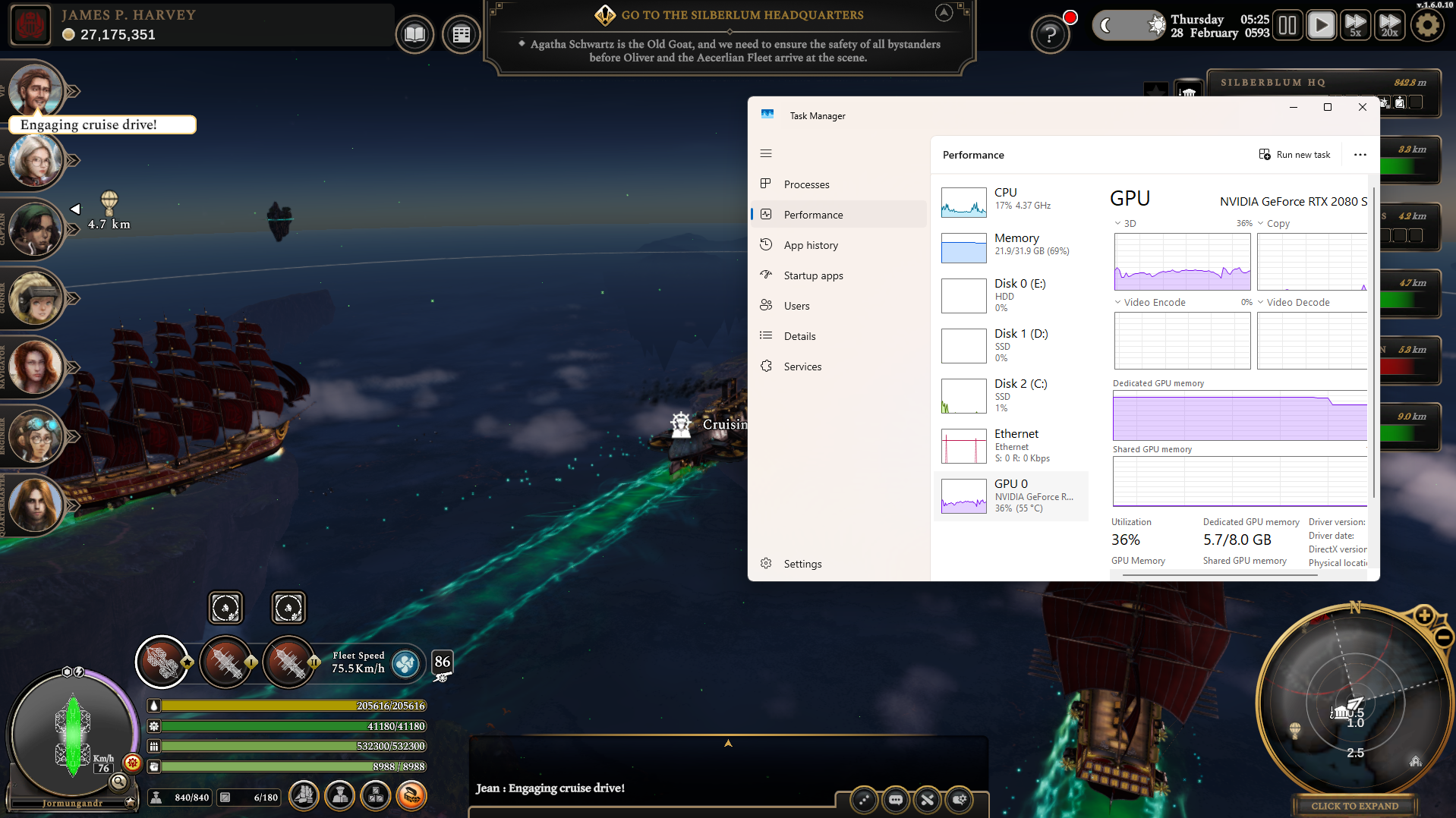 After implementing the new skybox renderer, we managed to shave off approximately 45% of the GPU load—quite the improvement!:
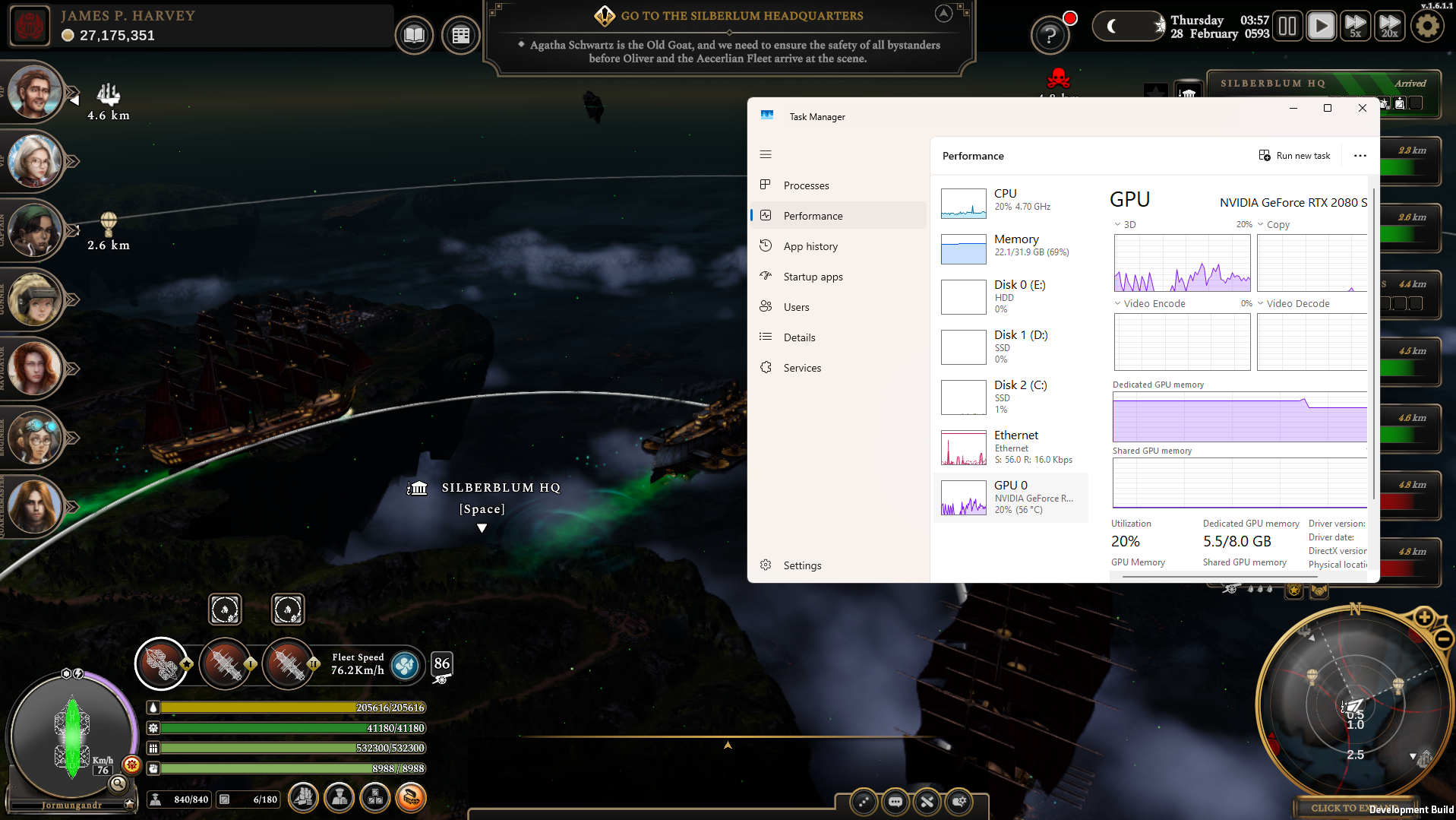 With this update, graphics cards equivalent to or above the game’s recommended specs should no longer require constant cooling in most cases. This means you can enjoy Kingdoms Adrift for longer sessions without worrying!
We’ve also been investigating other factors affecting late-game performance. While there’s limited optimization we can do with Unity Physics, we identified and addressed several script-related inefficiencies.
For example, The AI officers’ listener was repeatedly looping and recalculating ship part performance whenever a ship part was destroyed. This caused frame freezes, especially when multiple parts were destroyed simultaneously. Similar inefficiencies were found in the algorithms for target scanning and bullet spawning.
These discoveries wouldn’t have been possible without the support of our community—especially @ItsJustLuck on our official Discord server, who provided save files and insights into the core of these issues. Thanks again for your support!
With this update, graphics cards equivalent to or above the game’s recommended specs should no longer require constant cooling in most cases. This means you can enjoy Kingdoms Adrift for longer sessions without worrying!
We’ve also been investigating other factors affecting late-game performance. While there’s limited optimization we can do with Unity Physics, we identified and addressed several script-related inefficiencies.
For example, The AI officers’ listener was repeatedly looping and recalculating ship part performance whenever a ship part was destroyed. This caused frame freezes, especially when multiple parts were destroyed simultaneously. Similar inefficiencies were found in the algorithms for target scanning and bullet spawning.
These discoveries wouldn’t have been possible without the support of our community—especially @ItsJustLuck on our official Discord server, who provided save files and insights into the core of these issues. Thanks again for your support!
Improvement #2: In-Game Difficulty Menu
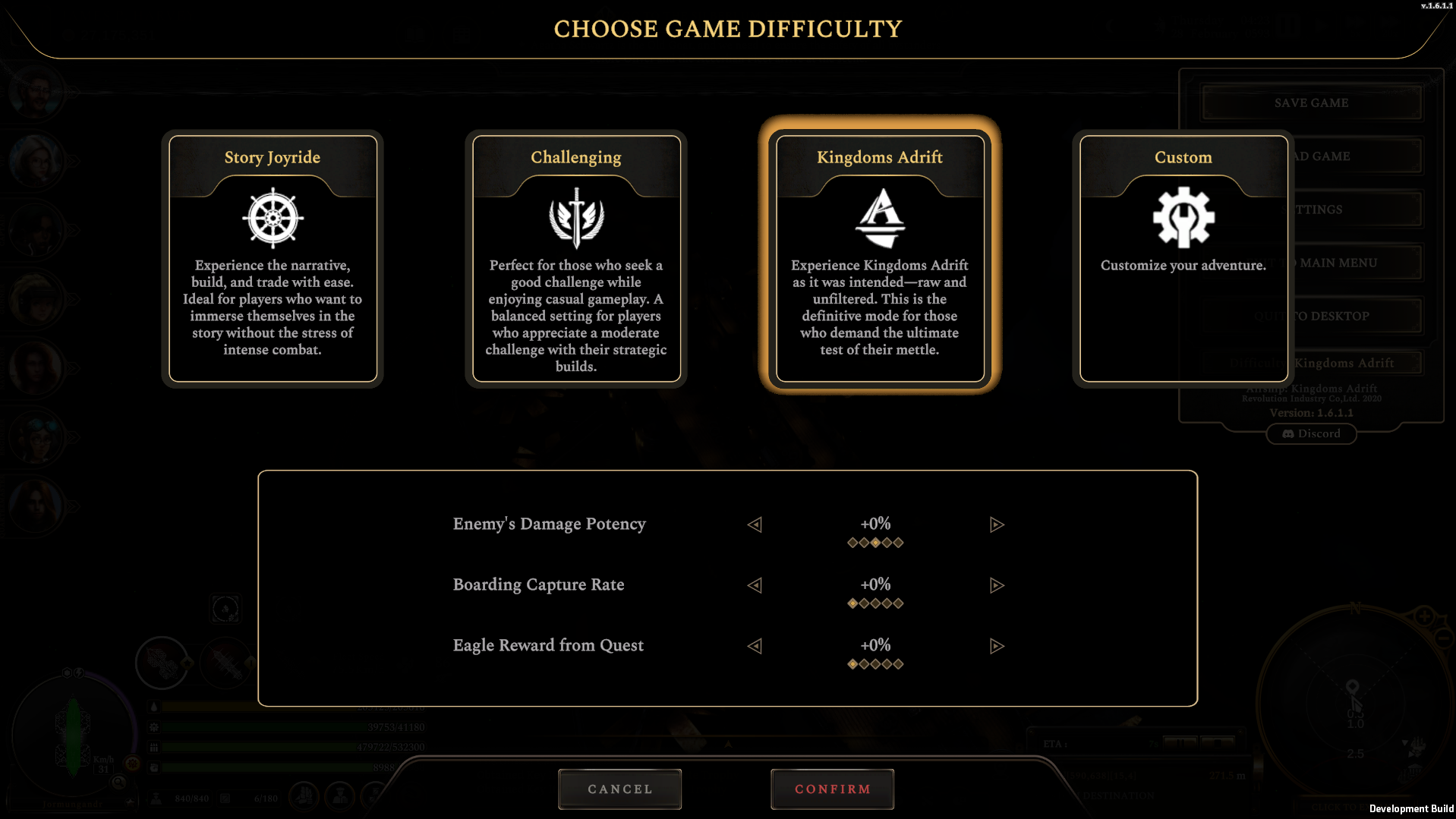
The title says it all! If you find the game too challenging or certain aspects aren’t to your liking, you can now adjust the difficulty. Simply access the settings menu and scroll to the bottom of the list to find the new difficulty options.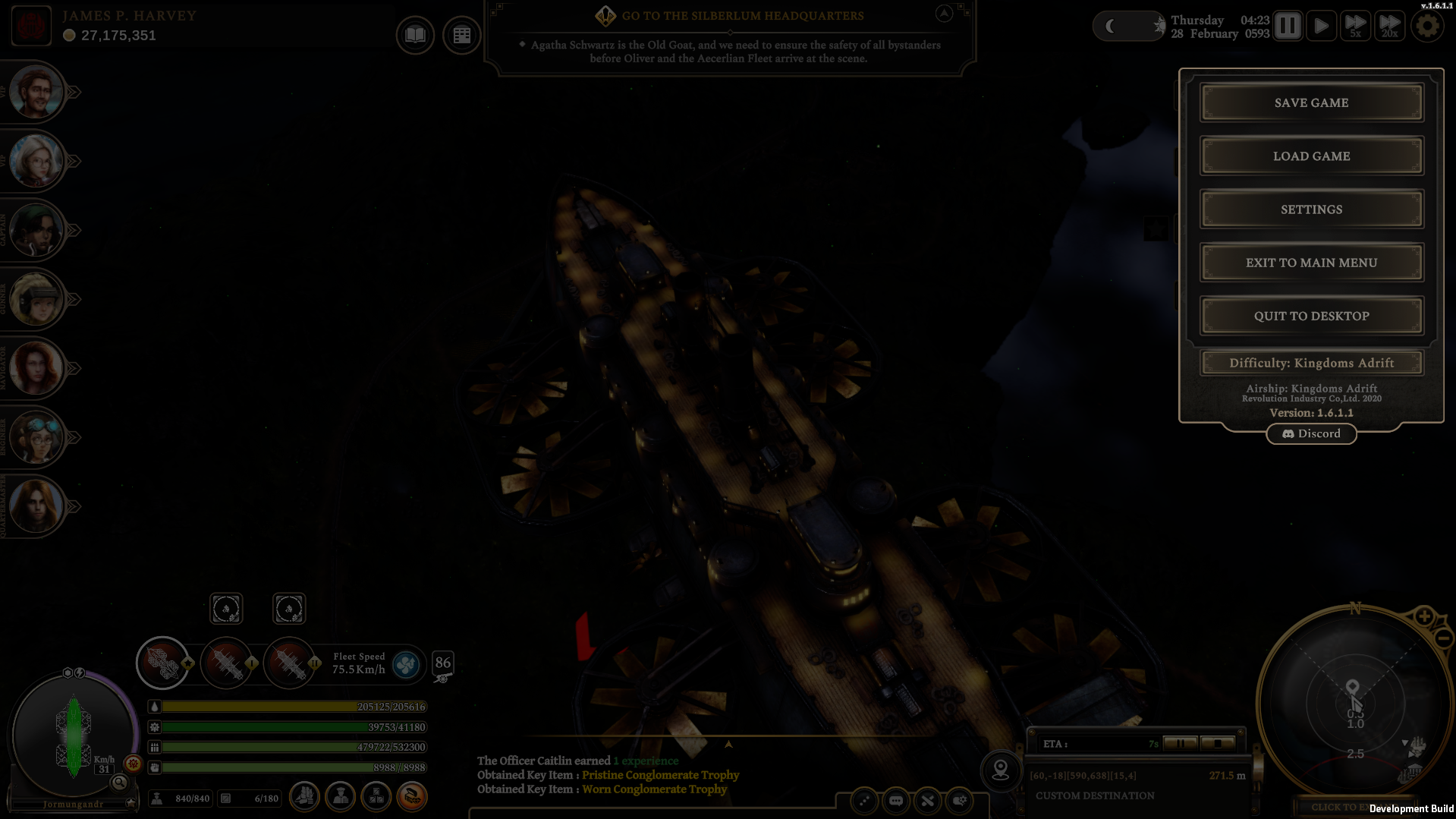 Once you open the menu, you’ll see a familiar difficulty settings interface, similar to the one available at the start of the game. Here, you can adjust the difficulty or switch to a custom difficulty mode. Please note that if you lower the difficulty, achievements will be disabled—even if you later increase the difficulty again.
Balancing and Bug Fixes:
- Made freight quests a more viable source of income by increasing overall rewards by 50%.
- Fixed multiple crashes identified through automatic crash reports.
 Cheers,
Jay
Cheers,
Jay