Design & Balancing
[b]Siege:[/b] We have been working on various improvements and balancing tweaks to the siege mechanics. You can now change your garrison units to adapt them to the attackers' troops, allowing you to make more tactical decisions. We added more clarity and details regarding the garrison with more tooltips and the garrison view UI. The AI now handles siege better, but in some cases, siege wasn't working properly when the AI didn't have a defending army. We have then added an event if a siege occurs without opposing forces. A few issues, like garrisons that wouldn't be removed after a conquest, have been fixed. Some siege events may still incorrectly refer to "Bandits" in their description or title, we are investigating it.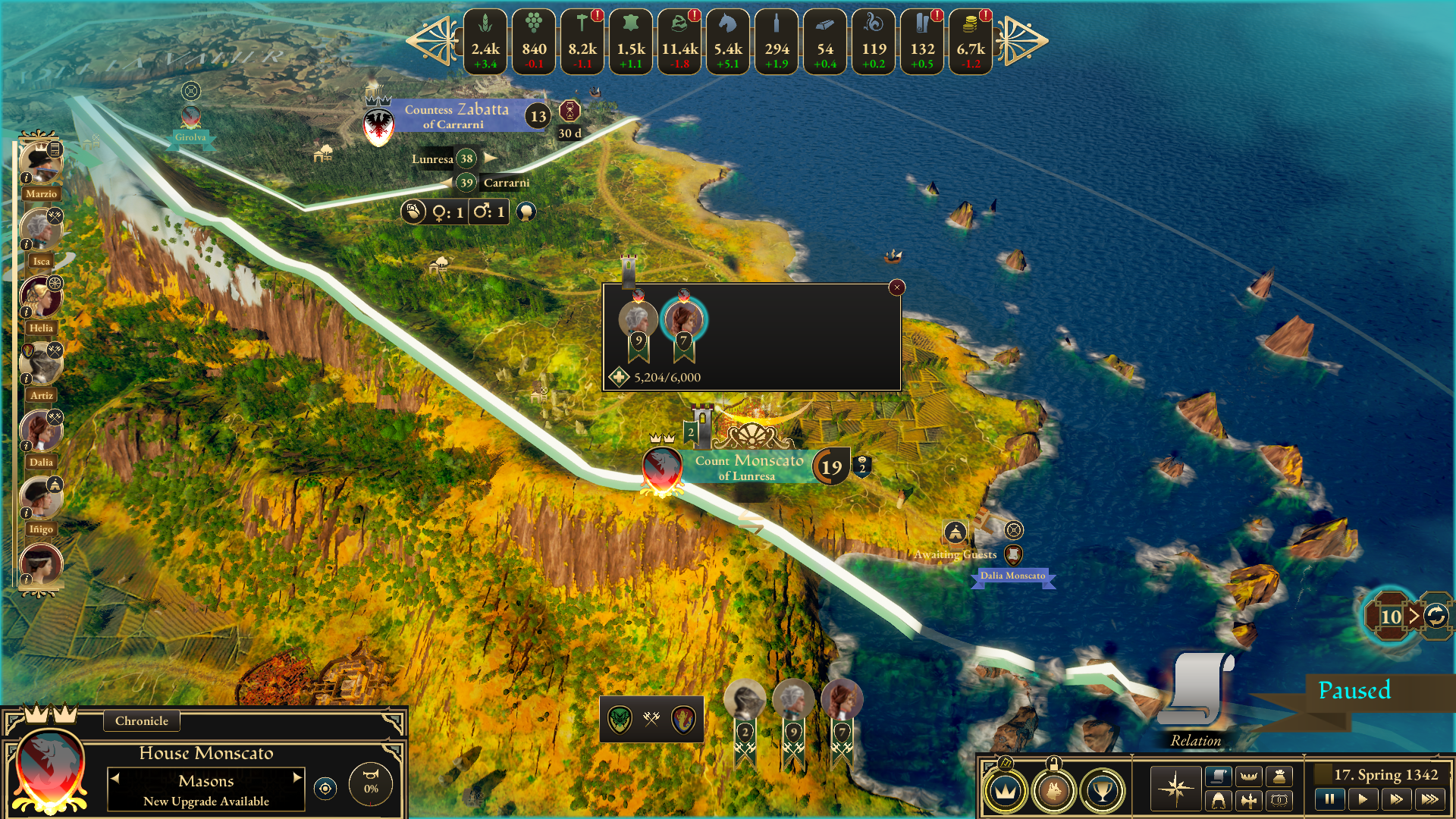 [b]War and fights:[/b] We reviewed and reflected on your feedback about the war and the mini-game for battles. We are working on improving the war system and adding a new military unit logic. While the battle system will [b]remain the same in its core[/b] (a mini-game with a board and units to control), we have been focusing on making it more entertaining and tactical. A fair share of the changes we have made are already available in [url=https://store.steampowered.com/news/app/1812910/view/4138316032665459841][b]today’s regular update[/b][/url]. We will break the rework of the system down soon in the next devblog!
For more transparency, redesigning the battle system altogether would be heavily time- and resource-intensive, preventing us from working on other features and content for the game. We opted to make battles and social conflicts (negotiations) [b]totally skippable[/b] when we released the game in Early Access in August. You can simply select your units, as well as the objectives and outcomes you are most interested in, rather than going through the mini-games, if you do not want to play them.
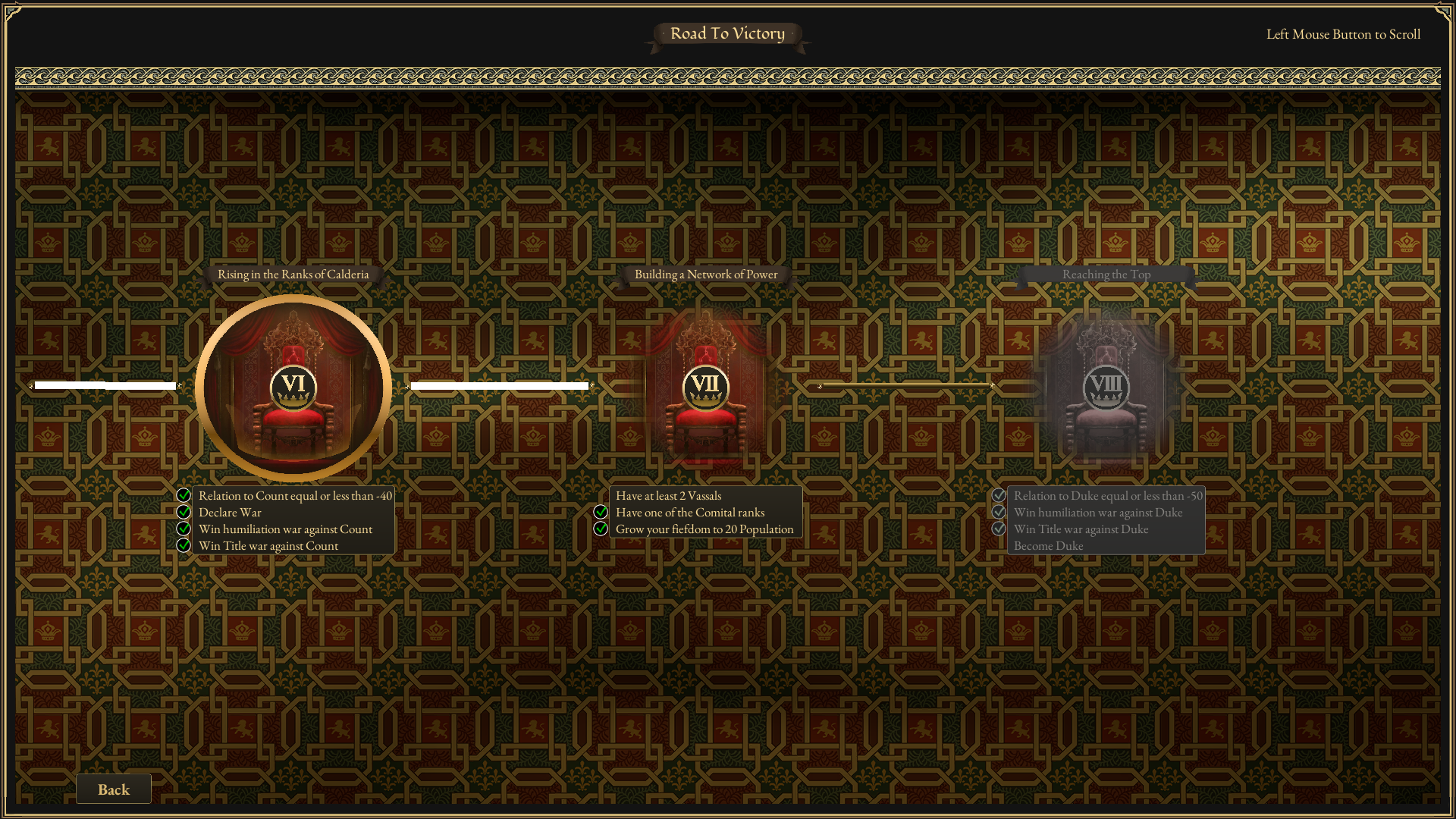
[b]Winning path:[/b] We have fixed a bug that would softlock your progression in the Winning Condition Chapter VII “Building a Network of Power”, preventing you from finishing the game if you inadvertently completed steps in another order.
[b]War and fights:[/b] We reviewed and reflected on your feedback about the war and the mini-game for battles. We are working on improving the war system and adding a new military unit logic. While the battle system will [b]remain the same in its core[/b] (a mini-game with a board and units to control), we have been focusing on making it more entertaining and tactical. A fair share of the changes we have made are already available in [url=https://store.steampowered.com/news/app/1812910/view/4138316032665459841][b]today’s regular update[/b][/url]. We will break the rework of the system down soon in the next devblog!
For more transparency, redesigning the battle system altogether would be heavily time- and resource-intensive, preventing us from working on other features and content for the game. We opted to make battles and social conflicts (negotiations) [b]totally skippable[/b] when we released the game in Early Access in August. You can simply select your units, as well as the objectives and outcomes you are most interested in, rather than going through the mini-games, if you do not want to play them.
[b]Winning path:[/b] We have fixed a bug that would softlock your progression in the Winning Condition Chapter VII “Building a Network of Power”, preventing you from finishing the game if you inadvertently completed steps in another order.
Visuals & Interface
[b]World map:[/b] We have noticed after reading your comments that there was information that was not clear enough or hard to find. Some of the information that has been mentioned can be viewed in the [b]map modes[/b]. Thanks to your input, it made us realize that the map modes we made for the world map a few months ago may have gone unnoticed. These modes [b]display important information[/b] by activating them and clicking on each territory to see, for instance, the [b]relations[/b] between Heads of House, and we added the possibility to view [b]unmarried characters[/b] using this map mode (how many there are in each fiefdom as well as their gender). It is also possible to view the [b]feudal status[/b] of each House (vassals and lieges), the [b]resources[/b], the recruited [b]spies[/b], the ongoing [b]wars[/b] (and who is at war with whom), and the [b]alliances[/b] of each House. We have added an [b]active map mode indicator[/b] for more clarity. We welcome your feedback to further improve this feature’s readability and clarity.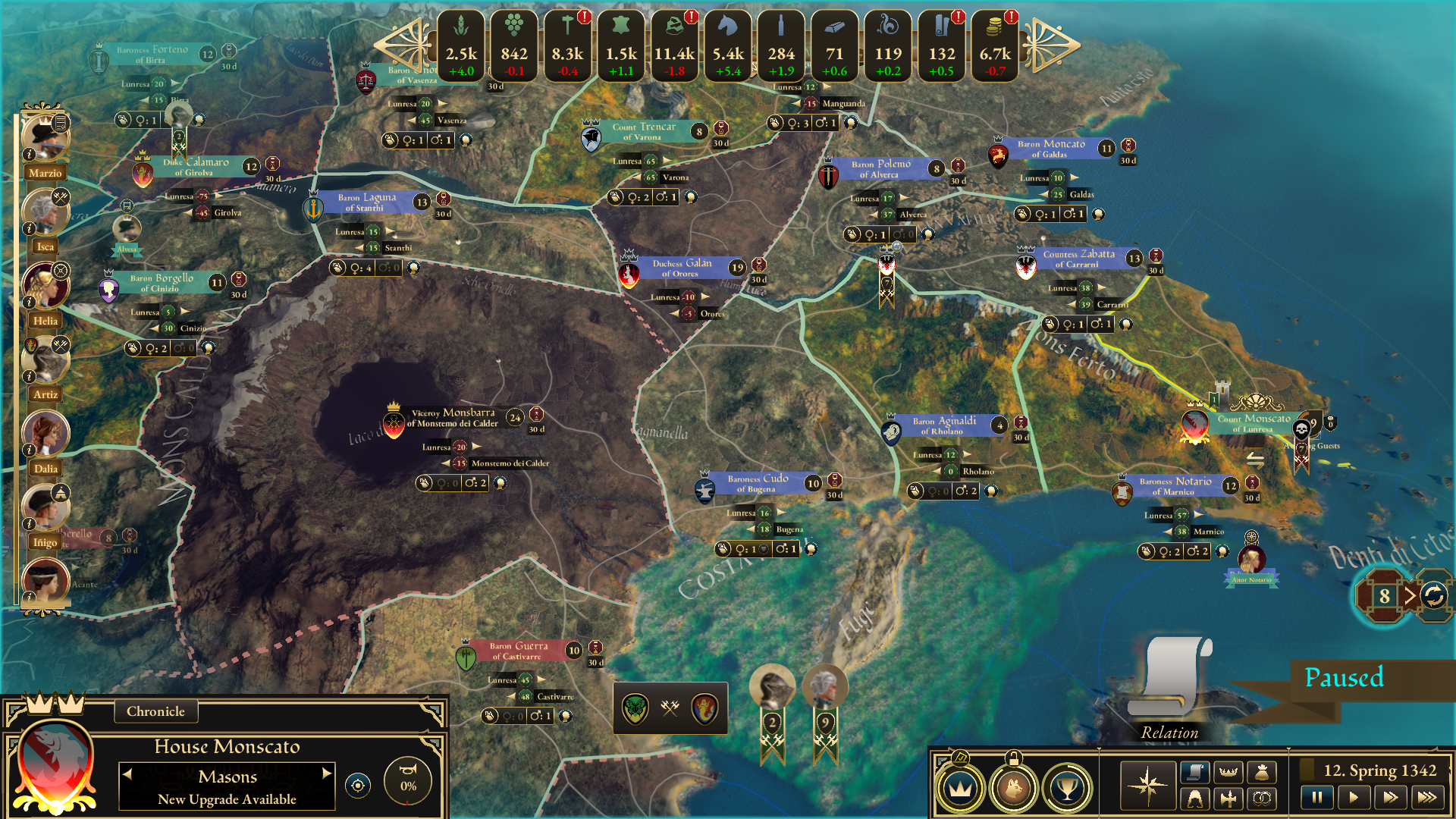 [b]User Interface:[/b] Regarding the UI, we have added a fiefdom mouseover visual effects, tooltips breaking the production down to make it clearer, but also fixed a bug where it showed too many war reparations gains during wartime.
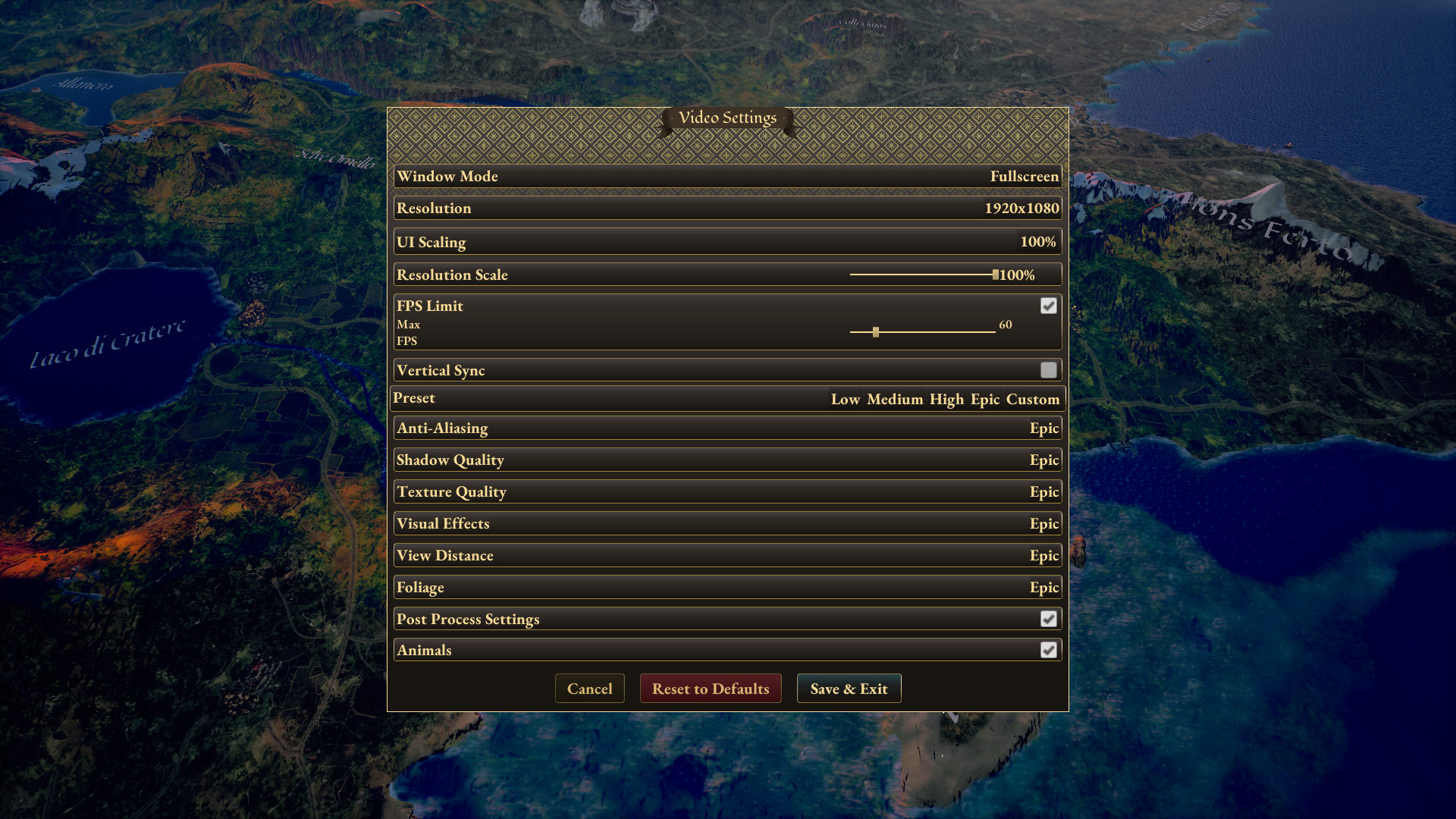
[b]User Interface scaling:[/b] In February, we kept working on the UI scaling issues and have set the default scale at 70%. This can be adjusted from the Video Settings. Please let us know if this improved the encountered issues.
[b]User Interface:[/b] Regarding the UI, we have added a fiefdom mouseover visual effects, tooltips breaking the production down to make it clearer, but also fixed a bug where it showed too many war reparations gains during wartime.
[b]User Interface scaling:[/b] In February, we kept working on the UI scaling issues and have set the default scale at 70%. This can be adjusted from the Video Settings. Please let us know if this improved the encountered issues.
Technical fixes & optimization
[b]Optimization:[/b] We continued working on optimizing the game and especially the world map. We have added new options to the menu for visual effects and graphic settings, as well as Low and Medium graphic settings for charging water textures (rivers and lakes, in particular). [b]Crash:[/b] We have fixed the reported crashes sent through the Unreal Engine Crash Report, in particular the one linked to loading a save. If you experience a crash, please send the crash report via the Unreal Engine Crash Report window, and let us know on Discord or in the Steam forums.For more information, read the full aggregated patch notes below:
[b]Added[/b]- Siege info tooltips
- Garrison view close button
- Event for Siege without opposing force
- Active map mode indicator
- Low and Medium graphic settings for water
- Rivers and lake textures
- Fiefdom mouseover visual effects
- Relation Map mode now shows unmarried court members
- Production breakdown tooltips
- World map optimizations
- Remove unnecessary notification text on Trade and Raise Army views
- Resource breakdown can show too many war reparations gains
- Sue for Peace not triggered in some scenarios by AI
- Intrigue Back button not working
- Winning Condition Chapter VII rare softlock
- Siege not working properly when the enemy (AI) doesn’t have a defending army
- Incorrect confirmation texts
- Garrisons can’t be closed after conquest
- Various crash causes
- Game crash when loading a save
- Some siege events may incorrectly refer to "Bandits" in their text
- Default UI scale is at 70%, adjust this from Video Settings.
- UI scaling might cause some buttons to go outside the screen on some resolutions. To fix this, adjust the UI scaling percentage in Video Settings.
- Character customization images might fail to load occasionally. The UI still works, and reopening the menu sometimes fixes the issue.