Version 0.2.1.16, Update 5: Quality of Life
[b][u]Features:[/u][/b] ⦿ [b]Maintain Mountainhome Amount![/b]- This complements the previous Maintain Amount, which only looked at the building's own inventory.
- This is now the default option for Maintain Amount.
- Global inventory now tracks reserved and unreserved items separately.
- Inventory Ledger UI lists both reserved and unreserved items.
- Mountainhome Maintain only tracks unreserved items.
- You can now drag a box to select multiple dwarves.
- When issuing a move order, the dwarves who arrive first will become Vigilant until all have arrived.
- While Vigilant, a dwarf will not do any work. They will engage in combat, and they will look after their most pressing needs.
- Colony and Mountain name are generated, and can be changed.
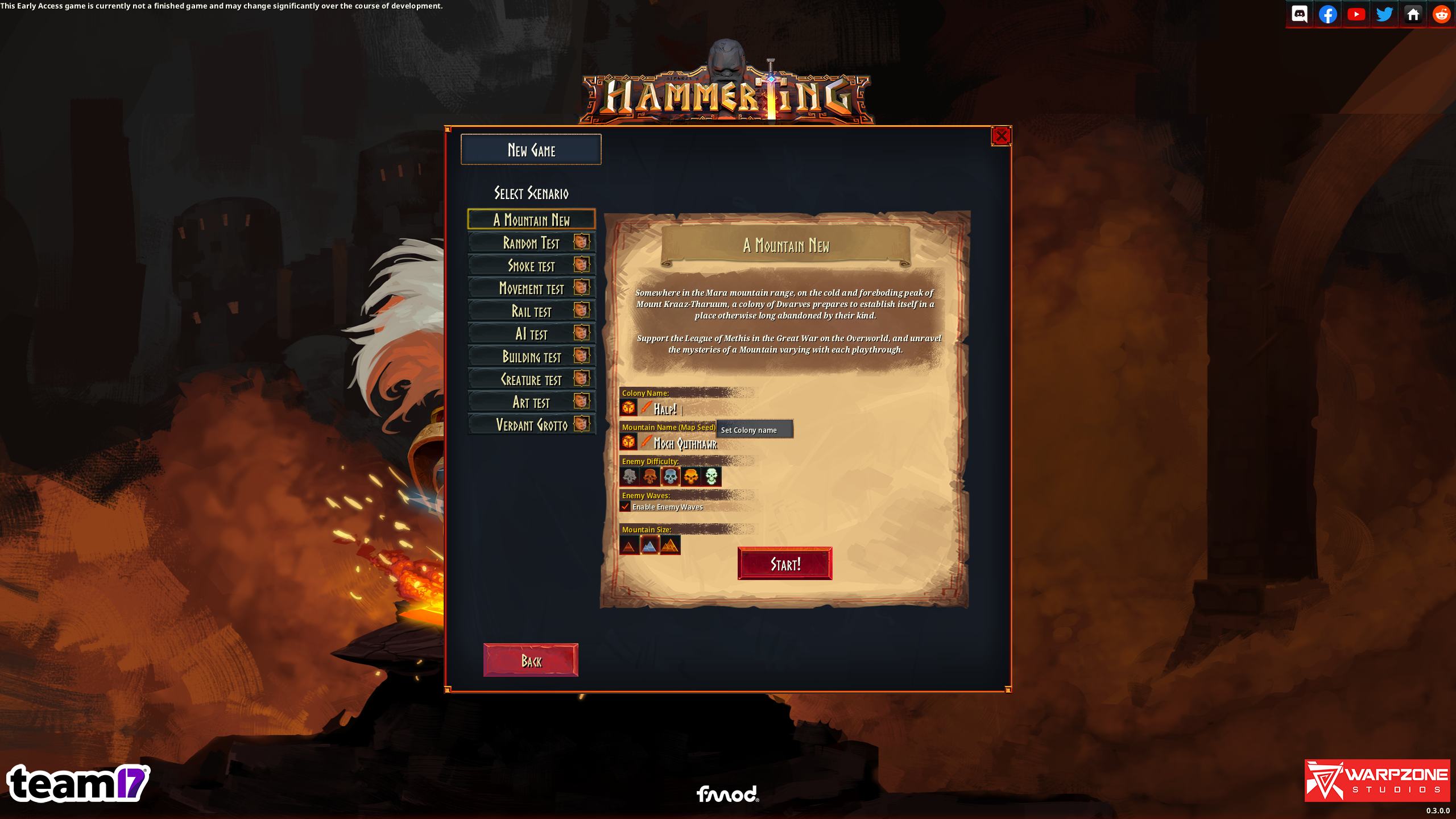
- Mountain name is now the seed for the game.
- Option to choose map size.
- Option to choose enemy difficulty.
- Revamped tutorial screens.
- Temporary folders from saving game are now cleaned up afterwards.
- 'Time Played' and 'Colony Lifetime' are now shown in savegame list
- Saves now shows last modified time and colony name.
- Added image preview when loading saves.
- Save game list can be sorted in various ways.
- Saves are now ordered by last modified time per default.
- We have the option of marking specific versions as deprecated.
- 'Print screen' button will now save a screenshot .png file in the 'tdtd/screenshot' folder.
- Shift + 'Print screen' will save a screenshot with UI disabled.
- Control + "Print screen" will save a screenshot with only UI.
- Not exactly a new feature, but they do work now.
- Enemies can not pathfind through them.
- Enemies will attack them.
- When reaching zero health, they are completely destroyed.
- Look at the detailed map tooltip to see which modifiers each Biome Region has.
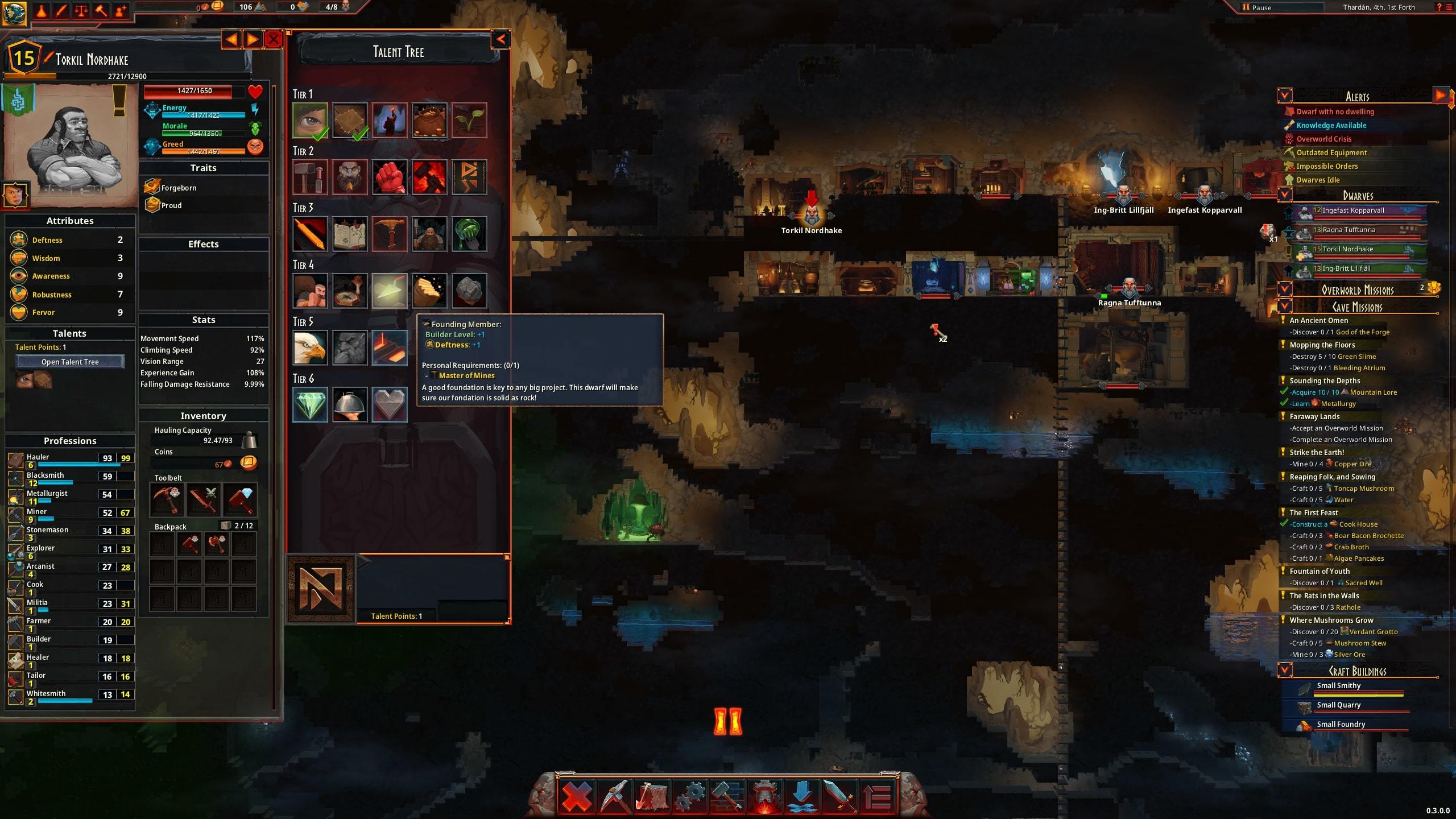 ⦿ [b]Decay system![/b]
- Handles destroying things after they've lived for a very long time.
- The pace of decay is currently very slow. It is more of a performance feature than something players will need to think about.
- Items on the ground will decay faster.
- Reserved items such as mission deliveries and toolbelt items do not decay.
- In case you're wondering where all your cool Dwarven Statues went with all that sweet Sovereignty... In the old system, they decayed and despawned. Oops!
- Changed dig reservation rules slightly so that digging downwards creates a sparse pattern similar to when digging upwards.
- Combatants will look a bit further for enemies in certain cases.
- Combatants will switch target if a better one is found, resulting in MORE VISCERAL COMBAT and LESS BENNY HILL.
- Combatants will use a more generous range when actually checking to see if they hit, resulting in fewer swing-and-a-miss.
- Creatures idling near other creatures will move away from them. This results in less doomstacks outside lairs, as the the enemies guarding it will be more spread out nearby.
- Dwarves will no longer look for refill items - mushrooms - in Unexplored areas of the map.
- Dwarves will now stick to any action they start doing for one second.
- Dwarves will now stick to any job they start doing for 30 seconds.
- Falling: Creatures can now drop a bit shorter, and jump a bit farther up. This means that whenever dwarves go to pick mushrooms, they'll find their way back.
- Falling: Creatures who fall into a fluid will be slowed down, reducing falling damage to potentially zero. A fancy effect has been added!
- Falling: Creatures who fall will grab ahold of ledges, reducing their chances of falling to bad places.
- Falling: Falling damage has been increased substantially, but is currently capped so as to not be fatal.
- Selling: Dwarves will now sell items immediately upon reaching the Entrance Chest.
- Selling: Items in the Entrance Chest marked for sale will be sold instantly.
- Added arrow above selected dwarves.
- Can now double-click to complete a mission.
- Clarified tooltip saying that no dwarves can find a path.
- Command tooltip moved to bottom right corner.
- Crafting UI scales to the full height of the screen.
- DWARF attributes show their corresponding Favorite Professions.
- Energy and health descriptions updated.
- Improved map tooltip in various ways. Now shows icons, fluids, and the Biome Region's modifiers.
- Loading screen now fades out smoothly.
- Many new icons.
- Move-to command now has a custom cursor. The cursor is now shown when a dwarf is selected, making it more clear that you can give individual move orders to dwarves.
- Pressing TAB in a craft UI now switches between tabs.
- Various UI animations added.
- Version number is now always shown in debug and experimental builds.
- Combatants cooldown to re-evaluate targets was only reduced in the brief moment in time between two attacks.
- Dwarves can now walk down properly next to Scaffold stairs. Yet another case of the insidious Vinkel Volt fixed!
- Dwarves will now lie down after loading a game, if they are unconscious.
- Goblin animations fixed.
- Movement fix for sometimes getting stuck after stopping a movement behavior early.
- Orders should not be able to overwrite already existing layer data. Previously, placing a new stairs order could cause nearby places to not be reachable.
- Recruits will now get random talents matching their current level.
- Refilling other entities with for example fuel now looks at all their interaction positions. This fixes dwarves not refuelling drills.
- Buildings now show HP bar at zero health.
- Camera will no longer fall all the way to the Underworld after interacting with the action menu.
- Fix for overflowing text in Dwarfelopedia new tutorial event.
- Opening and closing menu now unpauses the game.
- The 'Base Production Value' column in the character UI now works as described, ignoring the items in the toolbelt.
- The 'Stranded Dwarves' alert will no longer count Dwarves who are falling.
- The 'Use less resources when window loses focus' option was secretly ON by default without showing as enabled in settings menu or in-game.
- Fixed localization error in fuel requirement (Crushed Granite instead of Coal)
- Various texts updated.