New scenario for The Anchoring Campaign
If you have completed the first two scenarios of The Anchoring campaign, get ready to discover a new adventure. This new scenario introduces its own quest, an exploration map, and a new environment to immerse yourself in. Additionally, new Steam achievements await you with this scenario: • Complete The Anchoring campaign • Complete The Anchoring campaign with a gold medal on all scenarios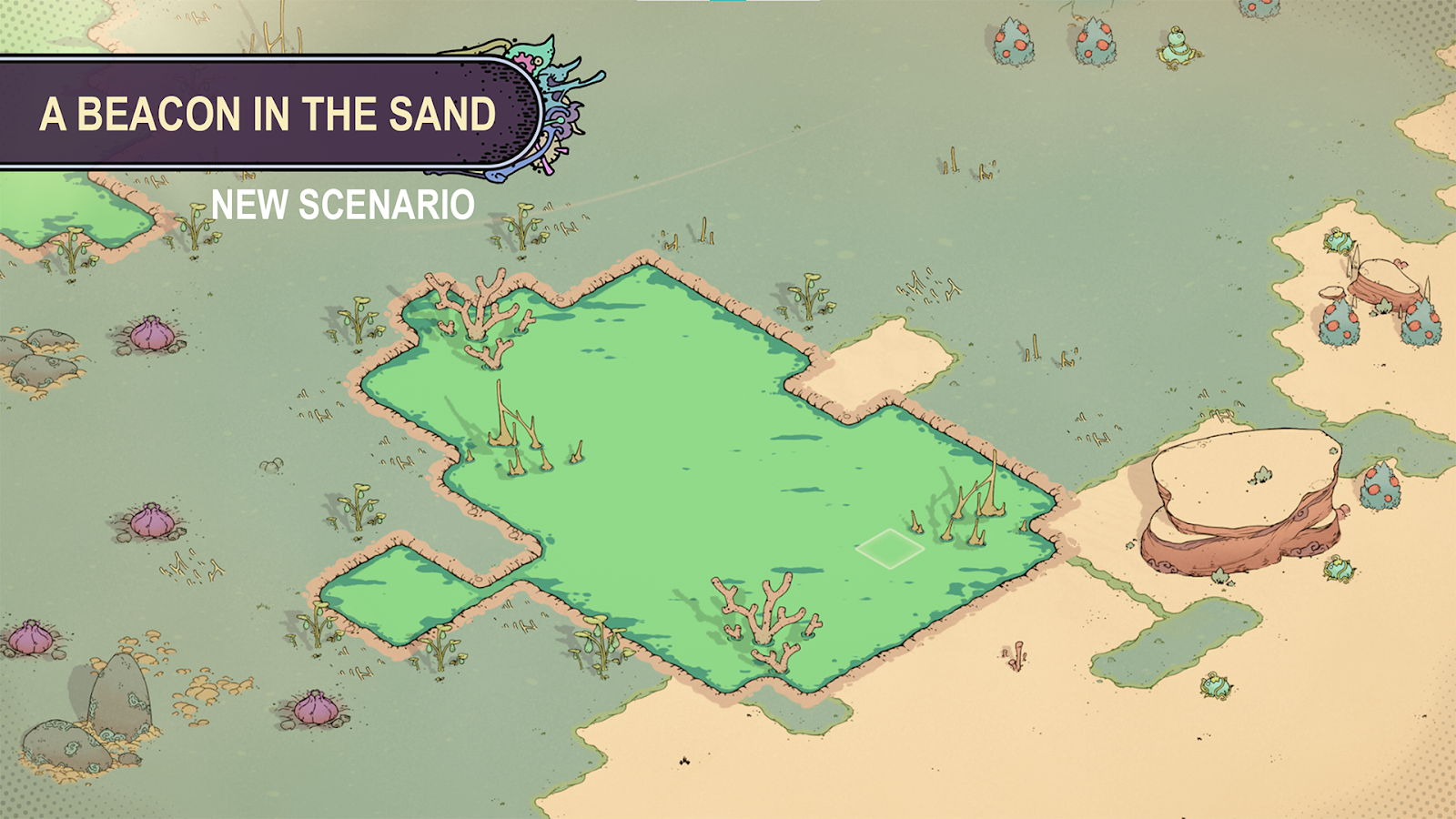
Harvesting Overhaul
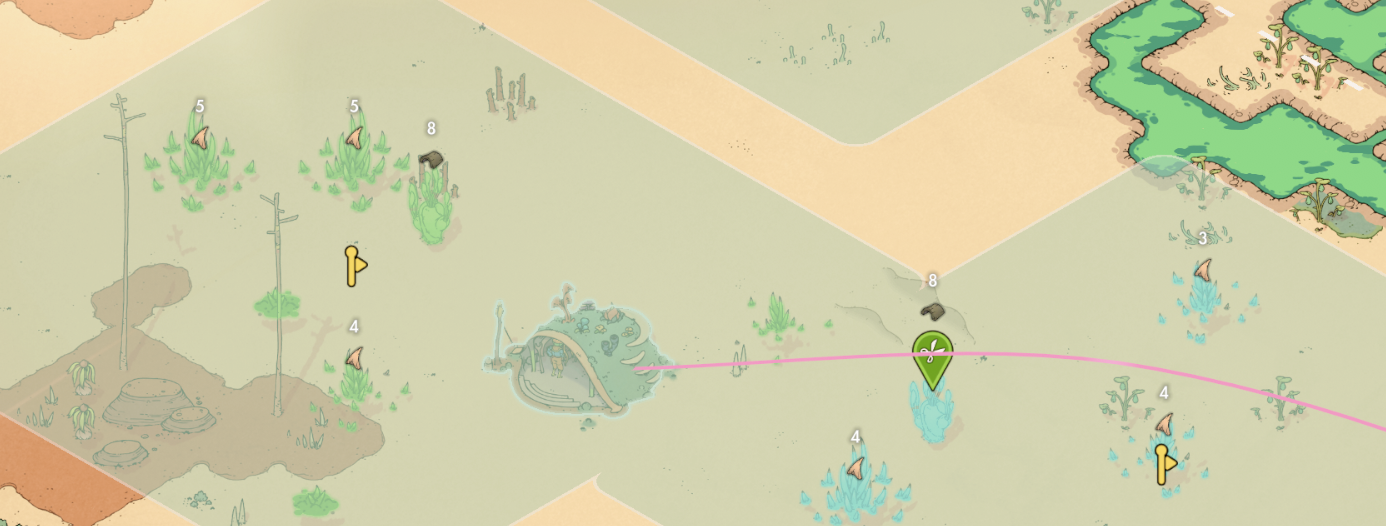
We’ve completely redesigned the harvesting system based on your valuable feedback. The previous system required too many manipulations and did not allow for multiple actions with the same building. Here’s how the new system works: you now have 3 harvesting task slots. Each task allows you to select a harvesting area and the type of plant to harvest within that area. Advantages of this new system: • [b]Smooth execution[/b]: Harvesting orders are much quicker and easier to command. • [b]Task versatility[/b]: With a single Picker’s Cabin can now handle multiple tasks simultaneously, such as picking fruits from bushes and trimming Cinder sprouts. • [b]Automatic harvesting[/b]: New plants of the selected type appear within the designated area will be automatically selected for harvesting. • [b]Smart harvesting[/b]: By selecting only one type of plant, harvesters will interact only with this type of plant, and thus will avoid interacting with harmful plants, preventing injuries.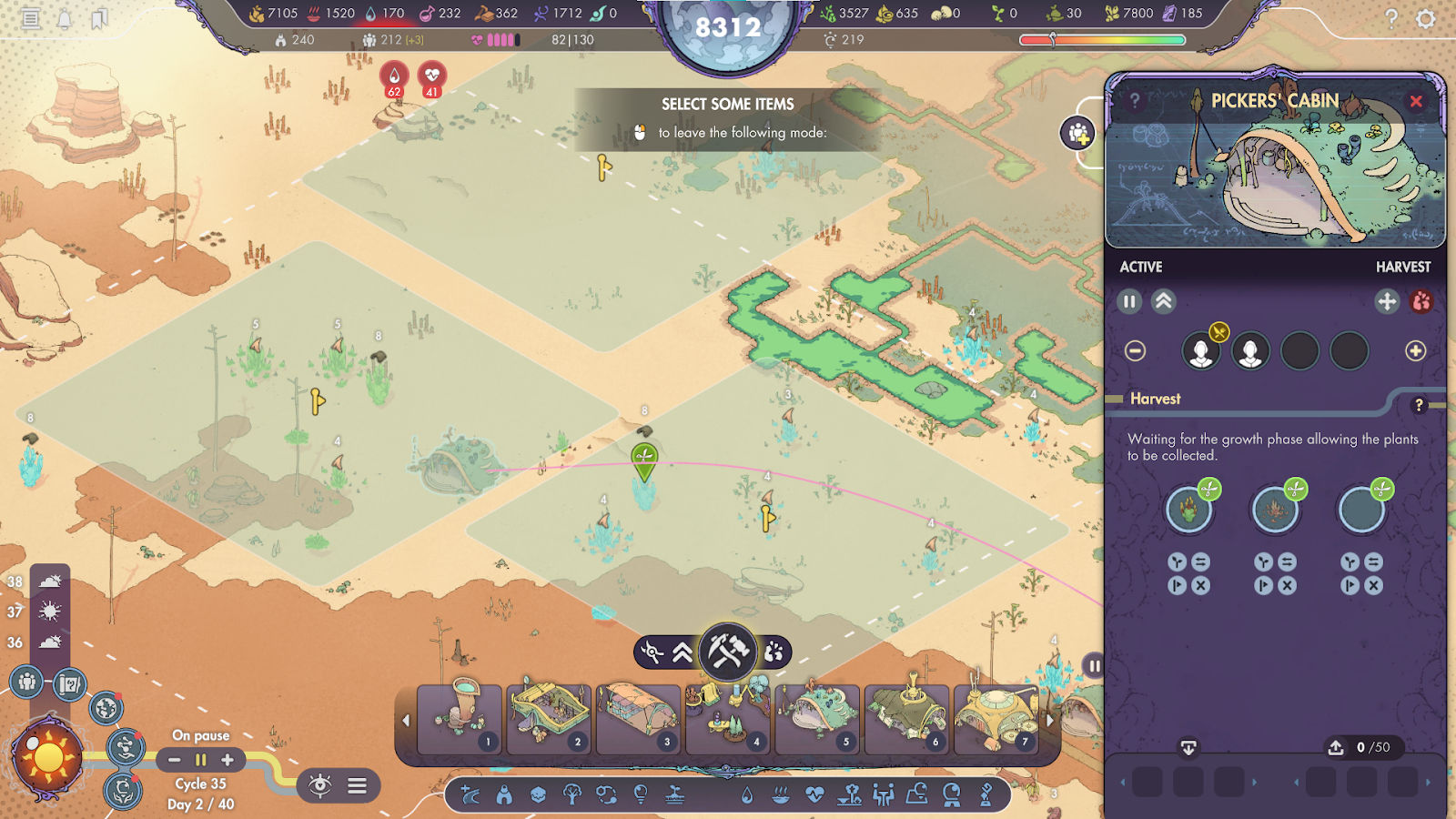 Additionally, plants now display the number of resources they yield when harvested, provided you have analyzed them beforehand, enabling you to better estimate your harvests and identify the most productive plants.
Moving buildings
We have responded to one of your most frequent requests by enabling the ability to move buildings. You can now reposition any building using a new button in its interface. This action does not cost any resources but requires the same construction time as building it anew.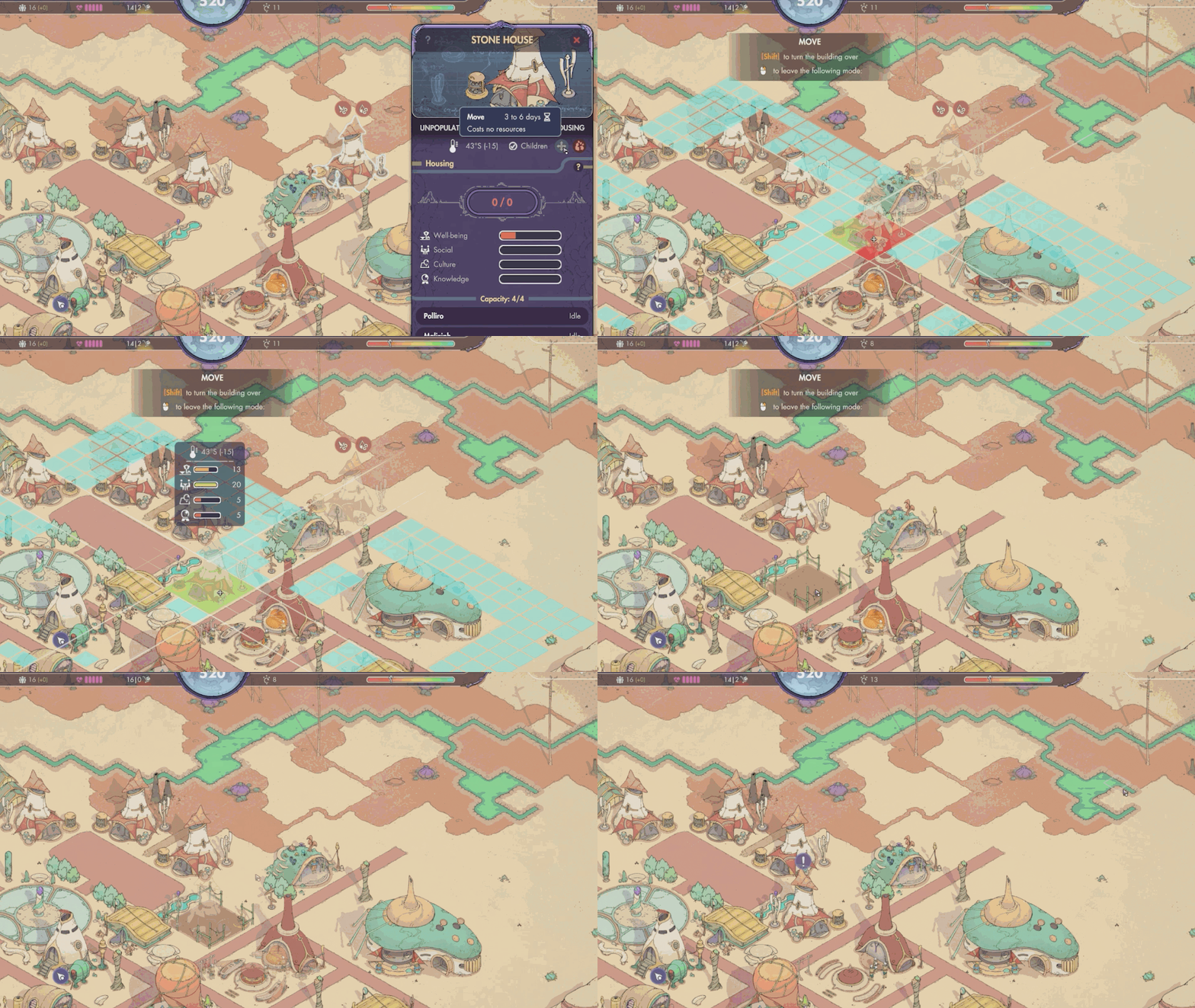
Housing Satisfaction Preview
During the placement phase of a house, you can now preview all the satisfactions it will receive at that location, as well as the local temperature. This feature allows you to better anticipate and choose the optimal spot to maximize the comfort and satisfaction of its inhabitants.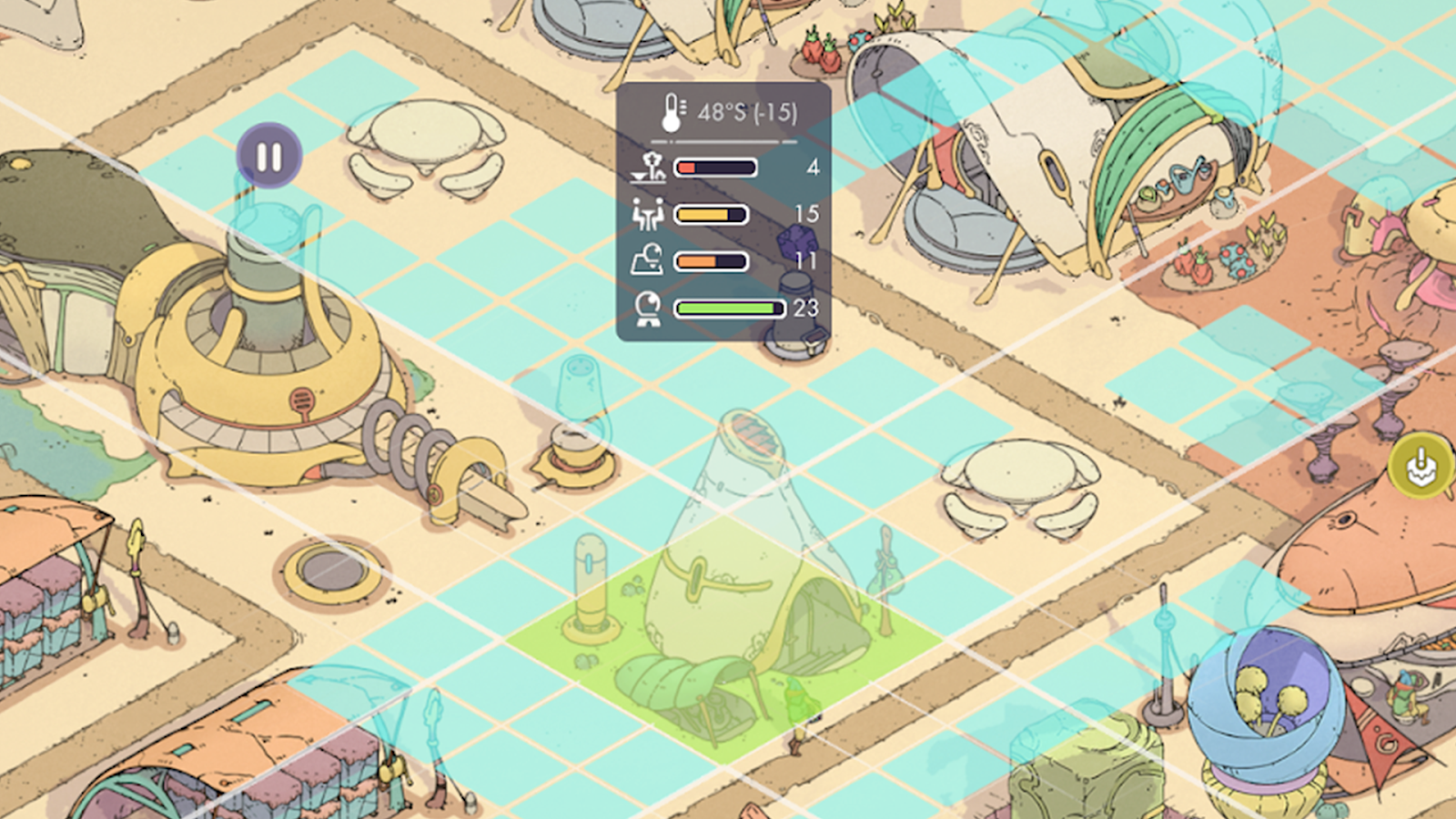
Display of Building Impacts
During the building placement phase, and upon selecting a building, you can now see its impact on ground properties (temperature, humidity, etc.) and housing satisfactions (well-being, knowledge, etc.).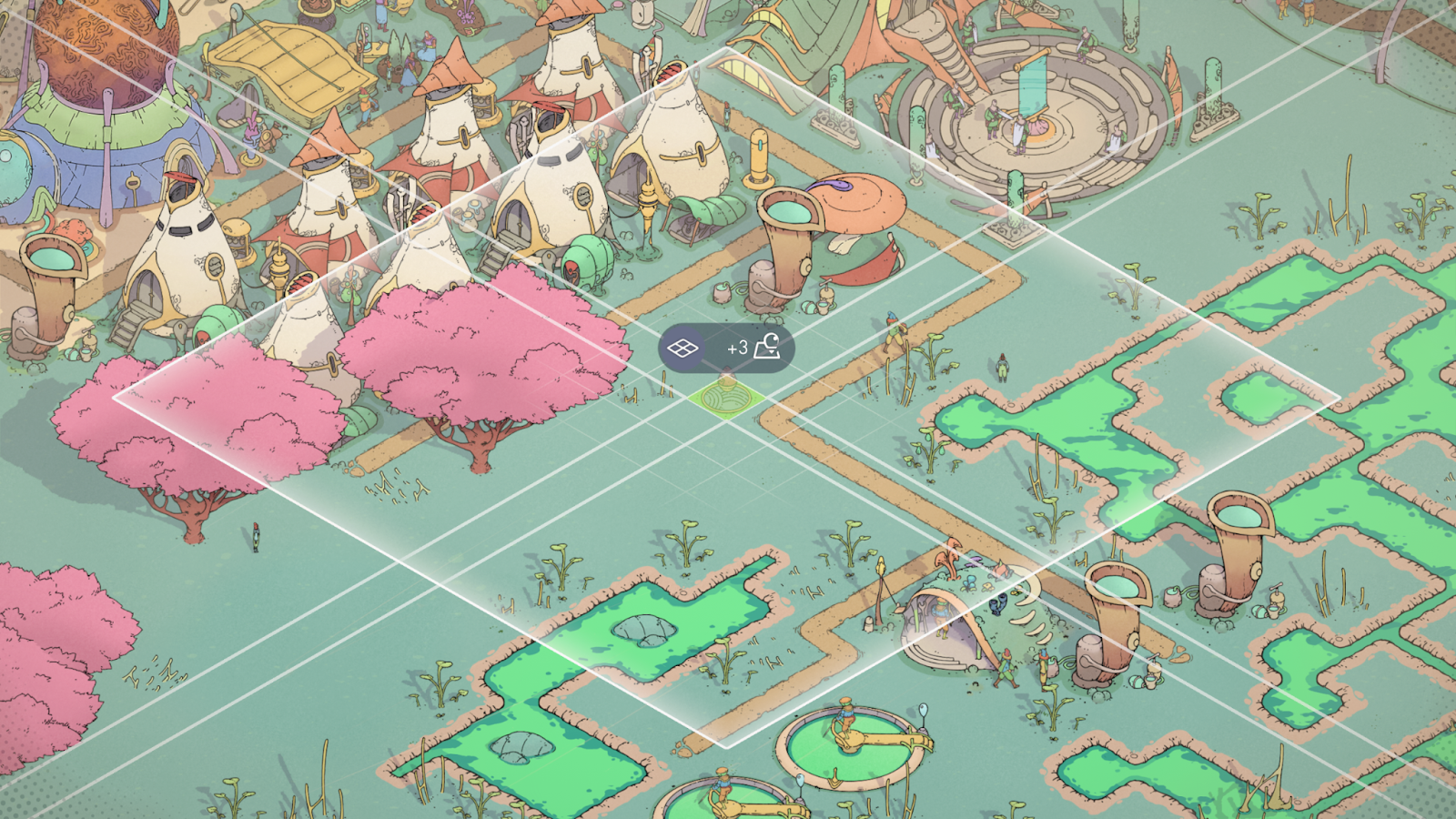
Remaining Analysis Indicators
During the plant analysis selection phase, plant types eligible for new information are now highlighted.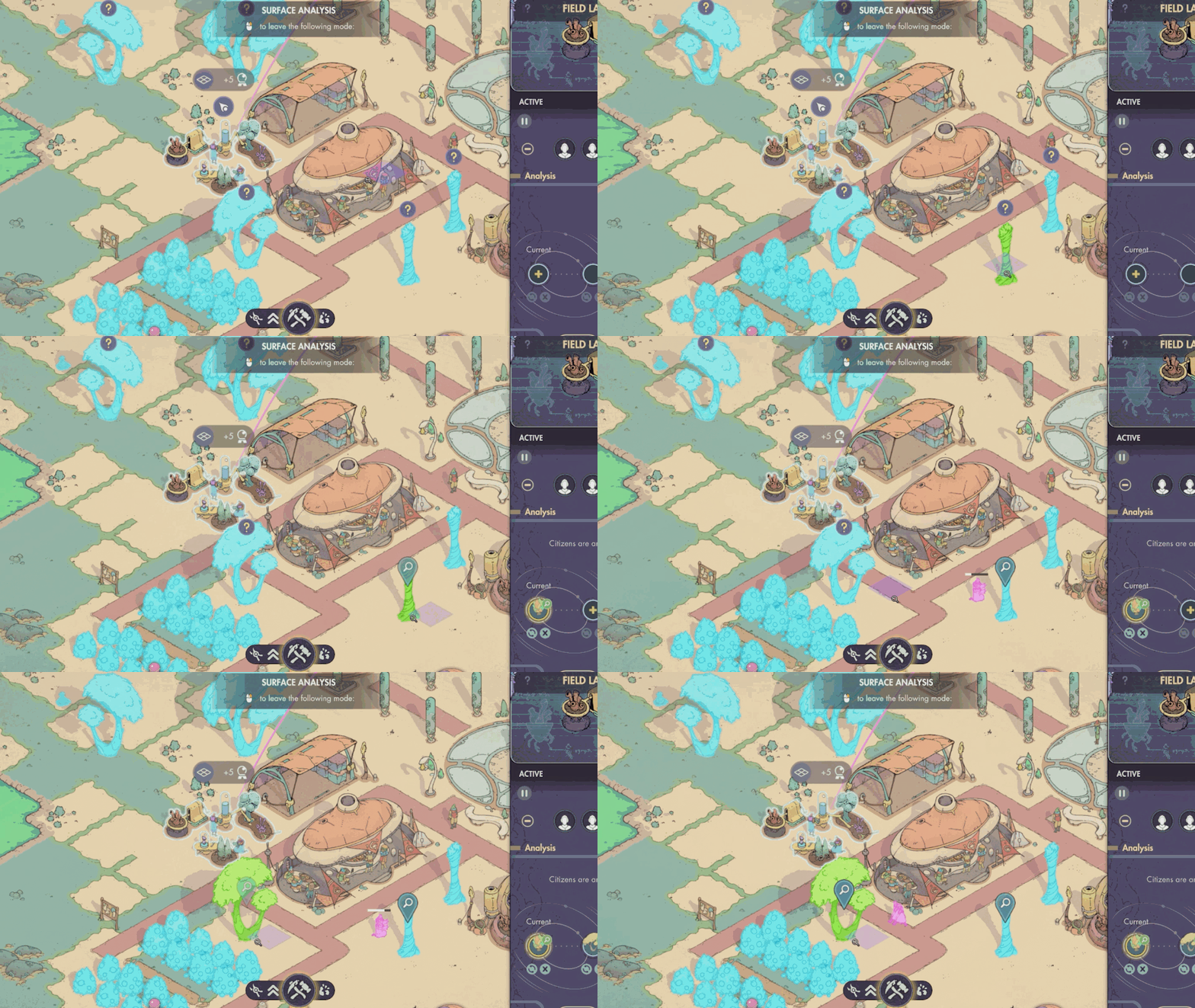
Unlock Visualization
Researches can now display multiple unlocks for a single research. This allows you to see all buildings unlocked by a research, all tasks, all modifiers...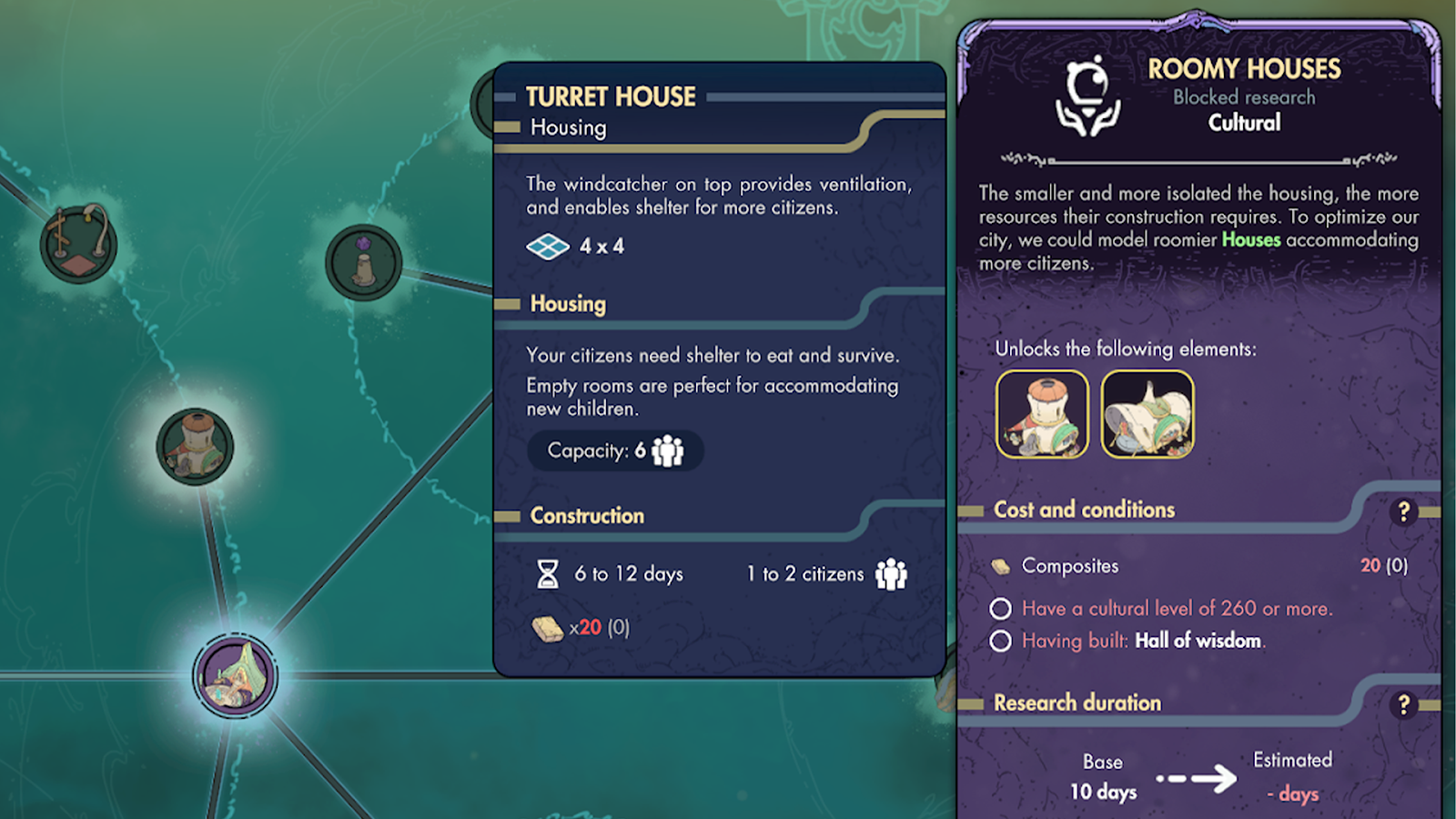 It could be hard to find newly unlocked buildings in the construction menu.
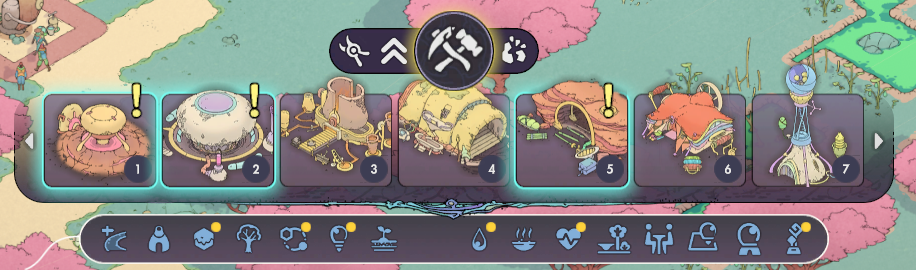
Now, when a new building is unlocked through research or tutorial, it is highlighted in the construction menu. Categories containing newly unlocked buildings are also highlighted.
It could be hard to find newly unlocked buildings in the construction menu.
Now, when a new building is unlocked through research or tutorial, it is highlighted in the construction menu. Categories containing newly unlocked buildings are also highlighted.
Edge of map Fog
There is now fog visually obscuring the edges of the map where construction is not possible. During the building placement phase and planting phase, grid squares where construction is impossible are cross-hatched in red.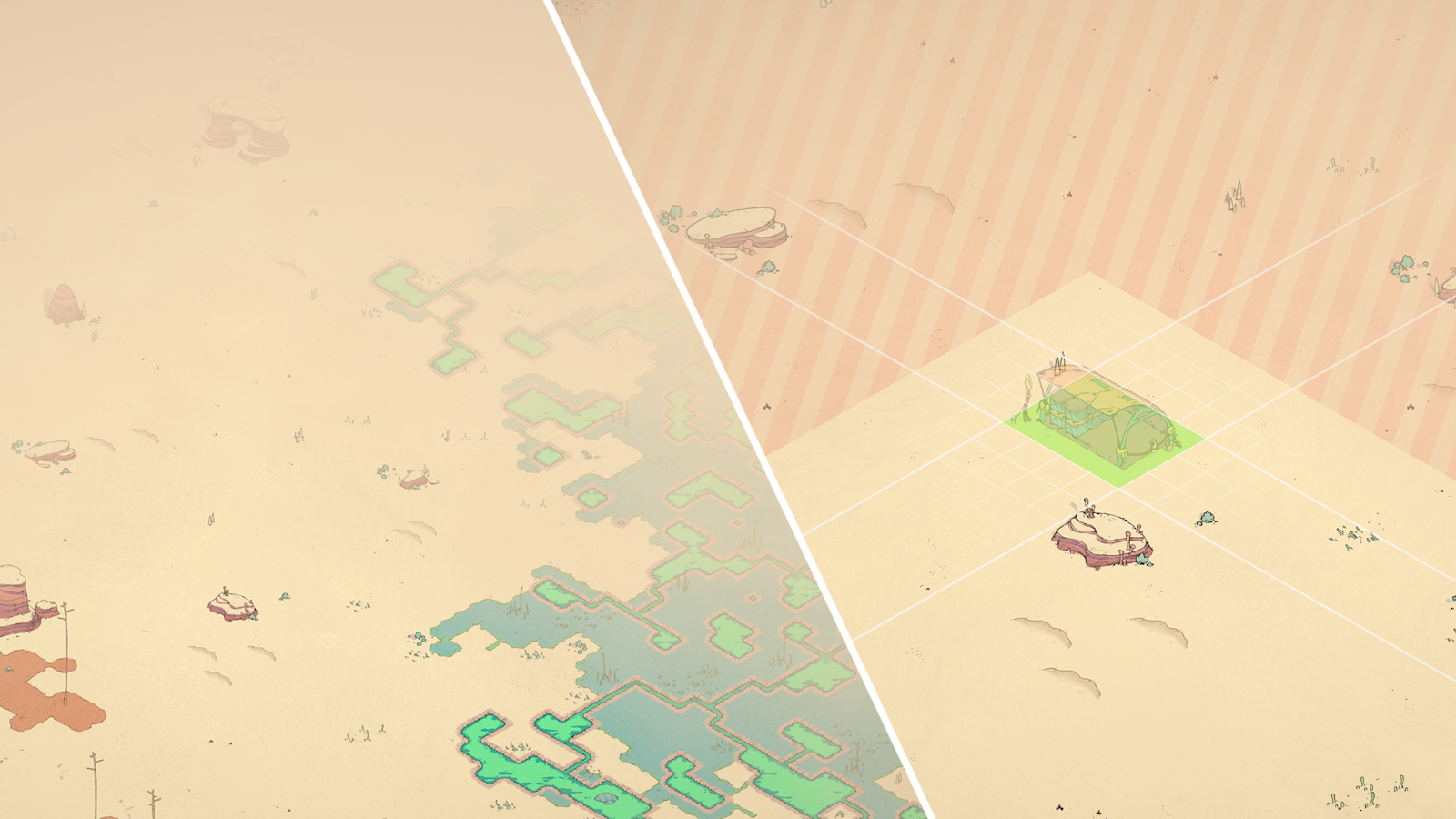
New Decorations
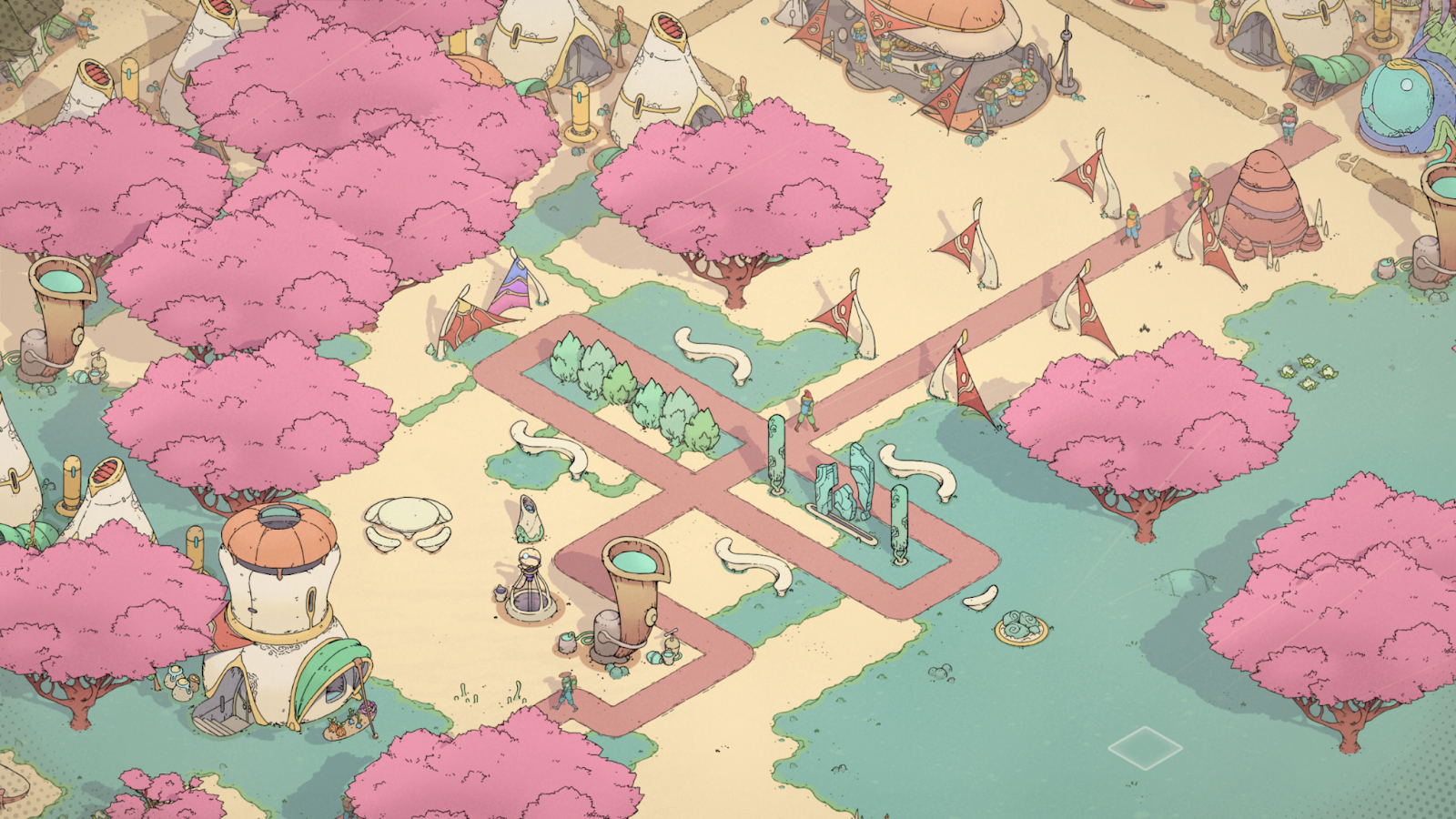
Several new decorations have been added to allow you to embellish your city. Some of these decorations increase the Culture level and are easily accessible in the Research Tree to facilitate early-game Culture score progression.