The big refactoring
Though this update doesn't bring in a whole lot of shiny new features (the bulk of the work involved migrating existing features from [b]Lua[/b] language to [b]C++[/b] and [b]UE4 Blueprint[/b]) it gets us one step closer to our final goal on a more solid foundation. [quote]???? For a more in-depth look into the Lua refactoring, check out [url=https://www.groundbranch.com/2025/10/intel-report-027-interpatch-news/]Intel Report #027[/url].[/quote] Though the main advantage of the refactoring is future iteration, you might notice improved stability and performance here and there in this version. We'll go over the main impacts, pros and cons in the following subsections.What does this mean for modding?
- [b]Non-Lua mods will not be affected[/b] Once updated to V1035.2, most mods (e.g. item mods) should continue to work as before.
- [b]Lua-based game modes and missions will need to be converted to Blueprint-based ones [/b]With rounds, settings and other game mode-related classes being far more modular now, it'll be easier than how we had it setup. The Blueprint-based games modes we've included can be used as a base/example.
???? What about custom maps?
While you can convert older custom maps using the [b]mission actor conversion tool[/b], we’re also developing a proper map editor for future content. For best results — and full compatibility going forward — we recommend building new maps with proper actors and assets once the new Map SDK is available.[/quote]Streamlining mods
[b]Modding[/b] has been simplified in V1035.2. Gone are the days of moving and dragging mods from your available list into your loaded server mods in order to make them appear. Now, if you have a mod, it will be hosted on your [b]listen server[/b] and your players will be able to see it. [b]Dedicated servers[/b] have been simplified as well. For now, you will simply load the Mod IDs into the [b]mods.txt[/b] file for the server. [quote]???? We are also working on a UI solution that will replace the old setup for admins who prefer to load them via the in-game menu.[/quote][b]Operations[/b] mode temporarily disabled
Though the "Silent Reach" campaign mission demo (accessible via the [b]Operations[/b] menu) succeeded in giving players an idea of what a full-fledged GROUND BRANCH mission will look like, it was put together with considerable haste using a mix of Lua and hard-coding; this meant that the Lua logic would require migrating, while the hard-coded portion needed to be redone as part of a more expandable system. In order to avoid delaying patch V1035.2 even further, we have made the difficult decision to [i]temporarily[/i] disable the Operations mode while we create an expandable system for future campaign missions. Rest assured that the overall concept and much of the UI will be maintained — we hope to have an improved demo mission available again soon!No more rubberbanding — online stability has been restored!
A massive achievement in this version has been [b]online stability[/b]: the networking feels solid once again, with the widespread rubberbanding issue (that was present for the past few releases) having been fixed. Even with high pings (+300 ms), we've encountered no online issues after about 6 weeks of testing. [quote]???? [b]Dedicated servers[/b] no longer need to be restarted after a few hours to recover online performance — huge relief![/quote] We're hopeful this win will be getting online numbers back up a bit, since the rubberbanding was a massive source of frustration. Speaking of online problems…Removed physics from doors
Doors have been a long-standing issue when playing online, due to how difficult it is to ensure that their position/status correctly replicates across clients. Physics simulation in games is (in)famously unreliable, and when the online component is added the issue becomes even worse. After some debate, we decided to replace the physics-based implementation with an [b]intermediate solution[/b] that is akin to the old [i]Rainbow Six: Raven Shield[/i] mechanic. It is more rigid, but it fixes the problem of doors [b]desyncing[/b] while playing online.- Doors no longer have a fluid-looking opening and closing motion — this will be addressed in the future with animations.
- Doors will no longer desync: an open door will stay open and a closed door will stay closed. No more guesswork when approaching a door online.
- In addition, doors now have a weight we can assign per door type. While we haven't gone through and updated every door, you will notice the gate on [b]Compound[/b] "feels" heavier than before. This will also be updated throughout the next few patches to better represent our doors materials.
- Lastly, AI have had a pass on how they navigate doors. Initial tests with squads of 4 AI going through a door are good, and we will use this same logic to improve navigation through double doors, as well as for friendly AI in the future.
Return of the AI grenades (with an upgrade)
The [b]enemy AI can throw frag grenades[/b] again, so be on the lookout! AI grenades now have a more calculated frag grenade logic in place: they will check if the player is in cover before throwing a grenade to flush them out. They also make checks to verify that the arc of the grenade won't hit any ceilings or blockers in its trajectory. [quote]???? We'll of course continue to improve the grenade ability as we go, but in the meantime this added logic makes it a more interesting mechanic to deal with in firefights.[/quote]Hostage Rescue (PvP) is back!
After being temporarily pulled due to logic issues we did not have the resources to fix at the time, the [b]Hostage Rescue[/b] PvP game mode returns to GROUND BRANCH! [quote]???? We had to rebuild Hostage Rescue from the ground up for V1035.2. This means some of the systems may be a bit different than before. Please have a try and give us your feedback.[/quote] Here are the rules:- To start the mode, there must be at minimum [b]5 players[/b] on a server and at least 1 more player on the RED than the BLUE side. (Currently, BLUE team are always the defenders and RED team are always the attackers. This will be updated and improved in V1036.)
- A random player of the attacking [b]RED[/b] team has been taken hostage in one of the map’s buildings. The hostage player is hooded and cuffed, limiting their vision and movement — they are unable to interact with map objects such as doors or items, and are restricted to walking (no running/sprinting).
- The target building is selected by the defenders [b]BLUE[/b] team by choosing where to spawn, and defenders are restricted to within that building unless the hostage escapes it.
- Defenders can lead the hostage around the building or simply hold them in place by holding the [b]Interact[/b] key (default [b]F[/b]). While being led, the hostage will be intimidated and unable to speak. (This represents a simplification of the previous iteration, where intimidation was a separate action done by pointing a weapon at the hostage.) Note that it takes about 1 second for the leading/freeing to begin. This is a change from the immediate grab mechanics from before.
- Attackers can select any insertion point (including multiple if they decide to split the team) and will have to find the building where the hostage is being held — possibly with the assistance of the hostage making some noise with the [b]Talk (VOIP)[/b] key (default [b]V[/b]). Attackers must then successfully breach the building and rescue the hostage. If the hostage has their cuffs released by the attackers, they will regain a full range of movement and team communication (i.e. radio and text chat).
- If a hostage picks up a weapon once released, they become a valid target for defenders, who can then win the round by killing the armed hostage.
Win conditions
- [b]ATTACKERS[/b] — To win the round, at least one attacker must escort the hostage to any of the available extraction points. Alternatively, attackers will win if the defending team is eliminated.
- [b]DEFENDERS[/b] — To win the round, the defending team must eliminate all attackers, survive the assault until the time runs out, or kill a hostage that has picked up a weapon.
[b]Fox Hunt[/b] is now a standalone mode
[b]Fox Hunt[/b] was a sub-game mode for DTAS (Dynamic Take and Secure) that was previously playable when not enough players were present for a DTAS round to begin (although it could also be forced on). With the refactoring, it made sense to make it its own separate mode. [quote]???? [b]Building Assault[/b] (a sub-game mode of Hostage Rescue) is gone temporarily — it will return in the future as a whole new standalone mode with unique mechanics.[/quote]Kit Restrictions are available again
Although the refactoring didn't allow us to rebuild kit restrictions the way we wanted them just yet, you can once again apply skin restrictions per team (Red and Blue) by going into [b]Admin Panel [/b]›[b] Kit Restrictions[/b].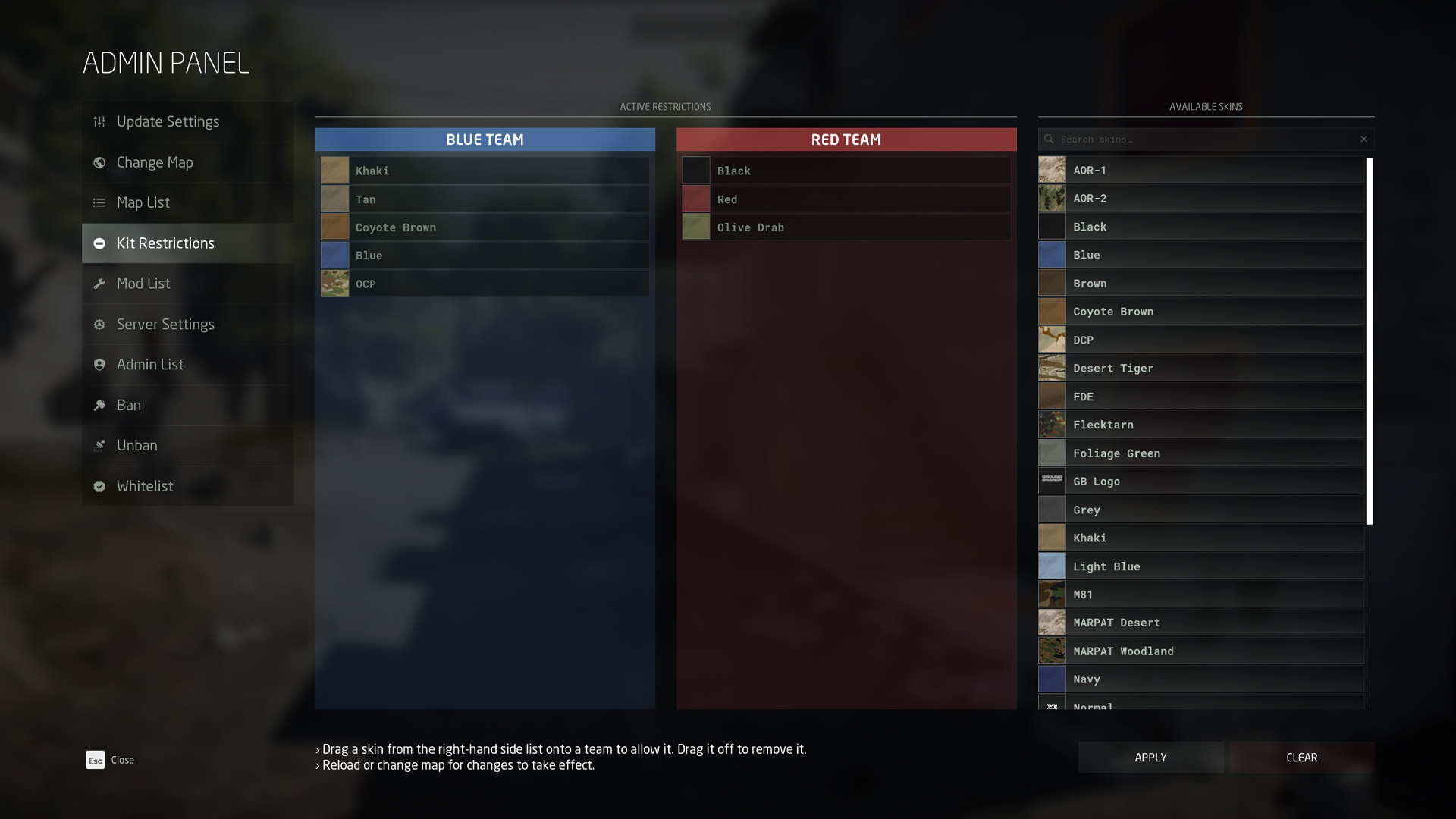 The system is pretty straightforward:
- Drag a skin from the [b]Available Skins[/b] list onto either team to allow that skin to be used.
- To remove it, simply drag it off the team.
- Click [b]Apply[/b] in the bottom-right to accept the changes.
- Click [b]Clear[/b] to revert to default restrictions.
Miscellaneous UI changes
Due to much of the UI being rebuilt thanks to the big refactoring, we've taken the opportunity to give a few areas a small update.Updated Ops Board visuals
The [b]Ops Board[/b] in the Ready Room remains largely the same, but you may notice changes to the color scheme, iconography and container layout, among other things. [previewyoutube=Da2GafWRuh4;full]https://youtu.be/Da2GafWRuh4[/previewyoutube] Here are the changes, as seen in the video:- The new colors should help visually group up related elements: red is used for objective-related elements, green for insertion/extraction points, and yellow is reserved for mission parameters.
- Mission parameters are more tidily laid out in boxes, and we've added a big clock icon to the insertion time (TOD) to make that military time format a little clearer without losing the flavor.
- Search locations ([b]Intel Retrieval[/b]) will now display the name of the location when hovered. The list of locations on the left-hand side is now also a separate color from objectives, uses a separate font (the same used for the hover text on the map), and adds a little looking glass icon to each item.
- The extraction point icon uses a slightly different animation and color, and now also displays text ("EXTRACTION") when hovered.
- The button to refresh locations now has a dynamic description label next to it, which updates when clicked.
Time-of-day (TOD) selection
When setting up a game you will notice a change in time-of-day ([b]time of insertion[/b]) parameter.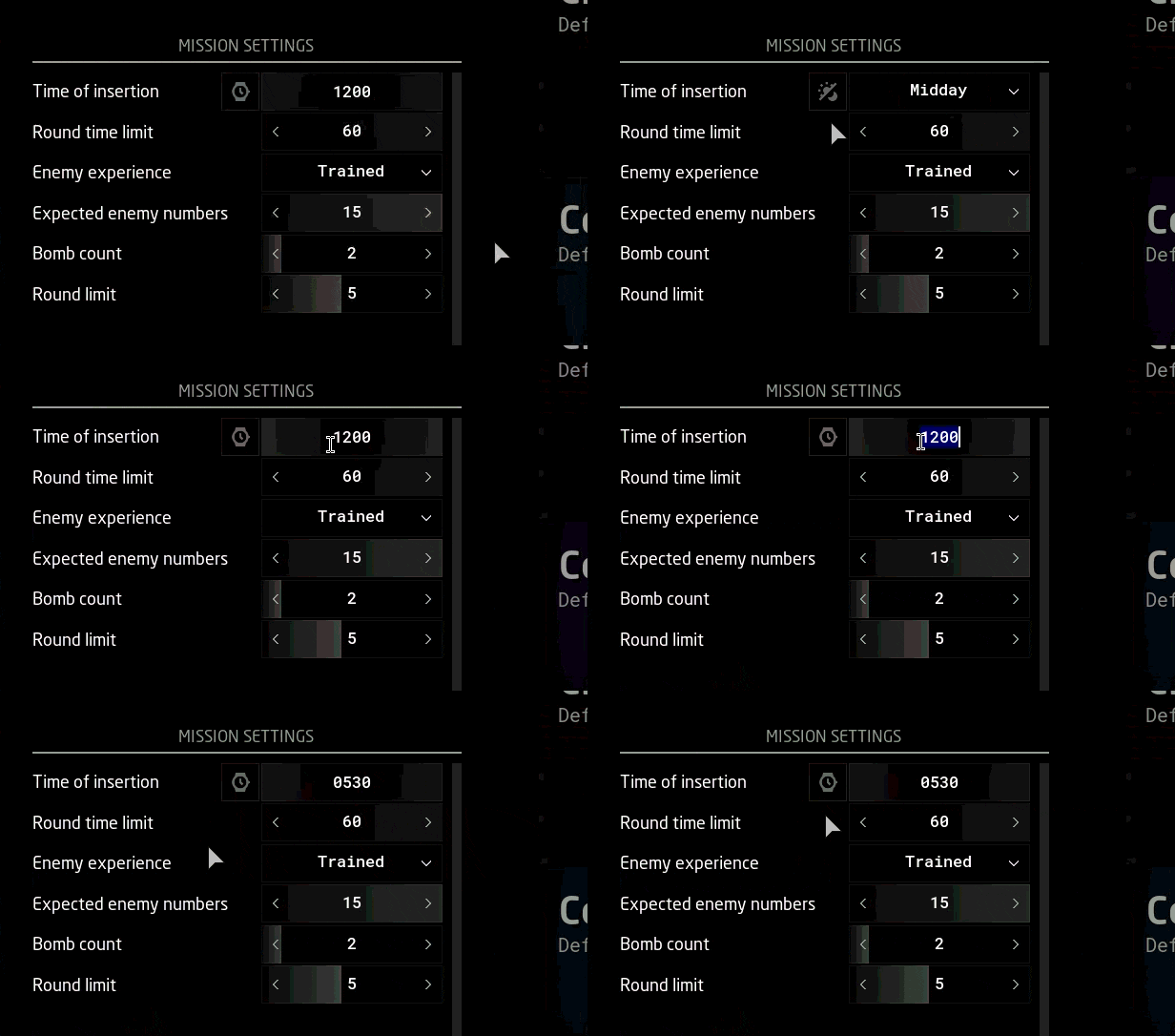 Whereas previously you would pick a time from a drop-down menu with preset times (e.g. Pre-Dawn, Midday etc.), you can now alternate between that method [i]or[/i] manually setting the time (e.g. 0000, 0600, 1200 etc.) by clicking the button next to it, as shown in the GIF above. The button's icon alternates between showing a watch face (for manual time) or a day/night cycle (for preset times).
[quote]???? The preset times are useful because our [b]sky system[/b] accounts for latitude and time of the year. Since the sun angle at a given time vares considerably depending on a map's location and time of the year, the preset labels help players spawn in with the desired lighting conditions (rather than, for example, assuming 1830 is already dark in a given map).[/quote][quote]???? Speaking of which, [b]advanced time settings[/b] were also temporarily disabled due to the refactoring. This means the moon phase will be temporarily random.[/quote]
Whereas previously you would pick a time from a drop-down menu with preset times (e.g. Pre-Dawn, Midday etc.), you can now alternate between that method [i]or[/i] manually setting the time (e.g. 0000, 0600, 1200 etc.) by clicking the button next to it, as shown in the GIF above. The button's icon alternates between showing a watch face (for manual time) or a day/night cycle (for preset times).
[quote]???? The preset times are useful because our [b]sky system[/b] accounts for latitude and time of the year. Since the sun angle at a given time vares considerably depending on a map's location and time of the year, the preset labels help players spawn in with the desired lighting conditions (rather than, for example, assuming 1830 is already dark in a given map).[/quote][quote]???? Speaking of which, [b]advanced time settings[/b] were also temporarily disabled due to the refactoring. This means the moon phase will be temporarily random.[/quote]
Updated [b]kill notifications[/b] (Deathmatch and Team Deathmatch)
Deathmatch-style game modes have a new kill notification that now includes an [b]icon of the weapon[/b] and a [b]headshot indicator[/b]. Kill notifications have also been moved to the top-right corner of the screen.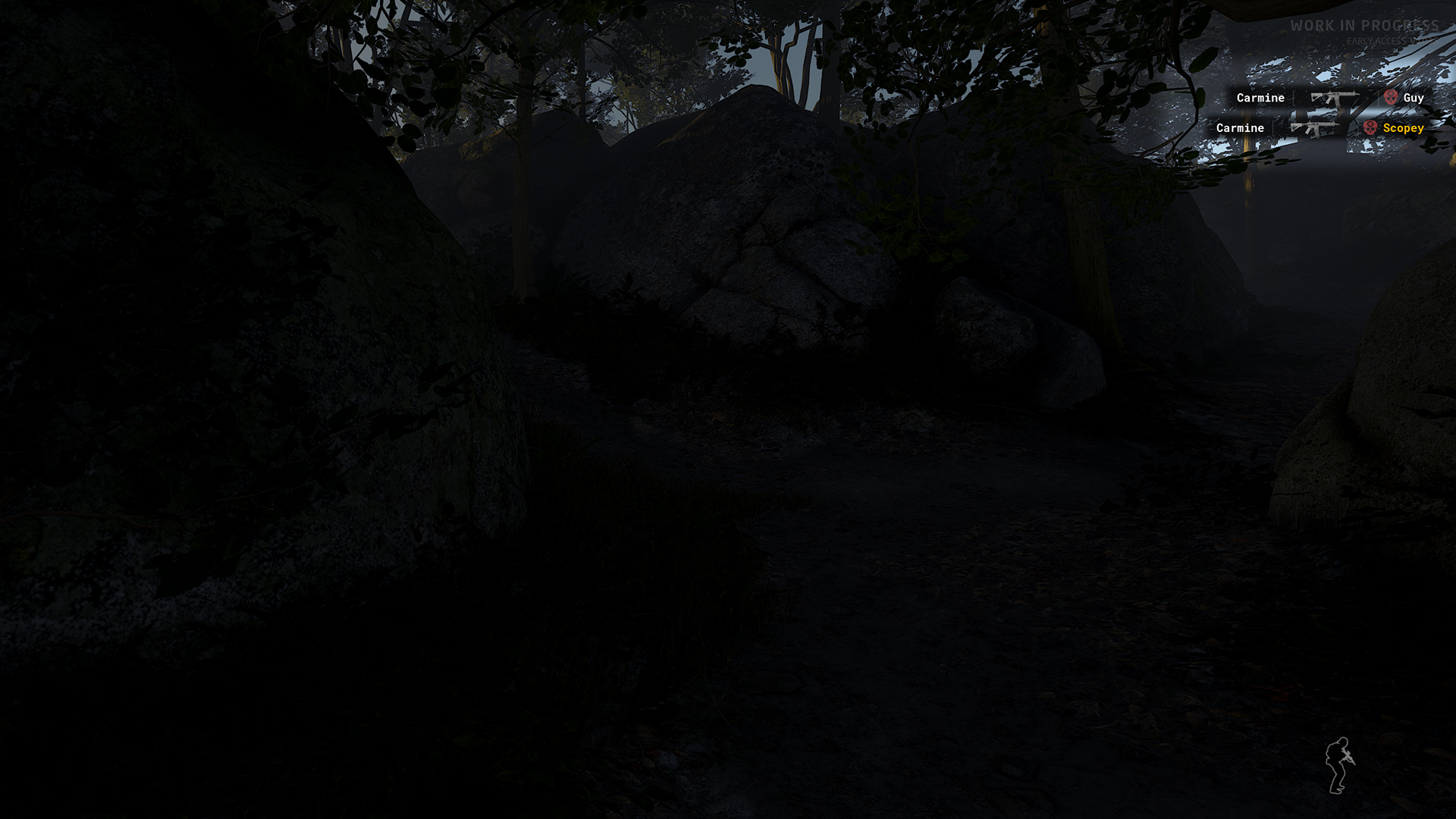 [quote]???? The logic to account for grenade kills has not yet been implemented. Grenade kills are currently displayed as self-kills or forfeits (withdrawal from play area), e.g.: [????] [b]fatmarrow[/b][/quote]
Easier-to-click checkboxes
This one is pretty minor, but we've updated all checkboxes to have a much more generous clickable area (which includes the text next to it, so you no longer have to click the box itself).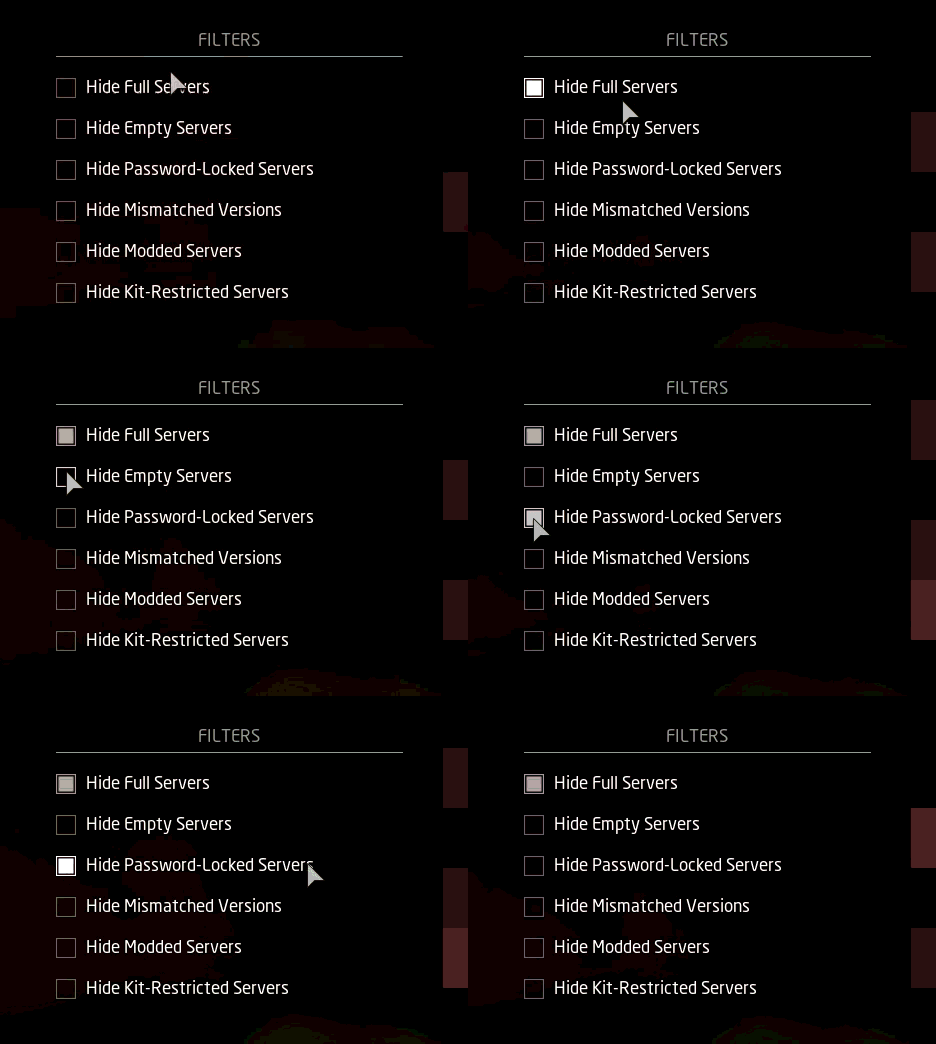
Other UI/UX changes
- The map selection screen ([b]Lone Wolf[/b] and [b]Host Game[/b]) has been updated slightly: the map entries have received some font formatting changes, as well as a nicer and clearer hover effect.
- [b]Ranch[/b] and [b]Power Station[/b] have also received new map descriptions in the aforementioned screen.
- Some of the copy/wording — particularly in Mission Settings/Parameters — has been updated for better clarity or to fit the layout.
- You may find other minor differences in various parts of the user interface; not all of it is intentional, so let us know if you catch anything odd!
Inventory
New weapons
The following primary weapons have been added under the [b]Assault Rifle[/b] category:G36K
The original ("stock") [b]G36K[/b] joins its aftermarket version in the armory. Instead of the top accessory rail, this carbine comes with the original 3x scope built into the carry handle.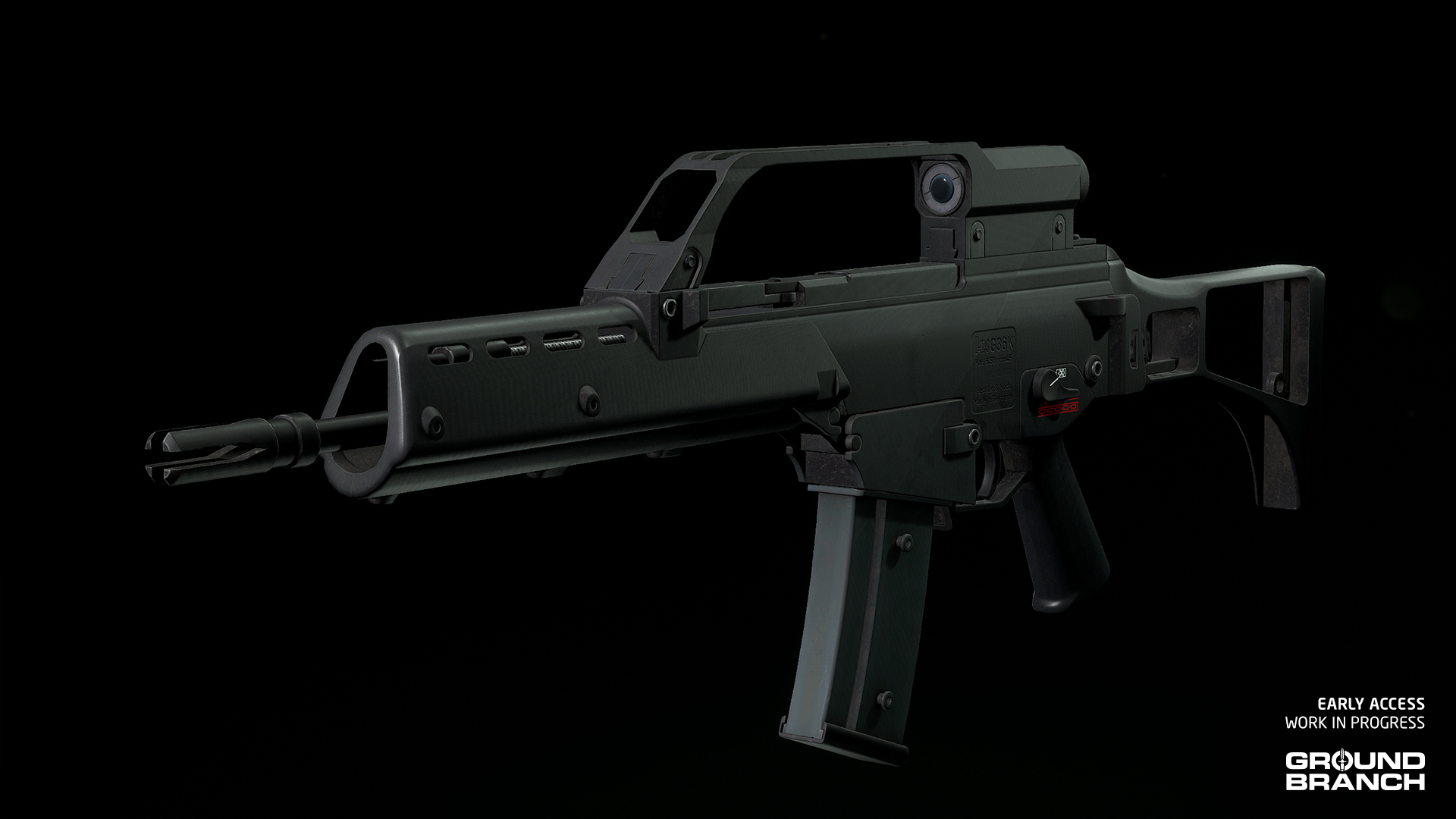 [quote]???? The G36K's handle includes working [b]backup iron sights[/b] for very close range engagements, which can be switched to by scrolling your [b]Mouse Wheel[/b] while aiming down the sights.[/quote]
AUG A1
The OG [b]AUG A1[/b] also joins its modernized variant (AUG A3) with its original 20-inch barrel and built-in 1.5x scope.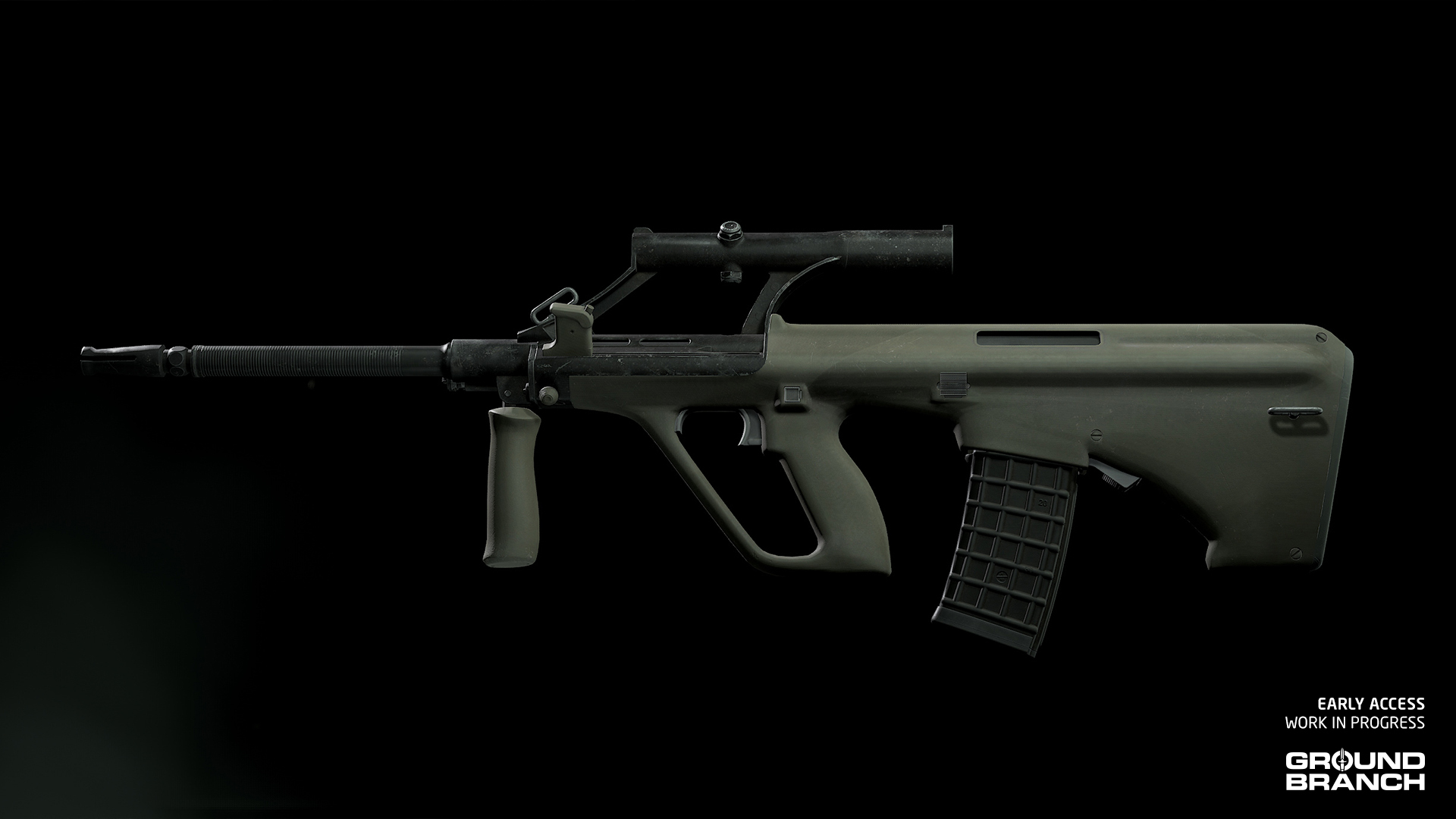 [quote]???? The AUG A1 also includes working [b]backup iron sights [/b]atop its scope. Scroll your [b]Mouse Wheel[/b] while aiming down the sights to switch to them.[/quote]
F88 SA2
Another AUG variant being added to the armory is the Australian [b]F88 SA2[/b]. This is a more modernized version, with a top accessory rail and an interesting dual-tone (tan and green) color scheme.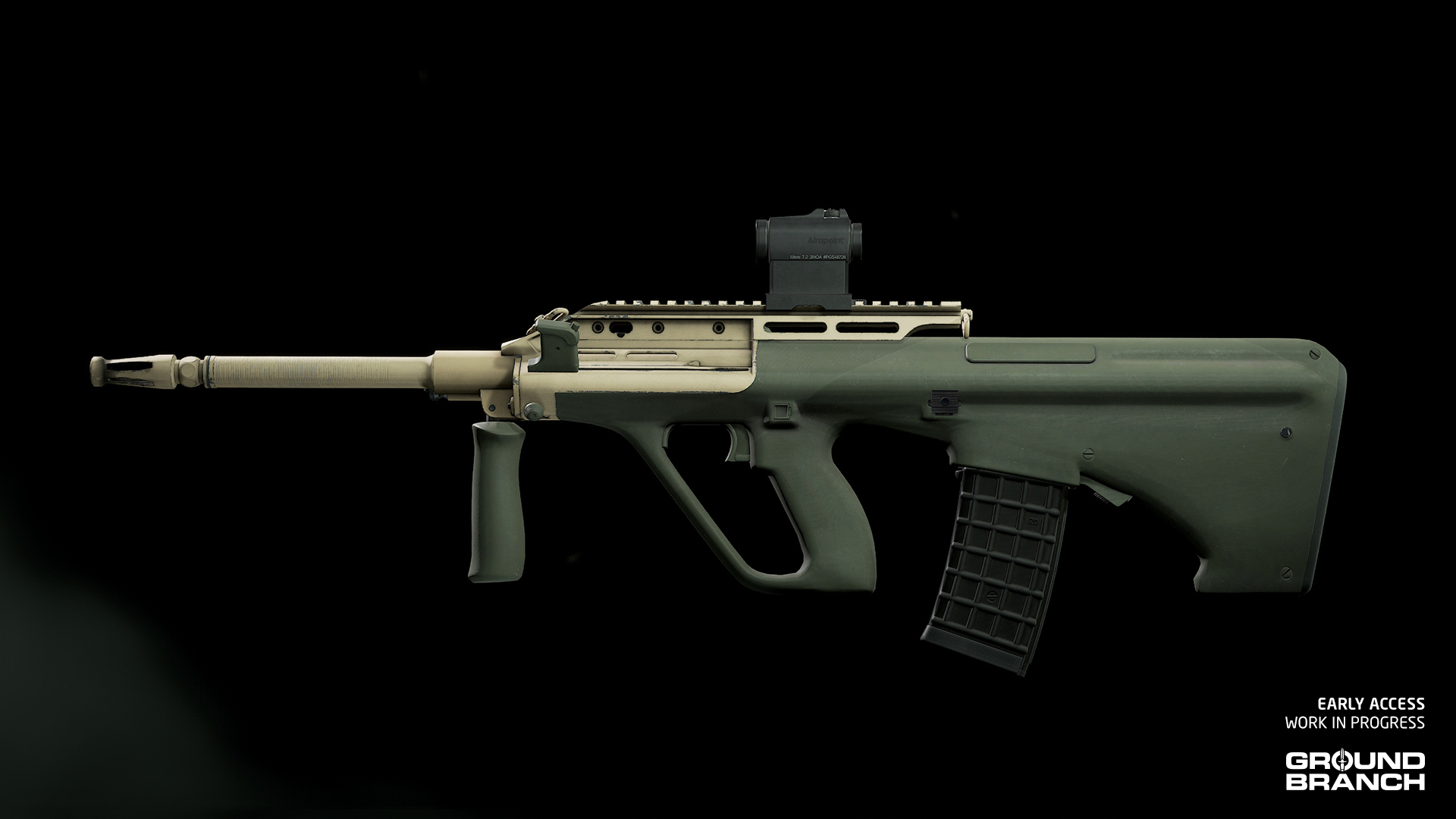
Galil AR
The Galil AR is essentially a stripped-down [b]Galil ARM[/b], thus making it a little lighter.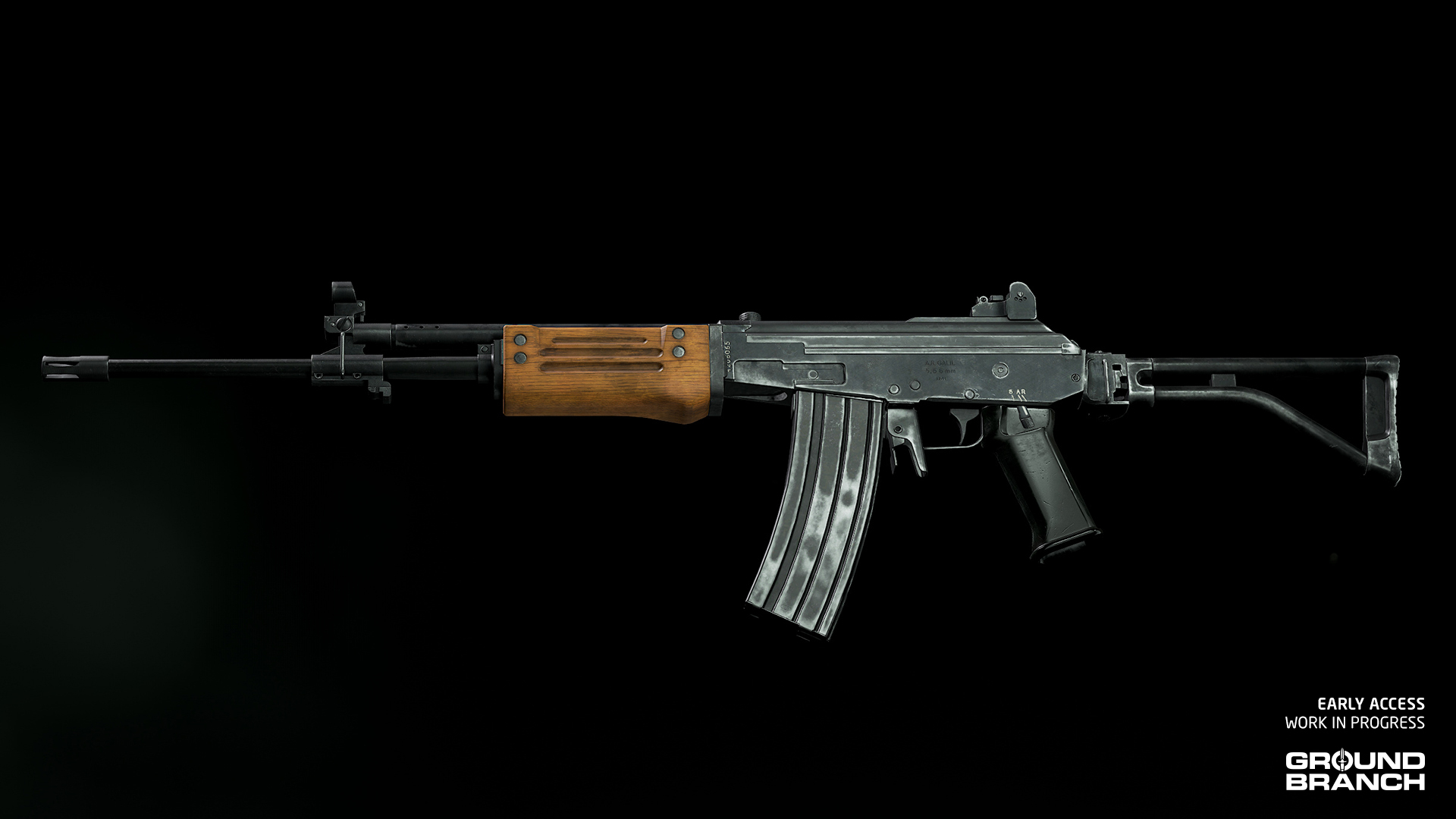
Galil SAR
The [b]Galil SAR[/b] is a shorter and lighter Galil AR, replacing the wooden handguard with polymer.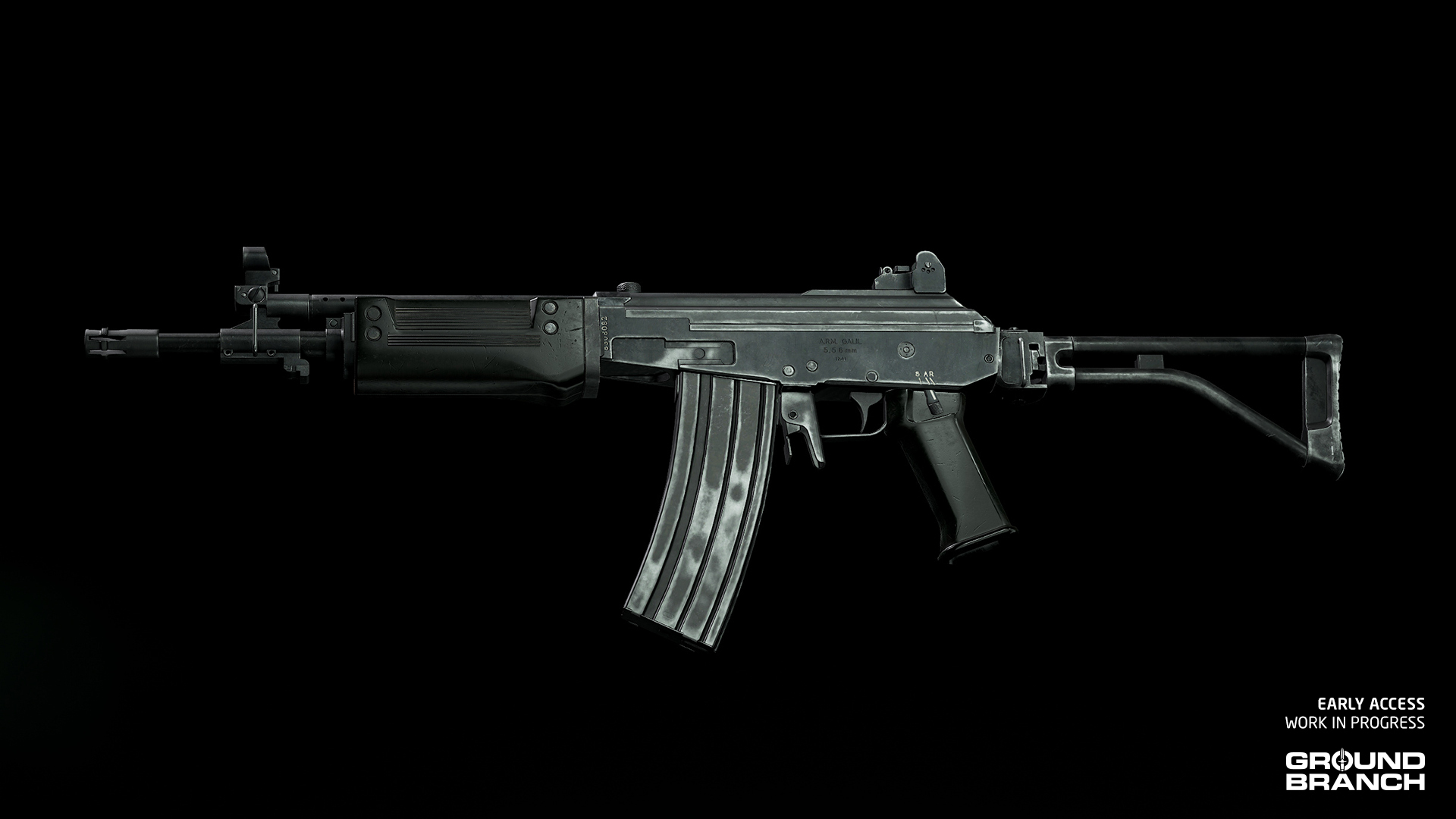
New weapon attachments
A few new attachments are now available for weapon customization:HWS 551
One of the first holo sights adopted by SOCOM in the early GWOT years, the [b]HWS 551[/b] holographic sight is similar in size to the more modern EXPS3.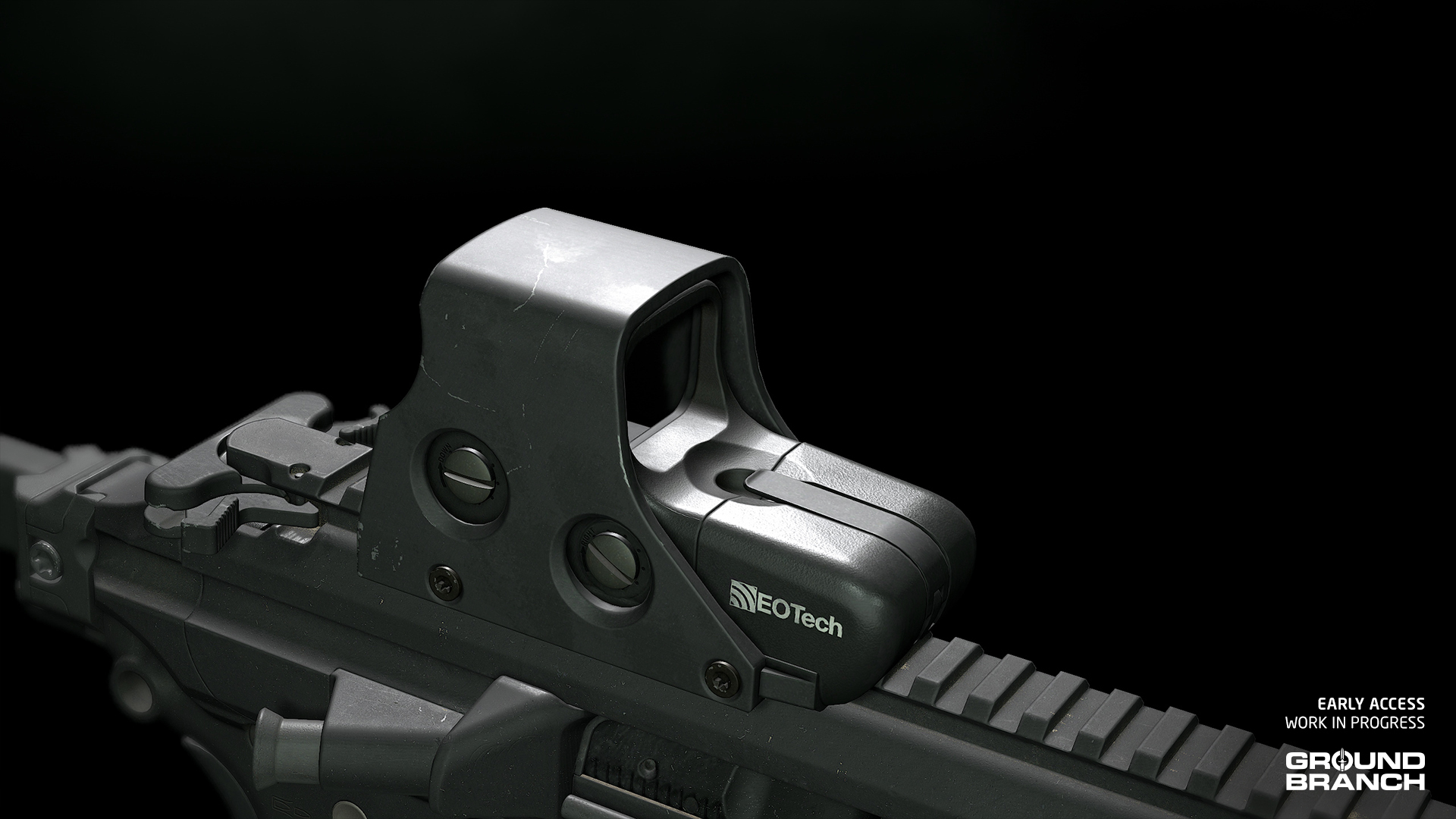
HWS 552
Though longer, this model superseded many 551s in service due to its use of the more readily available AA batteries.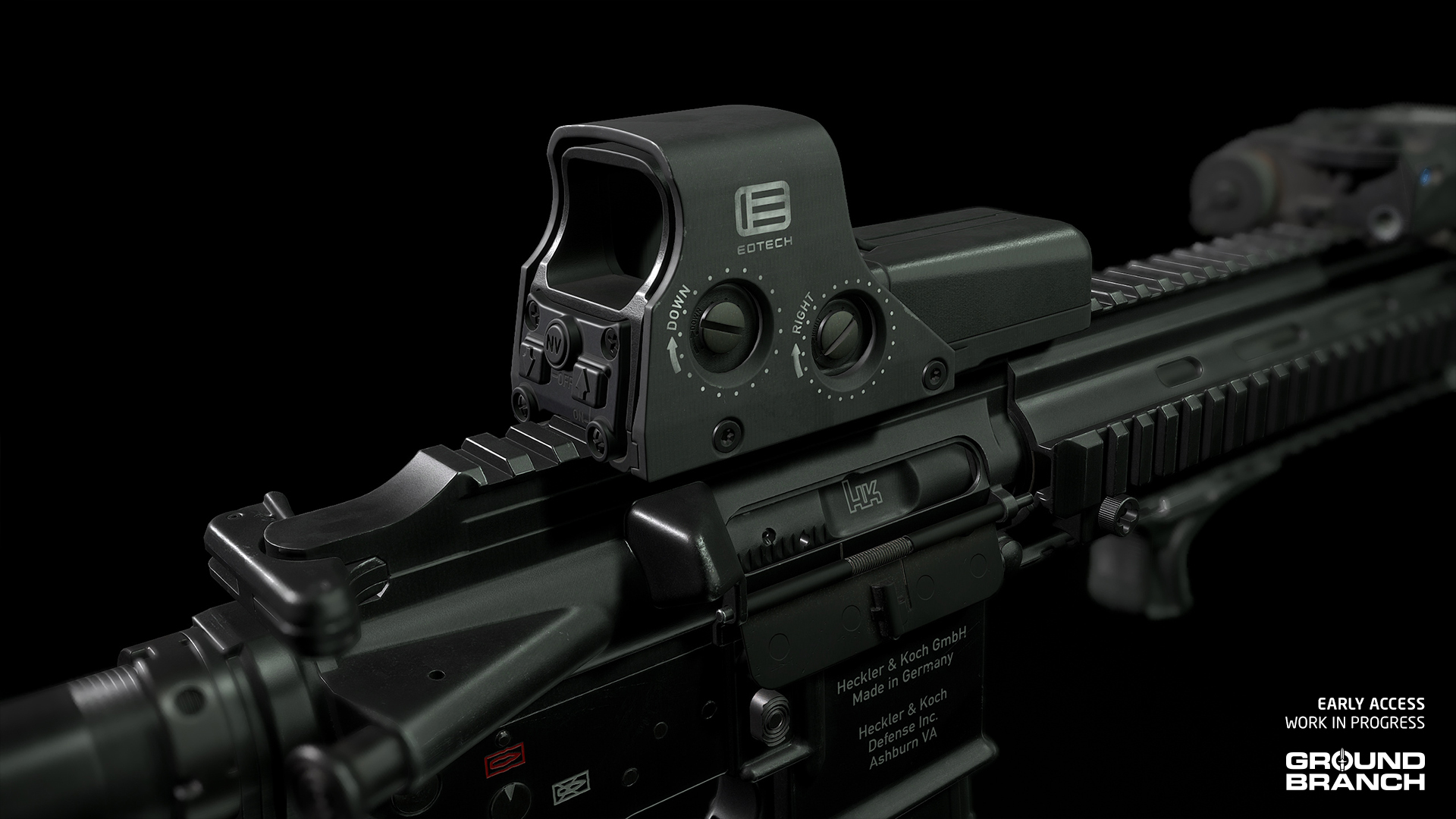
AS/VSS 30rd [9×39MM]
A 30-round magazine for the [b]AS[/b]/[b]VSS [/b]family of suppressed rifles, this new capacity was introduced alongside the [b]ASM Val[/b].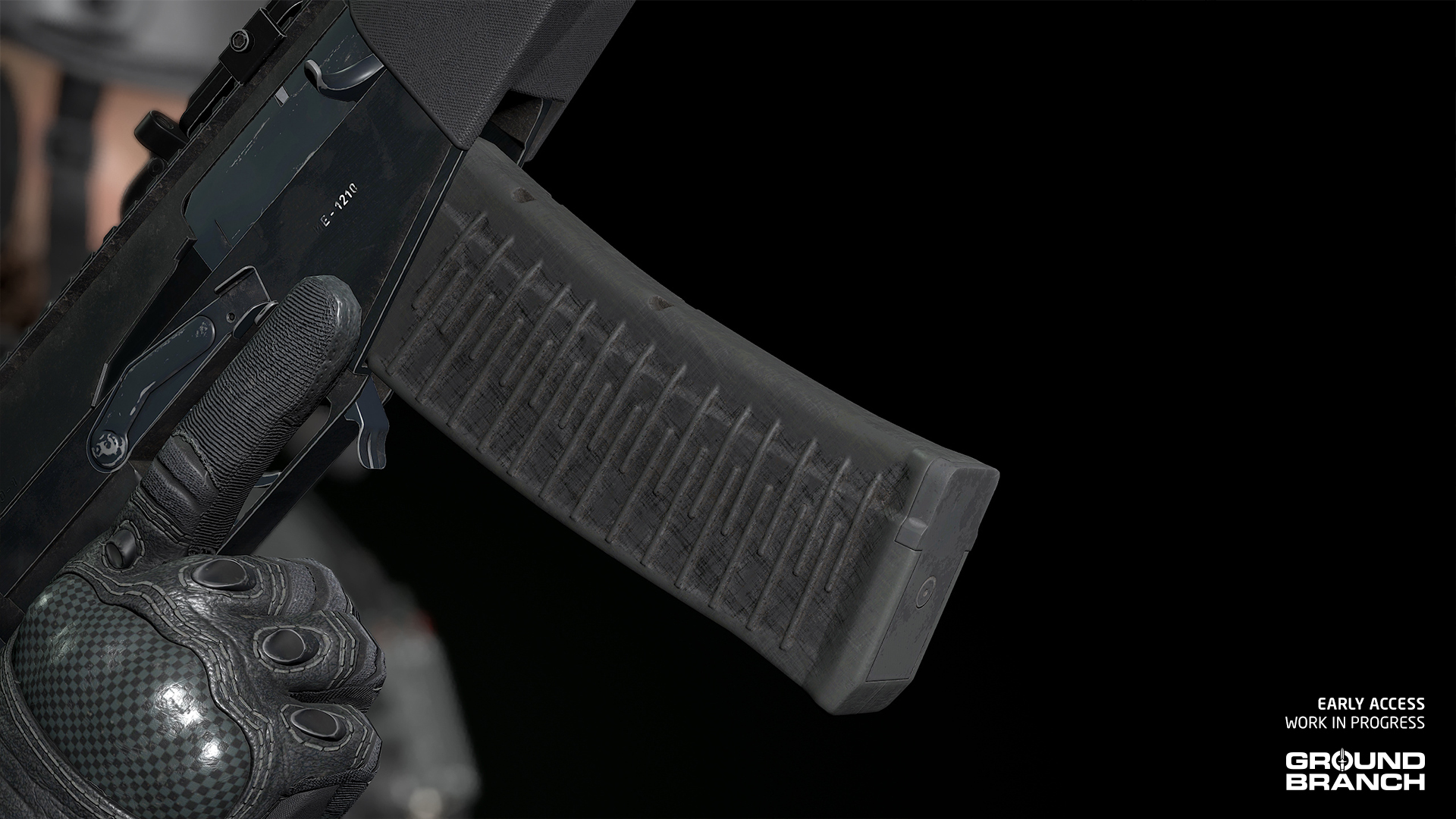
Updated models
These models have been revised, replaced or otherwise updated:HWS 553
The [b]HWS 553[/b] has received a new and far more authentic model. It is still available in both black and FDE skins, with the FDE version now keeping the rear panel and inner optic housing in black — just like the real deal.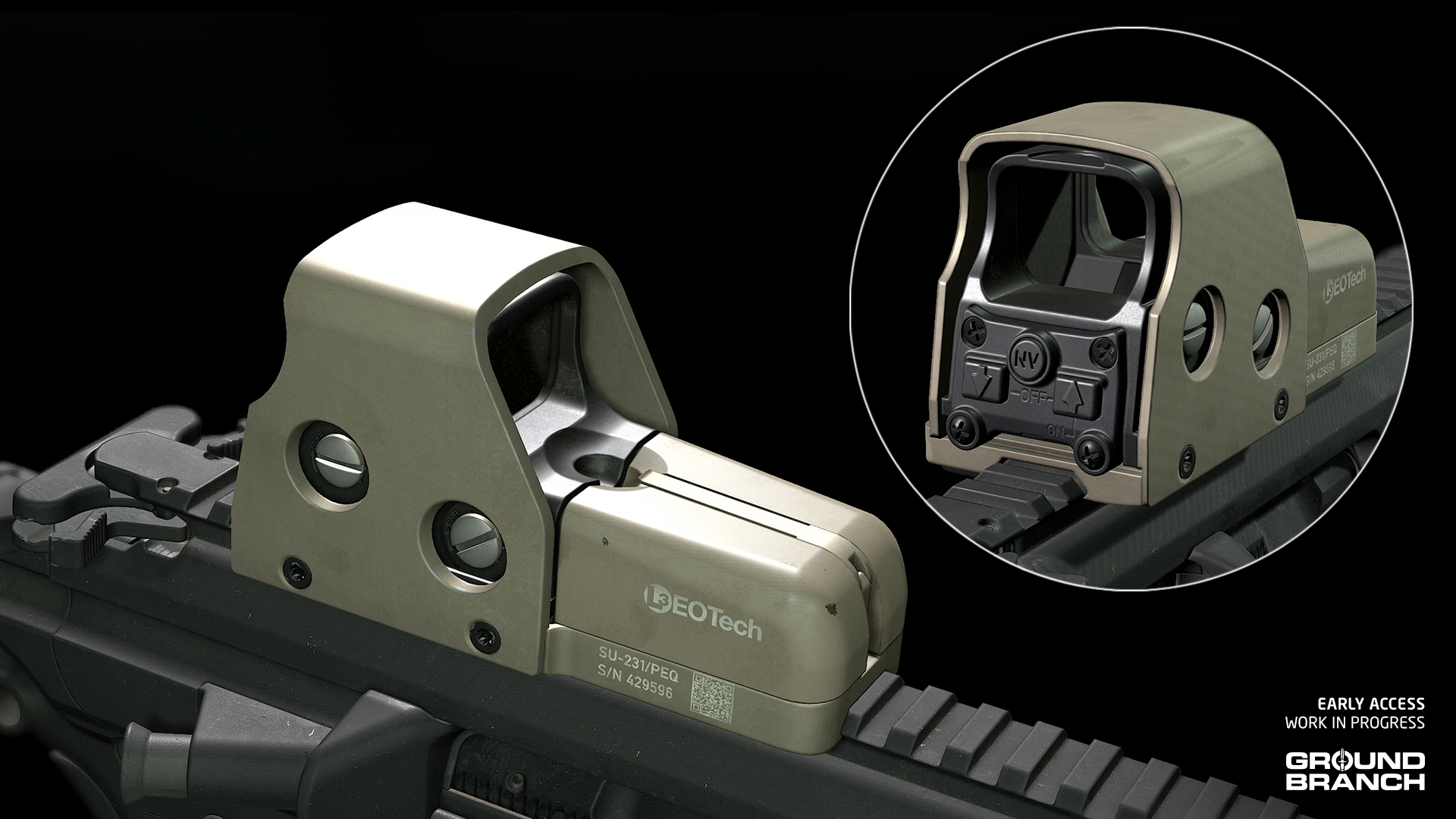
CTRW (formerly ASR)
The previously labeled ASR reflex sight has received a much needed model replacement and is now listed as [b]CTRW[/b] under your Red Dot sight category.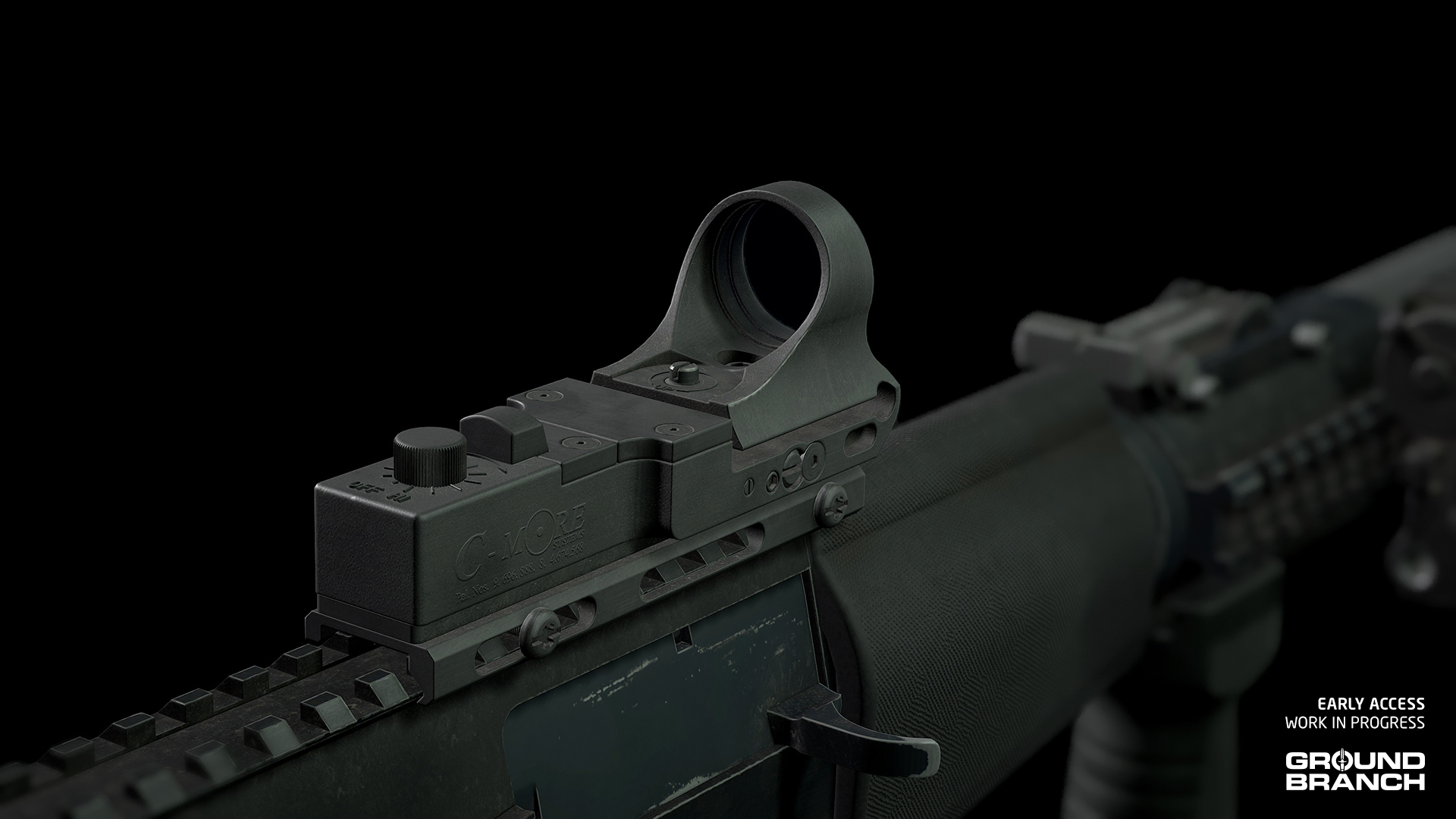
AN/PVS-22 UNS
Another full model update, the new [b]AN/PVS-22 UNS[/b] should better match the highly detailed assets it might be sitting next to during night operations.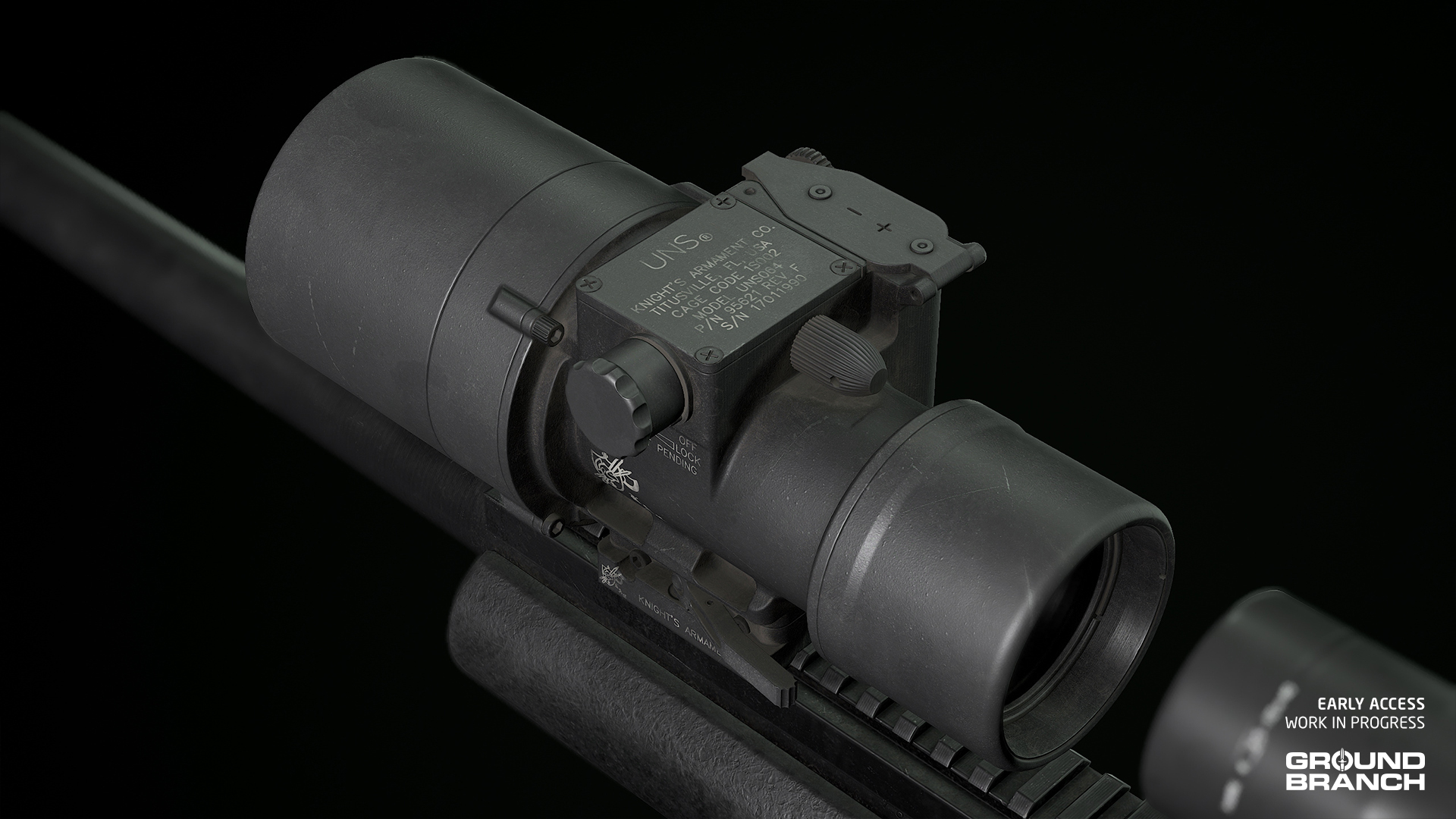
IR Strobe (MS2000)
Our old [b]MS2000[/b] strobe was a holdover from the distant past and has now been replaced with a more accurate and detailed model. The partial pouch is gone, but we've found that it was usually velcro'd or taped to helmets.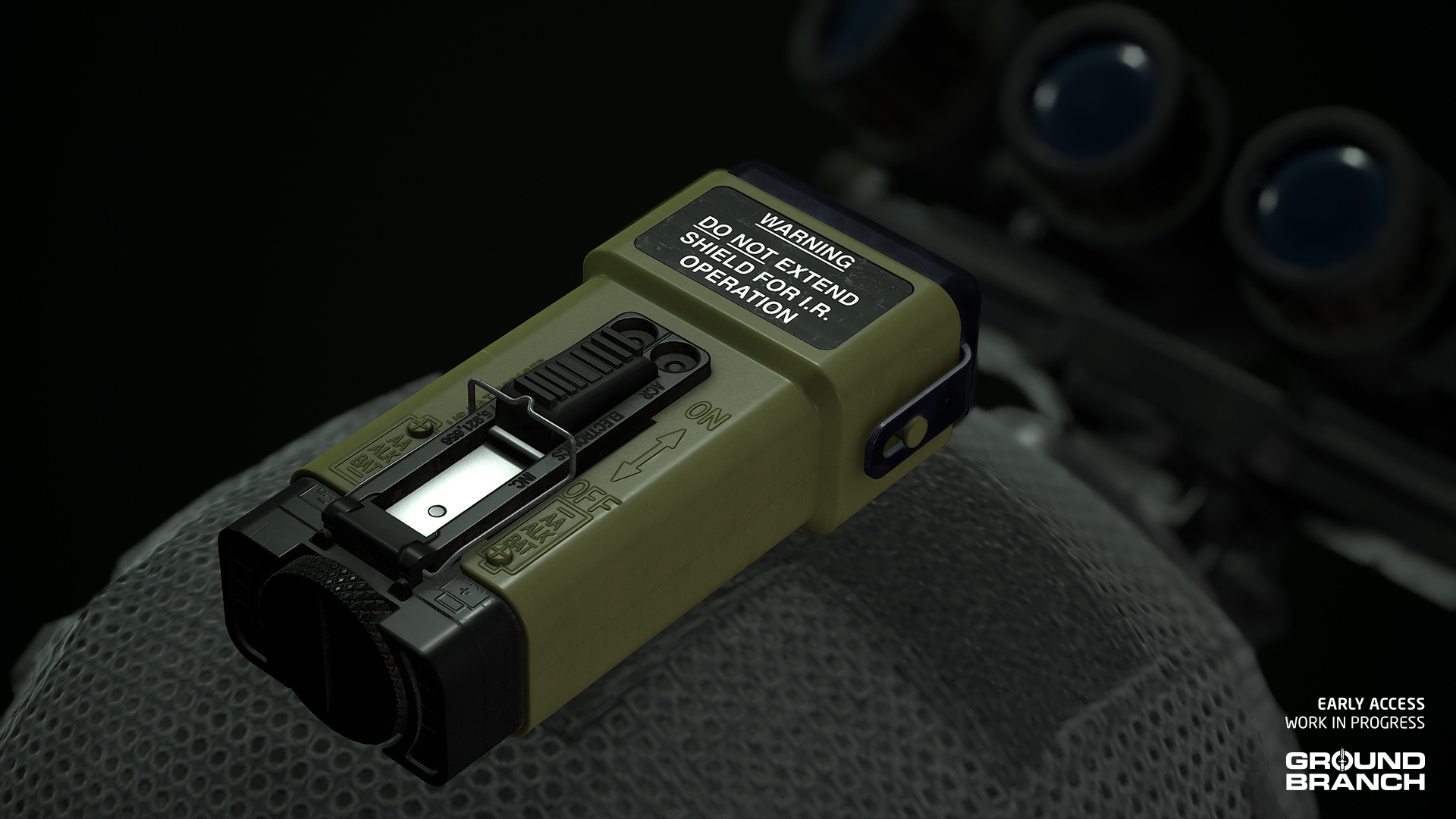
M110 and M110K1 revised
Both [b]M110[/b] series models have been revised to fix issues with receiver and magazine width (we realized they were slimmer than those of AR-15s), as well as inaccuracies in the handguards (such as making sure the rails' recoil grooves were all aligned and accounted for).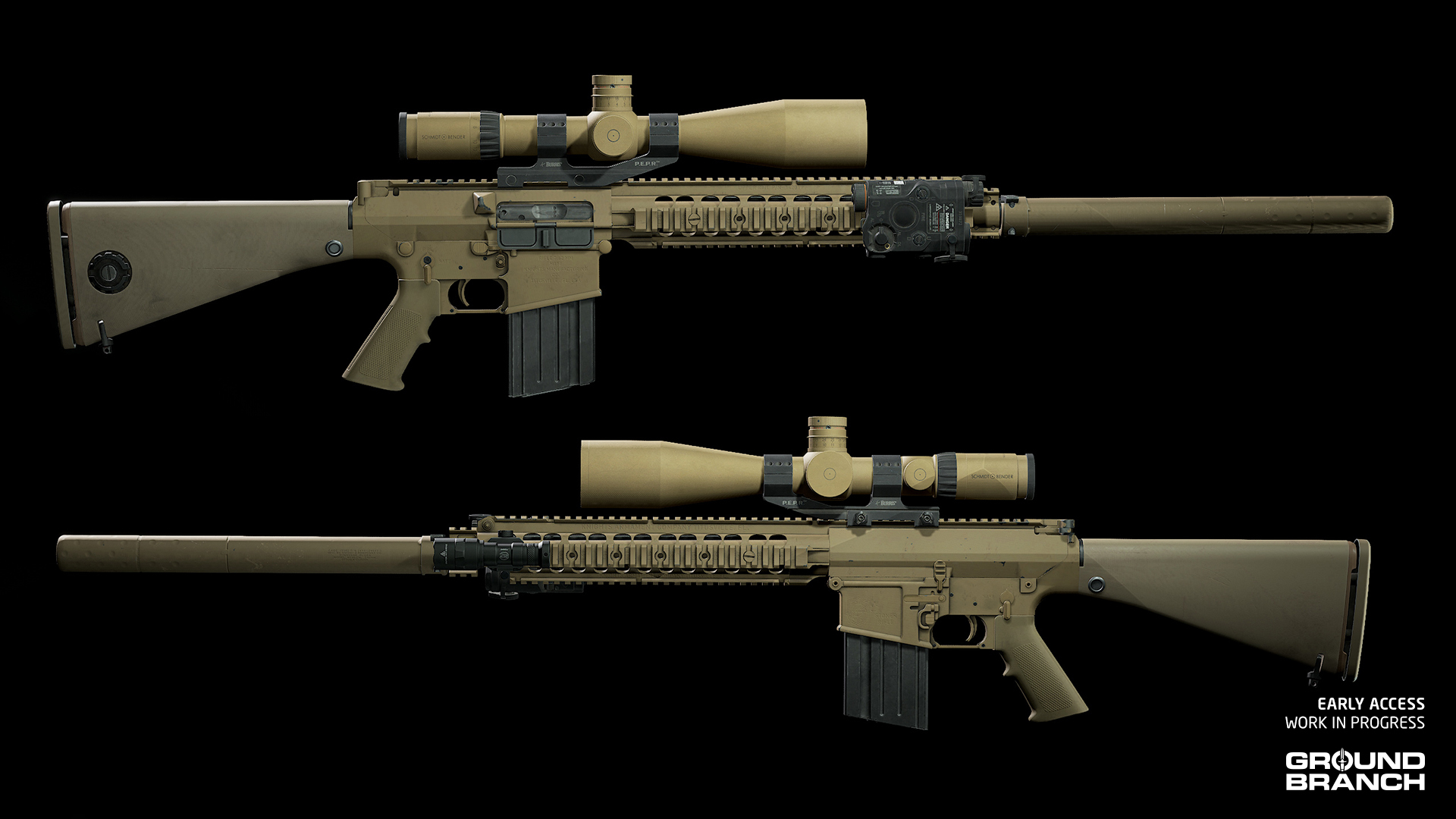
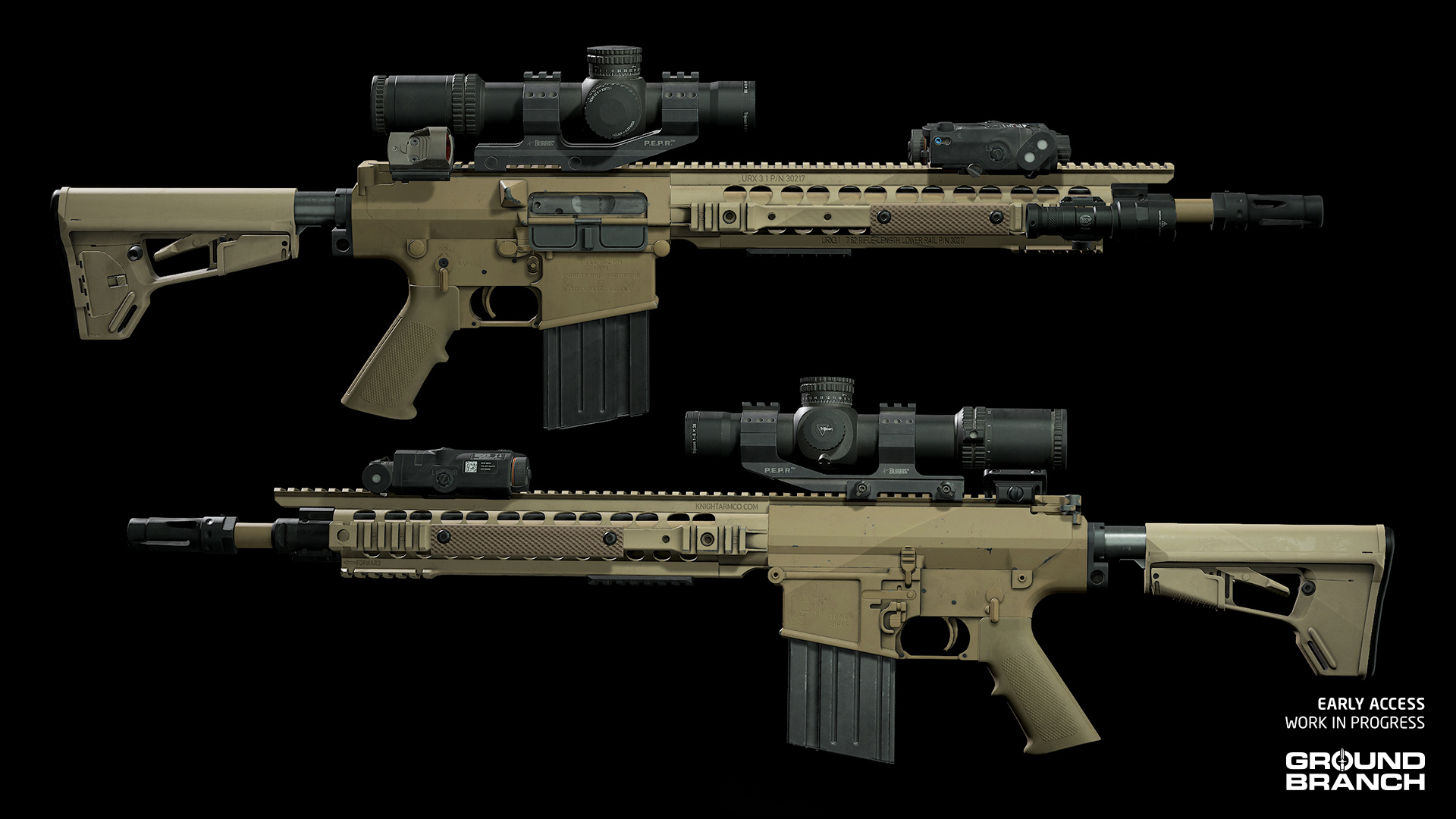 [quote]???? In particular, the [b]M110K1[/b]'s handguard has received some further design tweaks to better match our reference for adopted SOCOM specimens. As a result, there have been changes to attachment points in-game.[/quote]
Cleaned up tan skins (and a handful of other skin tweaks)
All vest platforms, belts and pouches in tan skin have been updated to better match their real-life counterparts.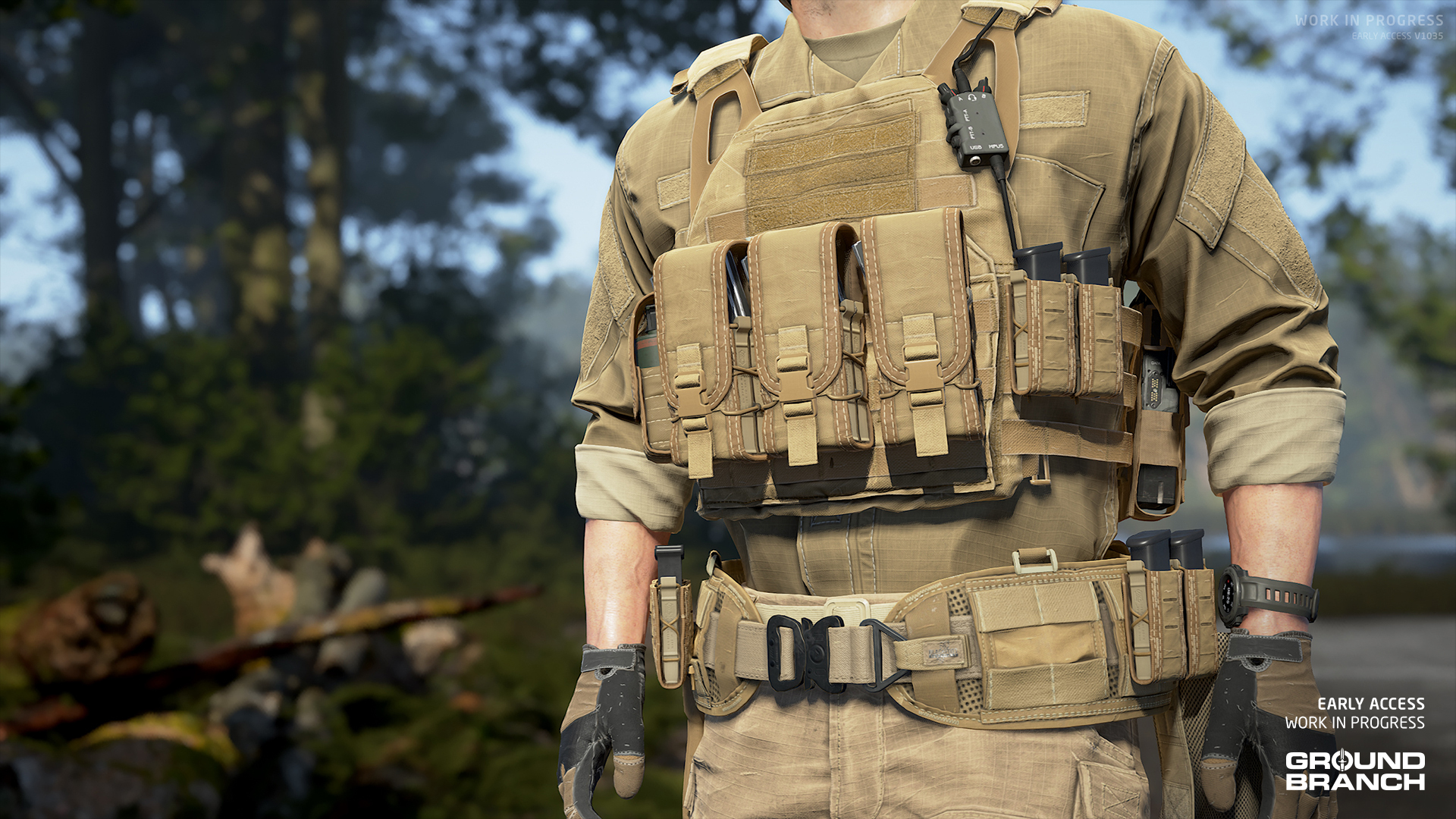
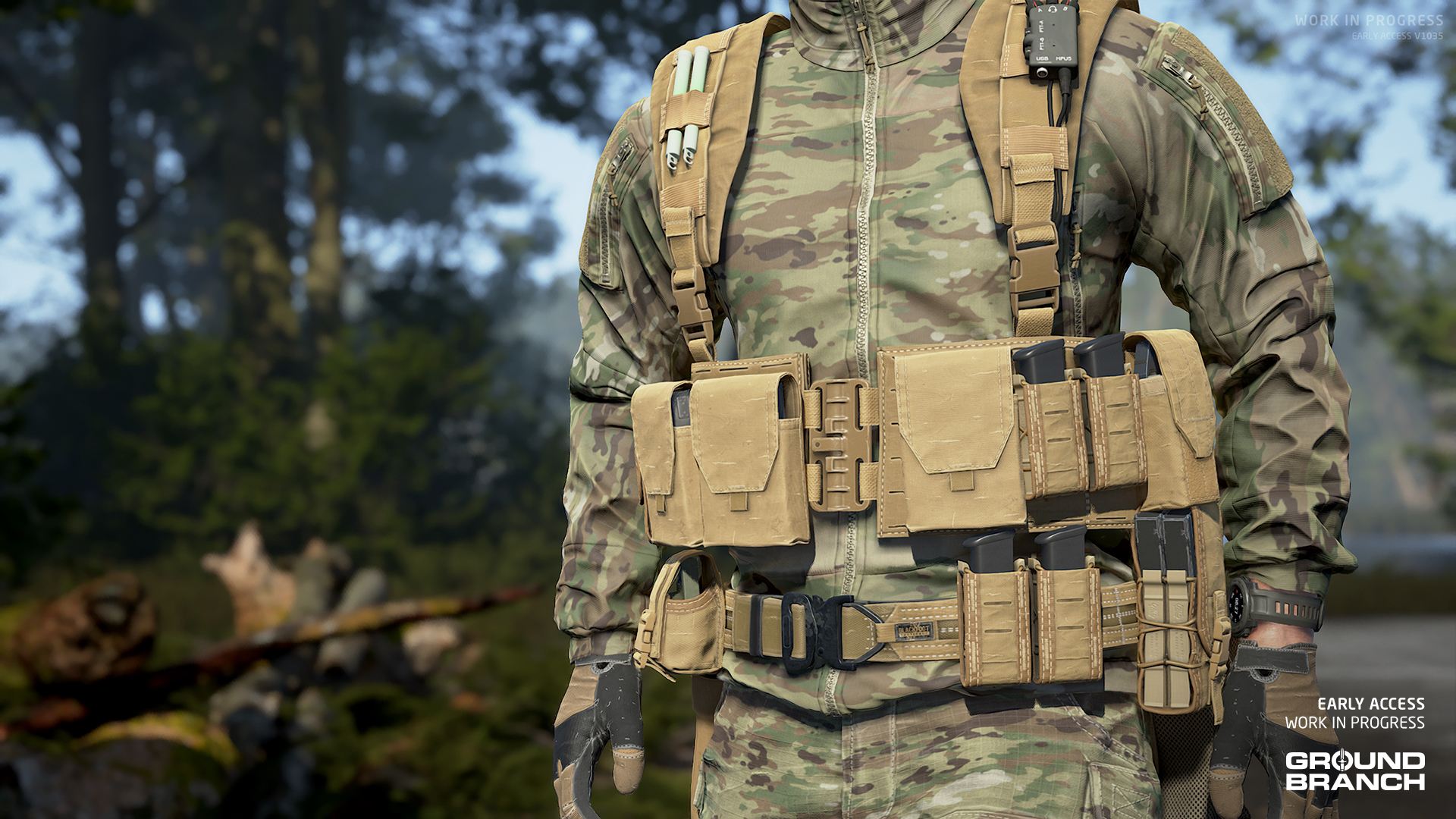 Because most of the real-life items are in fact [b]coyote brown[/b] rather than tan, the overwhelming majority of the old tan skins are now listed as Coyote Brown.
[quote]???? The previous skins were for the most part using a generic tan look that was neither [b]Tan 499[/b] (one of the more common US military tan colors) nor [b]Coyote Brown[/b] (another very common but more red-heavy tan shade).[/quote]
Because most of the real-life items are in fact [b]coyote brown[/b] rather than tan, the overwhelming majority of the old tan skins are now listed as Coyote Brown.
[quote]???? The previous skins were for the most part using a generic tan look that was neither [b]Tan 499[/b] (one of the more common US military tan colors) nor [b]Coyote Brown[/b] (another very common but more red-heavy tan shade).[/quote]
Other skin changes
- An actual Tan skin has been added for the [b]Plate Carrier (MPC)[/b].
- Tweaked the colors of buckles, MOLLE, straps, loops, buttons, stitching and other details for various platform skins to better match the reference items.
- Updated various skins to correct the direction of the camo pattern and/or to break up the camo pattern where it shouldn't be continuous (e.g. between the main body of an item and a MOLLE strap).
- A few other miscellaneous tweaks (e.g. reduced saturation on Coyote Brown [b]Tactical Pants[/b]).
Audio changes
Finally, let's go over the sound updates:- Updated all 3 audio mixes (Settings › Audio › Audio Mix).
- We have added the [b]American PMC[/b] enemy voice lines for our PMCs on maps [b]Docks[/b], [b]Rig[/b] and [b]Tanker[/b].
- Fixed hearing sounds from the play area while in the [b]Customize Operator[/b] screen.
- Updated attenuation on all weapons for better spatialization.
- Created audio system for optimization to allow more audio on levels.
- Fixed various bugs across all levels (e.g. missing audio portals).
- Replaced the old [b]concrete footsteps[/b] sound effects with a better, more natural-sounding iteration.
- Changed diffraction and occlusion curves to better represent positional audio and geo impact with sounds (e.g. standing behind a tree while being shot at).
- Added audio to new animations, such as the chemlight deployment.
- Fix missing audio from various animations (e.g. the [b]SpecterDR 1x/4x[/b]'s lever throw when changing magnification).
- Removed middleware components from lights for optimization — this was part of the issue with a common audio crash that was resolved.
- Updated [b]Power Station[/b]'s audio with new room tones and sounds for the underground areas.