IMPROVING CODE MODDING
Code modding was a big part of [i]Cities: Skylines[/i] and we want to bring the same and even more possibilities for modding to [i]Cities: Skylines II[/i]. We believe that being able to mod the game is a very cool thing that brings a lot of opportunities with it. If you look at how different players use mods to play [i]Cities: Skylines[/i] you will see completely different playstyles, almost like they’re playing different games. Some players like to recreate the real world with every small detail. Some players like to manage traffic and industry production chains. Some players just want to have fun and strike the city with 100 tornadoes. Everyone has a different view of the “perfect set of features”. With the base game features we have included many popular suggestions from the community, but honestly, it is not possible to implement every wish of every player. This is where mods come in. Everyone can implement something or modify the game as they wish, even if you are the only one in the world who needs this feature. That’s how it was with me. I found out about [i]Cities: Skylines[/i] in 2019 when I saw a post on the internet that one player recreated his home city in the game and it made me want to try the game. I started playing and I liked what the base game allowed me to do, but at one point I started thinking “It would be cool to be able to do this or that.” I then realized that I could mod the game, but unfortunately, I could not find any mods that did what I wanted so I decided to write my own. I did not think that my mods would be popular or that someone else needed the same features, but it turned out that my mods became very popular. I think it’s so cool that even though [i]Cities: Skylines[/i] has been out for almost 9 years I have still seen new mods created for it. Some of these have become essential mods in the eyes of the community. And all just because people had not realized that they needed it until someone decided to make it for themselves and share it with others!BRINGING MODS TO CITIES: SKYLINES II
[i]Cities: Skylines[/i] offered very limited support for modding. Often you would reach a point where the game would not allow you to modify something easily and you would have to spend days to implement it. Other modders would reach the same limitations and make their own implementations which could conflict with each other. In [i]Cities: Skylines II[/i] we want to provide as much support as possible for things that simplify modding so that you don't have to make your own implementation of generic things that are required by almost every mod independent from their functionality. We also implemented some quality-of-life improvements so you don’t have to spend days trying to figure out which version of the external tool you need to install or how to set up a mod project in IDE and add the required game dependencies to compile your mod. The first step to achieving our goals was the creation of the [b]modding toolchain[/b] and its deployment. By pressing one button it will install all necessary dependencies and external tools like Unity engine, Burst compiler, and ECS that are required to make mods. If any dependencies are updated or requirements are changed, the modding toolchain will notify you about it as soon as you launch the game and offer updates so your developing setup is always up to date.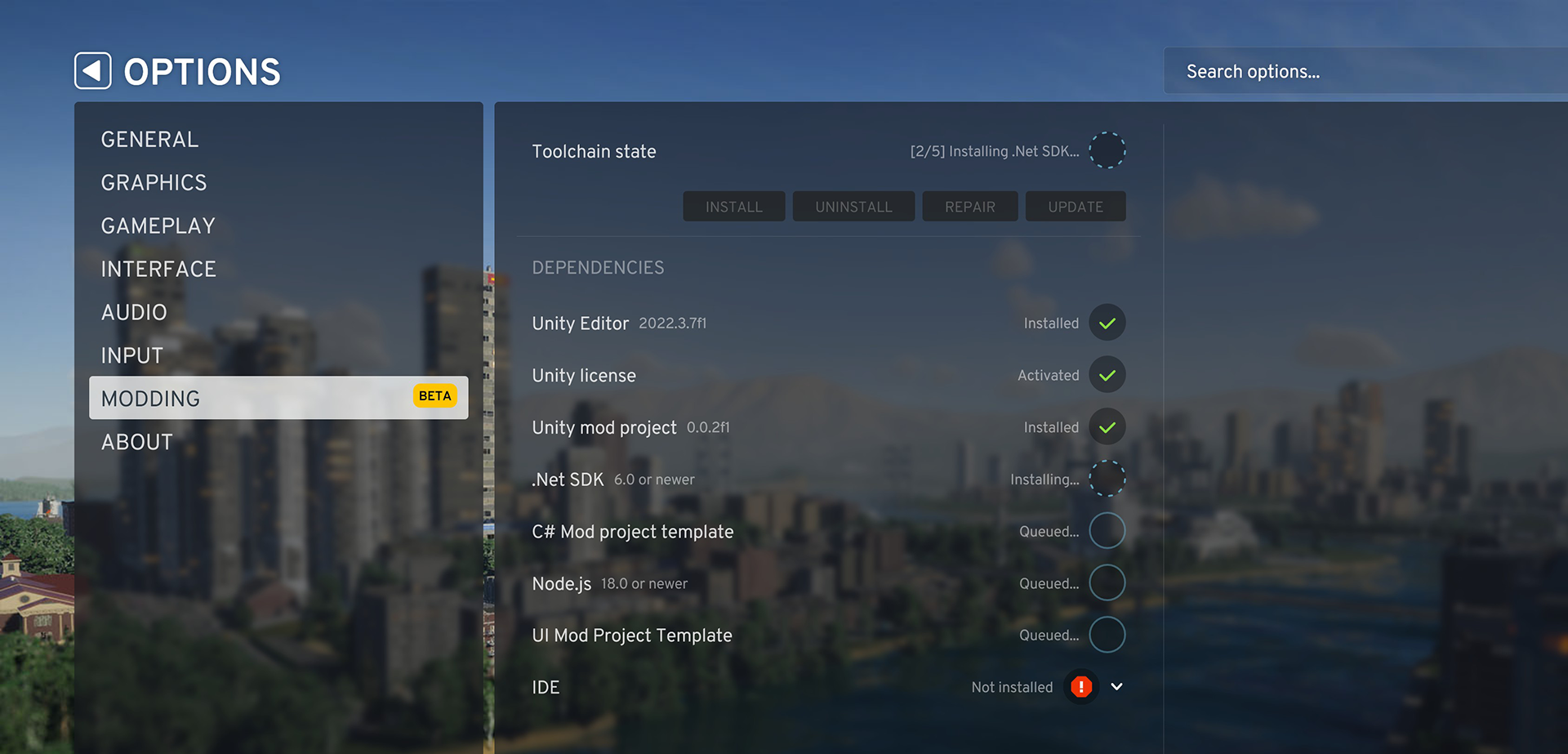 [i]The UI tracks the installation progress for the tools you need to mod the game[/i]
Next, we created the [u]mod project template[/u] which uses the new .Net templates mechanism and will be available in the list of projects while creating a new project in Visual Studio or Rider. All the required dependencies, paths, and post-build actions are set so that you can press the “build” button, and the mod will be compiled, post-processed, and placed in the correct folder so that you can launch the game and see it is there.
[i]The UI tracks the installation progress for the tools you need to mod the game[/i]
Next, we created the [u]mod project template[/u] which uses the new .Net templates mechanism and will be available in the list of projects while creating a new project in Visual Studio or Rider. All the required dependencies, paths, and post-build actions are set so that you can press the “build” button, and the mod will be compiled, post-processed, and placed in the correct folder so that you can launch the game and see it is there.
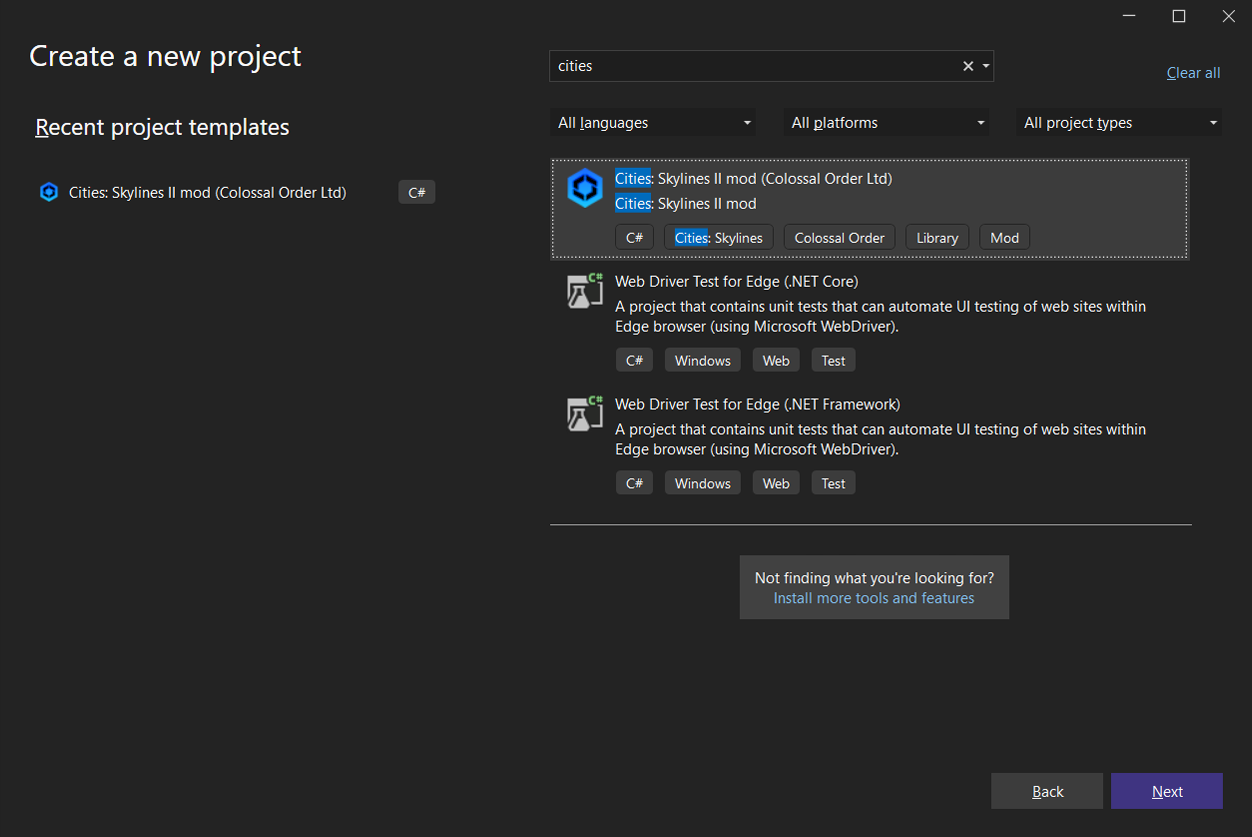 [i]The mod project template in Visual Studio creates a new project dialog[/i]
When your mod is done, it can be published on [b]Paradox Mods[/b] right from Visual Studio or Rider using the default IDE’s publish option. There is an empty publish configuration file in the project template which should be filled, after which you click on your project and select the “publish” option. Then your mod will be published on Paradox Mods and will be available for other players to subscribe to and use.
[i]The mod project template in Visual Studio creates a new project dialog[/i]
When your mod is done, it can be published on [b]Paradox Mods[/b] right from Visual Studio or Rider using the default IDE’s publish option. There is an empty publish configuration file in the project template which should be filled, after which you click on your project and select the “publish” option. Then your mod will be published on Paradox Mods and will be available for other players to subscribe to and use.
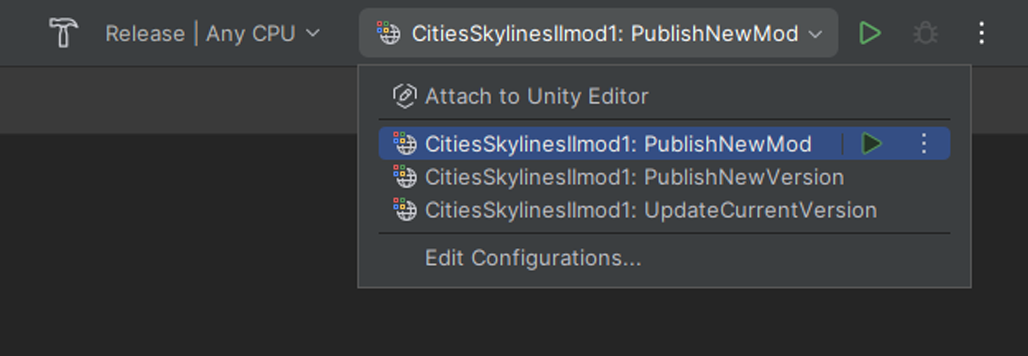 [i]Publish option in Rider[/i]
OPTIMIZING MODS
The game uses some new technologies of Unity engine like Entity Component System or Burst compilation to benefit from multithreading and low-level optimization which can increase the speed of some calculations up to 30-40 times. But these technologies require additional knowledge to achieve those benefits, otherwise, performance can be worse than without using them altogether. The approach to modding that people are used to from [i]Cities: Skylines[/i] would not allow you to get the best results you can achieve in [i]Cities: Skylines II[/i]. Using tools like Harmony, which is common for [i]Cities: Skylines[/i] modding, is still possible, but it is a bit more limited now. Harmony can patch only managed code, but part of the game code becomes unmanaged for optimization purposes after Burst compilation. Harmony cannot patch such code, but it is not an issue since all information about all the game entities and components are accessible from mods’ systems and can be changed or added without modifications to the existing game code. To help optimize your mods we also provide a Mod Post Processor which makes [b]burst compilation and low-level optimizations[/b] used in the game to allow mods to use the same possibilities of the engine that the game uses without additional struggles to figure out how to do that yourself. Our goal with this tool is to direct you to use the right approach and reduce the most common mistakes so you don’t spend a lot of time trying to figure out what is wrong. It also allows you to achieve the same performance and optimizations the game will have after the team has all of the optimizations in place. The optimizations are not required as some code does not benefit from such it, so it really depends on what exactly your code does. In many cases, it should be used since Unity API uses source code generation that replaces some of the code with their real implementation during the post-processing stage. If your code uses such API calls and you don’t use the setup we created for you in the generated mod project template and mod post processor, your code won’t work and will throw a “NotImplemented” exception.MOD COMPATIBILITY
If you have modded [i]Cities: Skylines[/i], you know how game updates can affect mod functionalities, and that is something we want to try and improve upon in [i]Cities: Skylines II[/i]. While it isn’t possible to completely prevent mods from having issues as the game code they modify could be changed, we are trying to make it less likely that mods break when the game is updated. If you are familiar with modding, you probably know why mods break, but if not, I will try to briefly explain why it happens: When mods modify the game code, they are looking for specific parts of the code using some “signatures” (class names, method parameters, fields, etc). When any updates or bug fixes were made, the base game code was changed, and the “signatures” that mods were looking for did not exist anymore or the place of code that they modify worked a little bit differently after the update. We can't know what part of the code every one of the thousands of mods modifies and even then we needed to change it to fix issues and add new features to the game. The only possible way to not break mods would be to not update the game at all, which we of course needed to do. One of the fun moments I had when I worked on one of the last few expansions for [i]Cities: Skylines[/i] was when after the release I realized that one of my mods was broken and the reason was the base game code changes made by me to fix a bug or add the new feature. In [i]Cities: Skylines II[/i] this should be much less of a problem when mods introduce their features the same way the game does. To make a completely [b]new feature[/b] you don't have to find different places in the game code and modify all of them to include your mod functionality and worry about the fact that one of those places of the base game will be changed in one of the future game updates. The only thing you need to do is create your own system and register it in the updating loop. From that moment on the game will treat it the same way it treats any base game system. Another example is the [b]game settings[/b]. We made a simple but flexible automatic system that takes properties you mark by special attributes from your mod and fills them to game settings. Again, you can register your settings by calling one method and don’t need to worry about how to build a settings page for your mod.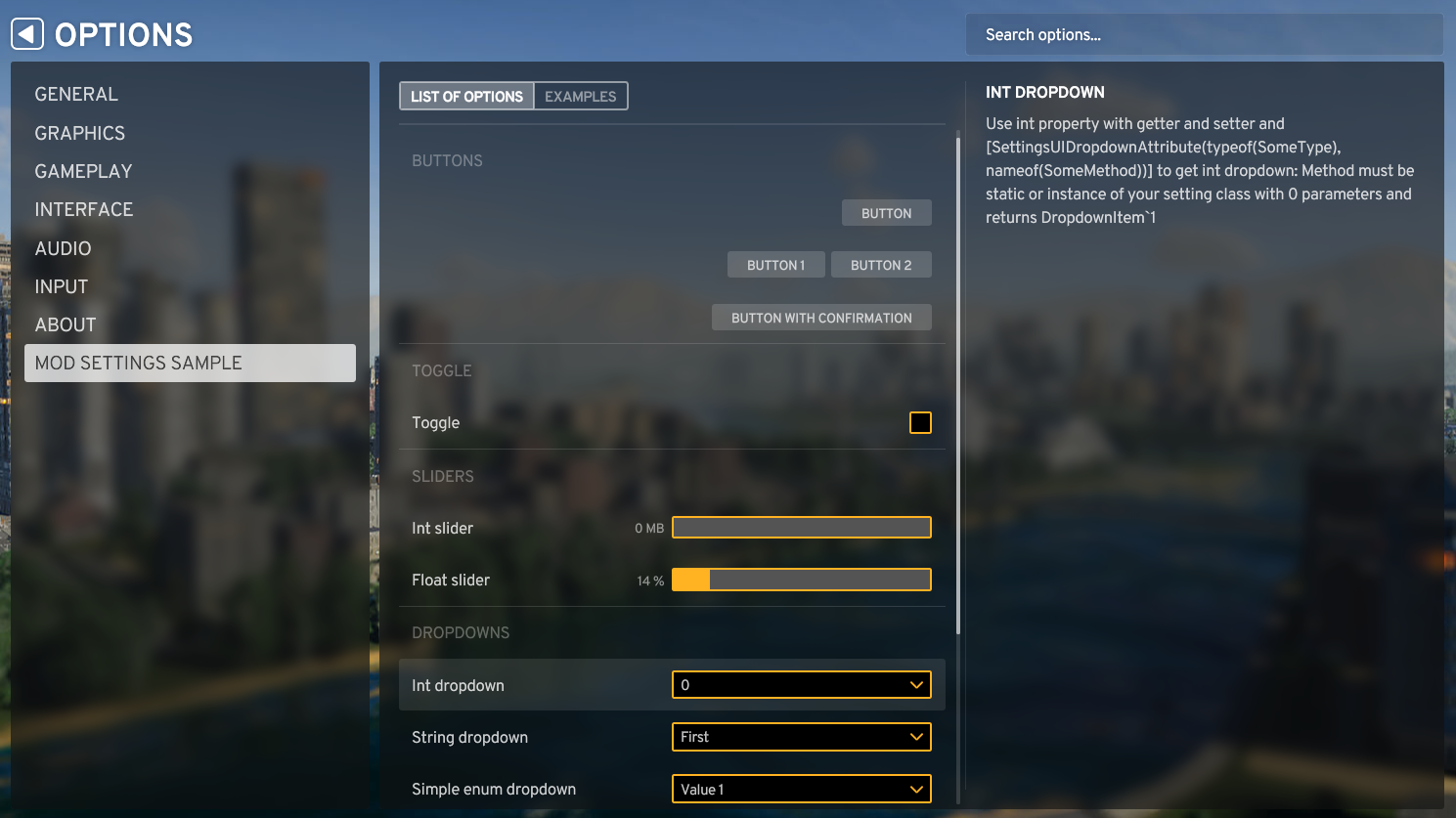 [i]The game settings system makes adding settings to your mod much easier[/i]
We have also improved how the game processes mods and their dependencies. It could be complicated when one mod is integrated into another mod, gets data from a third mod, and changes something in a fourth mod. This was an issue in [i]Cities: Skylines[/i] where the game struggled to manage such complicated relations between mods and the game. You probably faced a situation in [i]Cities: Skylines[/i] where one mod could break another mod because they used different versions of the same dependency. [i]Cities: Skylines II[/i] tries to catch most of such complicated relations and resolves dependency conflicts between mods. Additionally, there is no such thing as a mod loading order where one mod must be loaded before another mod to work. You do not have to worry about that in [i]Cities: Skylines II[/i].
[i]The game settings system makes adding settings to your mod much easier[/i]
We have also improved how the game processes mods and their dependencies. It could be complicated when one mod is integrated into another mod, gets data from a third mod, and changes something in a fourth mod. This was an issue in [i]Cities: Skylines[/i] where the game struggled to manage such complicated relations between mods and the game. You probably faced a situation in [i]Cities: Skylines[/i] where one mod could break another mod because they used different versions of the same dependency. [i]Cities: Skylines II[/i] tries to catch most of such complicated relations and resolves dependency conflicts between mods. Additionally, there is no such thing as a mod loading order where one mod must be loaded before another mod to work. You do not have to worry about that in [i]Cities: Skylines II[/i].