1. INSTALL THE GOING MEDIEVAL MIGRATION BRANCH:
[b]On Steam:[/b] - Open your [u]game library[/u] - [u]Right Click[/u] on Going Medieval there - Open [u]“Properties”[/u] - Go to the [u]“BETAS”[/u] tab - Select “[u][b]save-migration[/b][/u]” from the dropdown menu - You are good to go! [b]On Epic Games Store:[/b] - Open your [u]Library[/u] - Locate or search for "[u][b]Going Medieval Legacy[/b][/u]" (it should have its own entry) - Select '[u]Install[/u]' - You are good to go! [b]On GOG:[/b] - Migration branch is only accessible by using [u]GOG Galaxy client[/u] - Proceed to the [u]game card for Going Medieval[/u] within the GOG Galaxy - Enter game settings by [u]clicking Settings icon[/u], then [u]selecting Manage Installation→Configure…[/u] from the drop-down menu: [u][b]save-migration[/b][/u] - You are good to go!2. RUN THE GAME IN THE MIGRATION BUILD
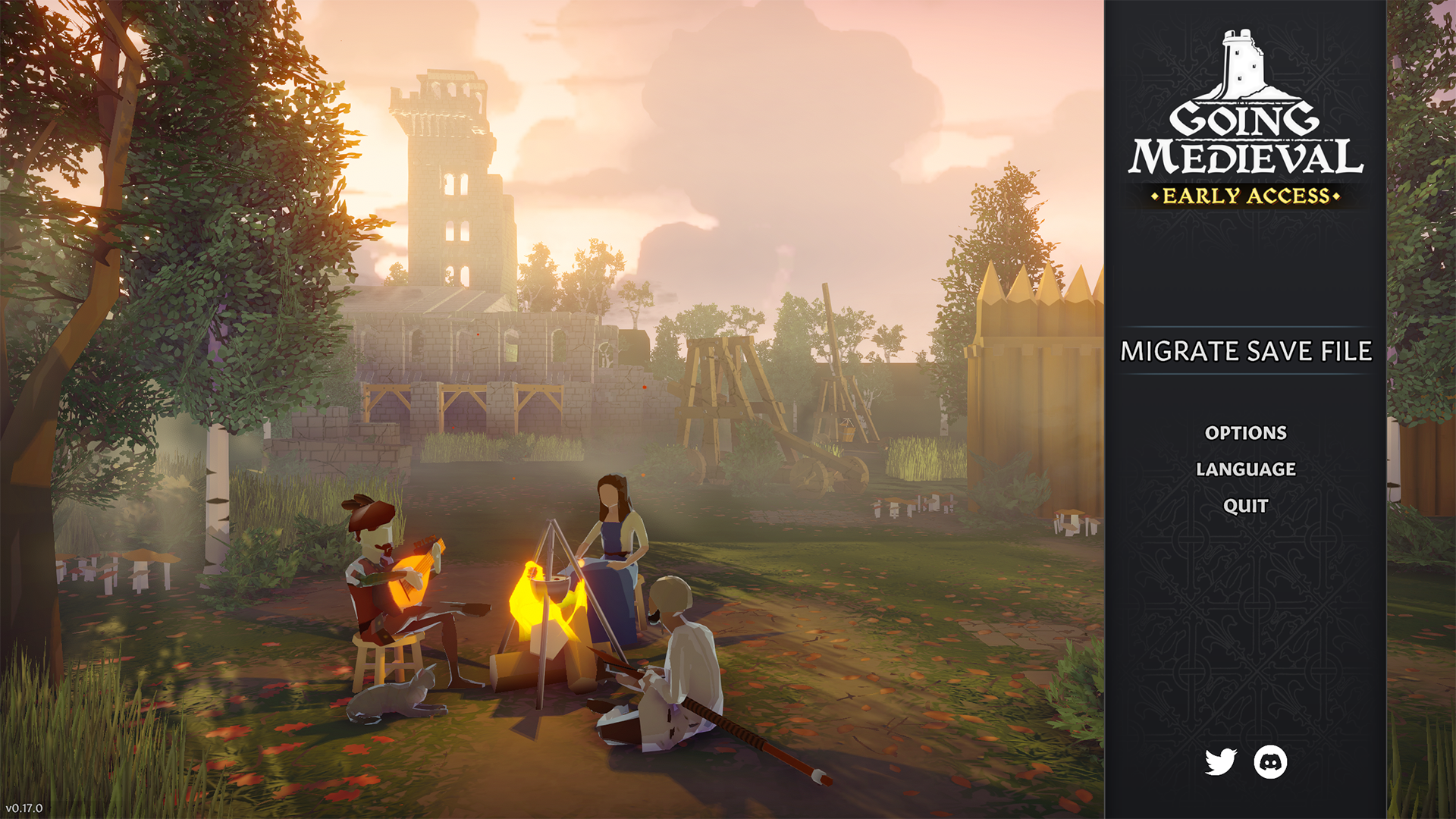 In the Main Menu, a new option titled “[b]MIGRATE SAVE FILE[/b]” will appear. Select it and it will show you a list of your saves.
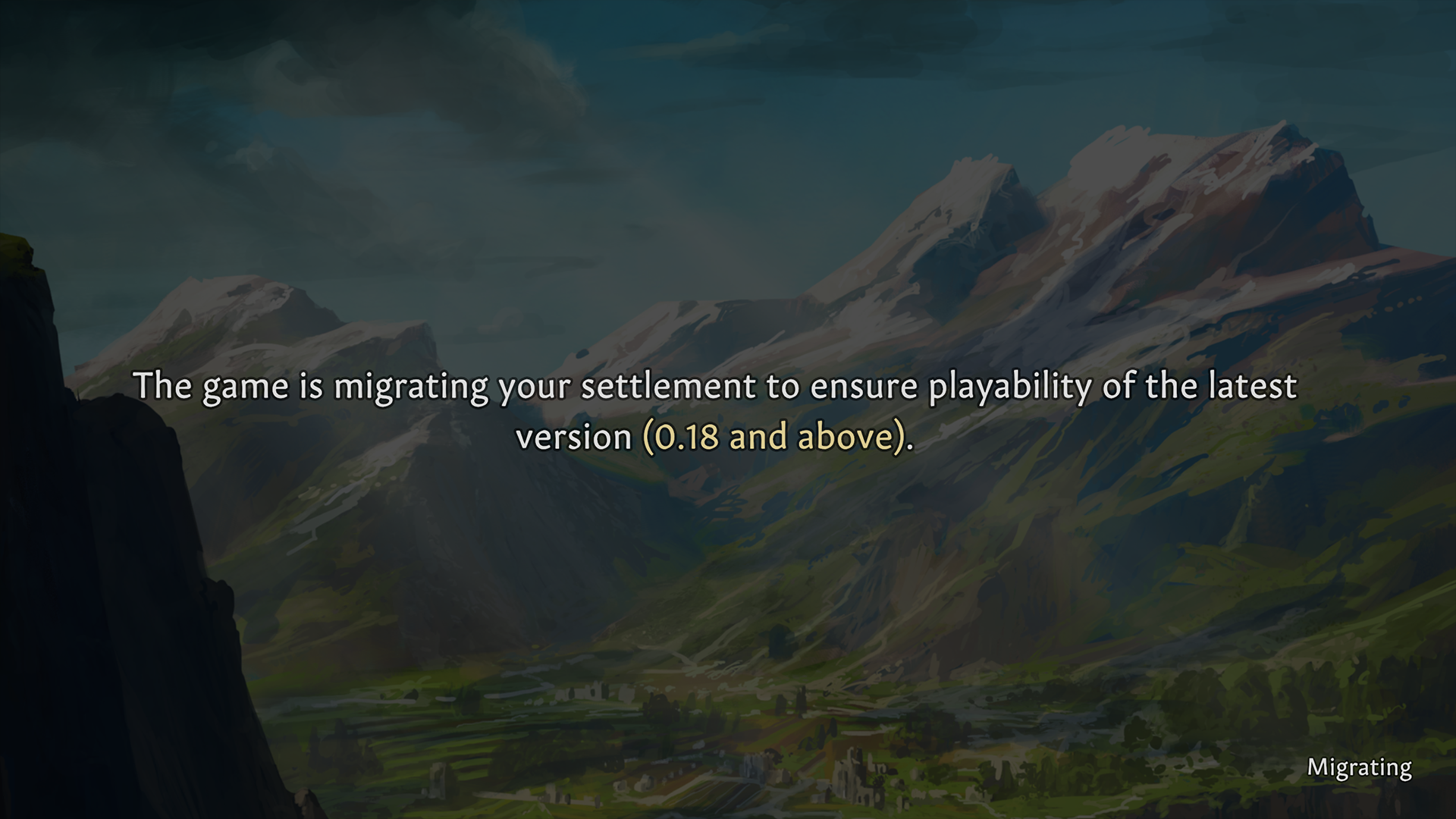
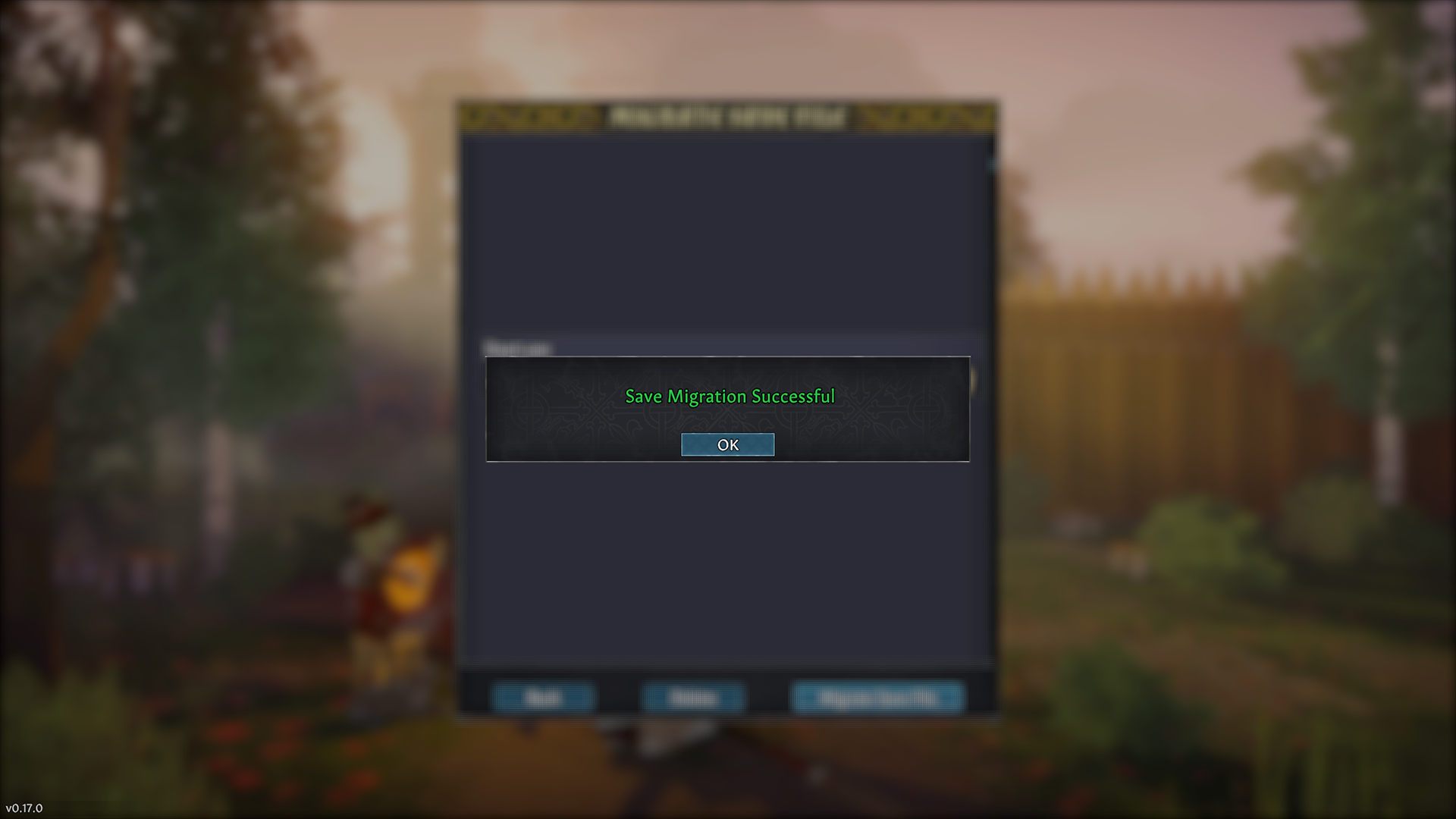
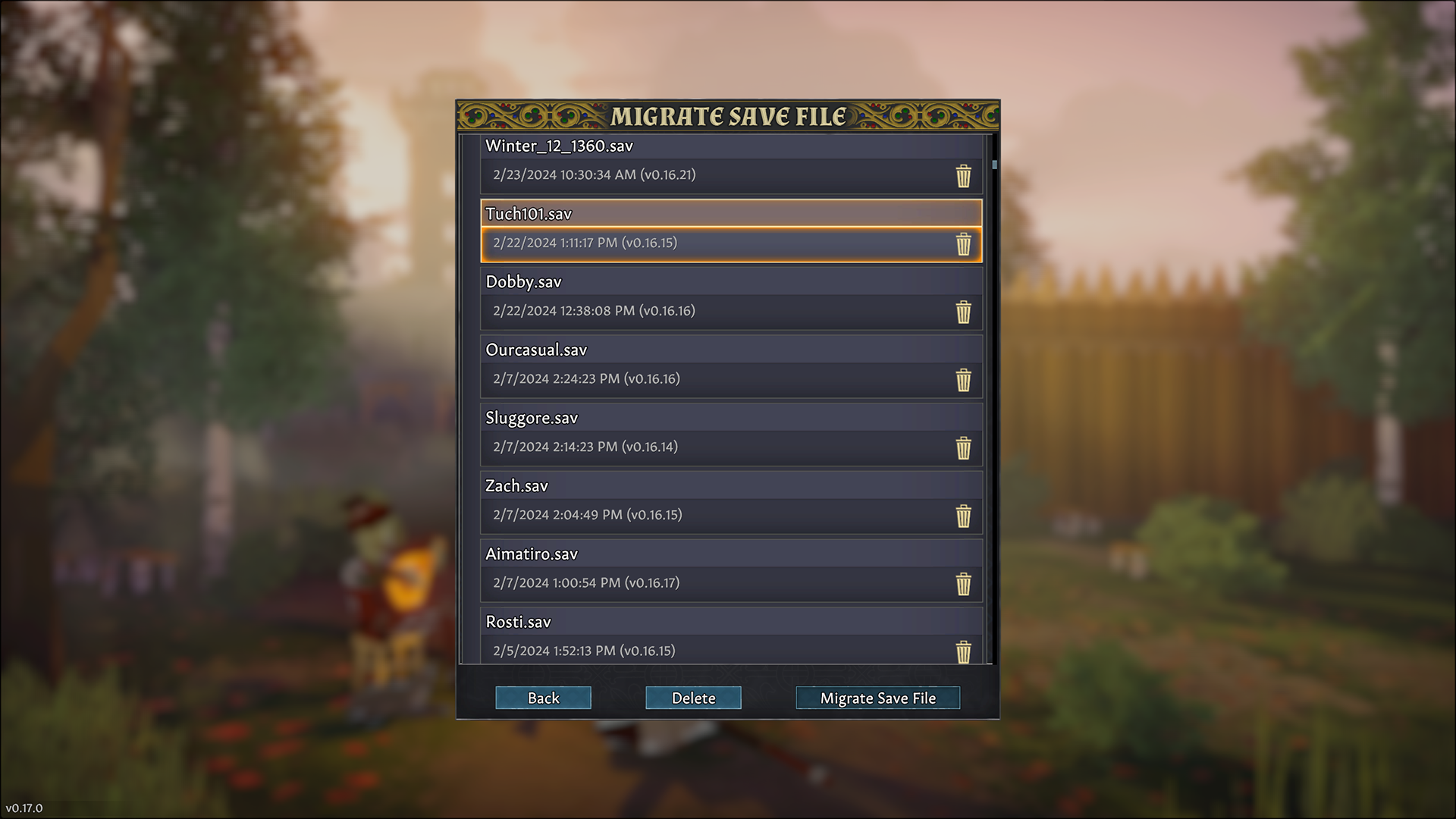 Choose the saves that you wish to transfer to a new version of the game then select “[b]Migrate Save File[/b]”. This will start the migration process in the form of a loading screen.
 Once the process is complete, you will be returned to the save list and your save will now have the mark v(0.18.0).
3. RETURN TO THE EXPERIMENTAL BRANCH
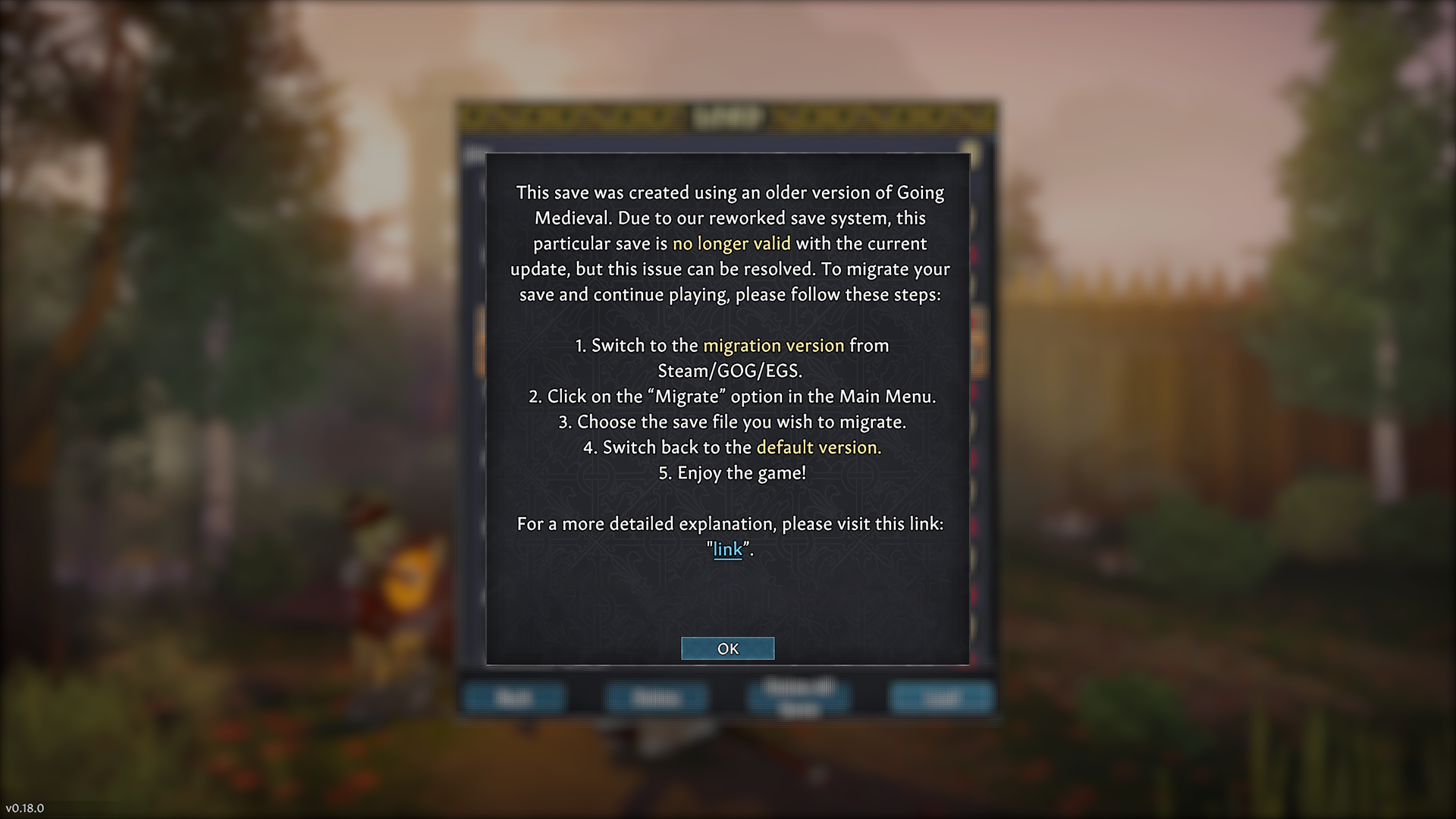
To return to the experimental branch, simply select it from the drop down menu mentioned above (Steam and GOG), or play the experimental install (EGS). Congratulations, you can now play your saves and download all of the upcoming updates, without a fear of losing save compatibility. If you have no more files to migrate, we suggest that you remove the migration build from your computer, as there is no more need for it. Again, [b]you should NOT play saves from the experimental branch on the main branch as the main branch still uses the old save system[/b]. We'll push the new save system there, too, but after a few weeks when we get rid of potential issues. - In addition to the text above, we also implemented and localized various pop up notes (in the languages we support at the moment) that relate to this process and will hopefully help you make this transition a much smoother experience.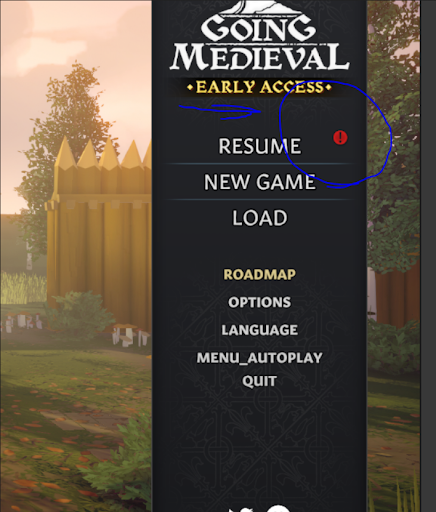
 We hope that these instructions will help you make a smooth transition to the new version of the game and allow you to experience upcoming updates as intended. If you have any trouble with the process, you can write us over the [b]support[at]foxyvoxel.io[/b] mail, [url=https://discord.gg/goingmedieval]our Discord server[/url] or here on [url=https://steamcommunity.com/app/1029780/discussions/]Steam forums[/url].
All the best and and we’ll be seeing you in the v(0.18) soon.
[url=https://store.steampowered.com/developer/foxyvoxel]Foxy Voxel[/url]
We hope that these instructions will help you make a smooth transition to the new version of the game and allow you to experience upcoming updates as intended. If you have any trouble with the process, you can write us over the [b]support[at]foxyvoxel.io[/b] mail, [url=https://discord.gg/goingmedieval]our Discord server[/url] or here on [url=https://steamcommunity.com/app/1029780/discussions/]Steam forums[/url].
All the best and and we’ll be seeing you in the v(0.18) soon.
[url=https://store.steampowered.com/developer/foxyvoxel]Foxy Voxel[/url]